WhatsApp with AI and peopleon the official API
Tolky connects your number to the official WhatsApp Business API, directly with Meta or through Gupshup, so AI agents can answer and your team can step in when needed.

Tolky
How does Tolky connect to WhatsApp?
**Tolky uses the official WhatsApp Business API.** The connection can be direct with Meta (Cloud API) or through Gupshup, an official Meta partner, and is set up in Settings with your Meta login.
Once connected, the same number gets AI agents, team members and campaigns with approved templates, with the conversation history in one place.
Fact sheet
- Connection
- Official WhatsApp Business API
- Providers
- Meta (Cloud API) or Gupshup
- Where to set up
- Settings, WhatsApp connection
- Coexistence
- Number on the WhatsApp Business app and the API, when available for your account
- Campaigns
- Message templates approved by Meta
- Voice
- WhatsApp calls answered by AI agents
Reviewed on 11/16/2026 against Meta's official documentation.
Meta direct or Gupshup
Both routes use the official API. The difference is who bridges the connection to Meta.
Direct
Meta (Cloud API)
Tolky connects to Meta's Cloud API with your account login, with no intermediary between you and Meta.
Log in with your Meta account, nothing to install
Messages billed by Meta on your account
Number and templates managed in WhatsApp Manager
It fits when
You already have, or want, the Meta business account and portfolio under your control.
Official Meta partner
Gupshup
Gupshup, an official Meta partner, bridges the API connection and Tolky uses it to answer and send campaigns.
Official Meta partner
Connection through the Gupshup account
Same Tolky agents, support and campaigns
It fits when
You prefer to operate through a partner or your number is already linked to Gupshup.
Both paths use the official WhatsApp Business API. To choose for your case, talk to the team.
What works on WhatsApp
All of this runs on the connected number, with the conversation history in one place.
AI agent that answers
The agent answers questions, looks up data and handles requests on WhatsApp, even at night.
People and AI on one number
If a case needs someone from the team, the conversation moves to a person with the full history.
24-hour window
Inside the window, the agent replies freely. Outside it, only approved templates.
Media in the conversation
Photos and files sent by the customer stay in the conversation history.
Campaigns with approved templates
The campaign goes out with an approved template and replies land in support.
Calls on WhatsApp
Tolky's voice also answers calls made on WhatsApp.
Flows and routing
Flows define who the conversation goes to and what happens at each step.
Unified history
The conversation keeps the same context if the customer later writes from the website.
AI under control
The operator can pause the AI in any conversation and take over.
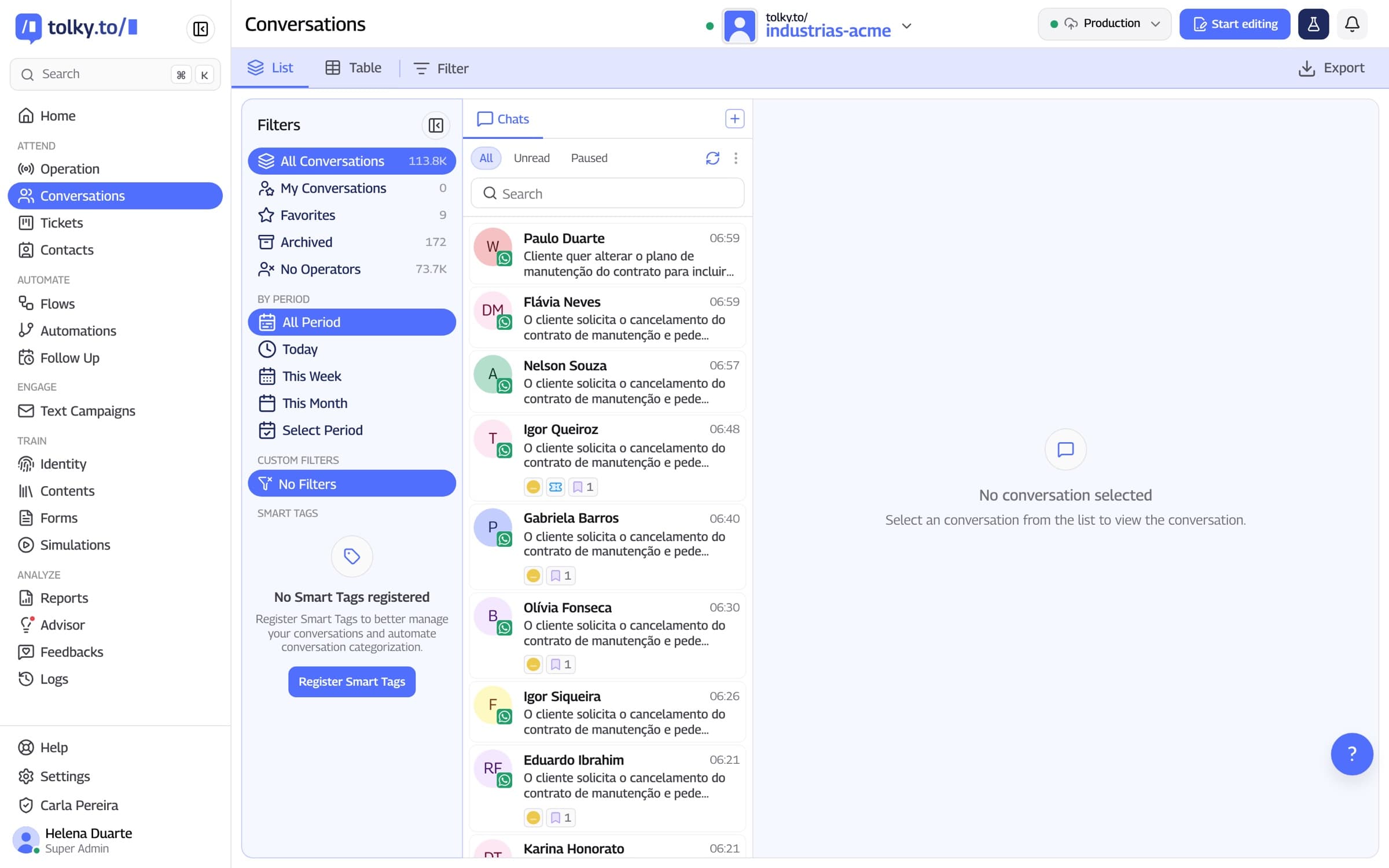
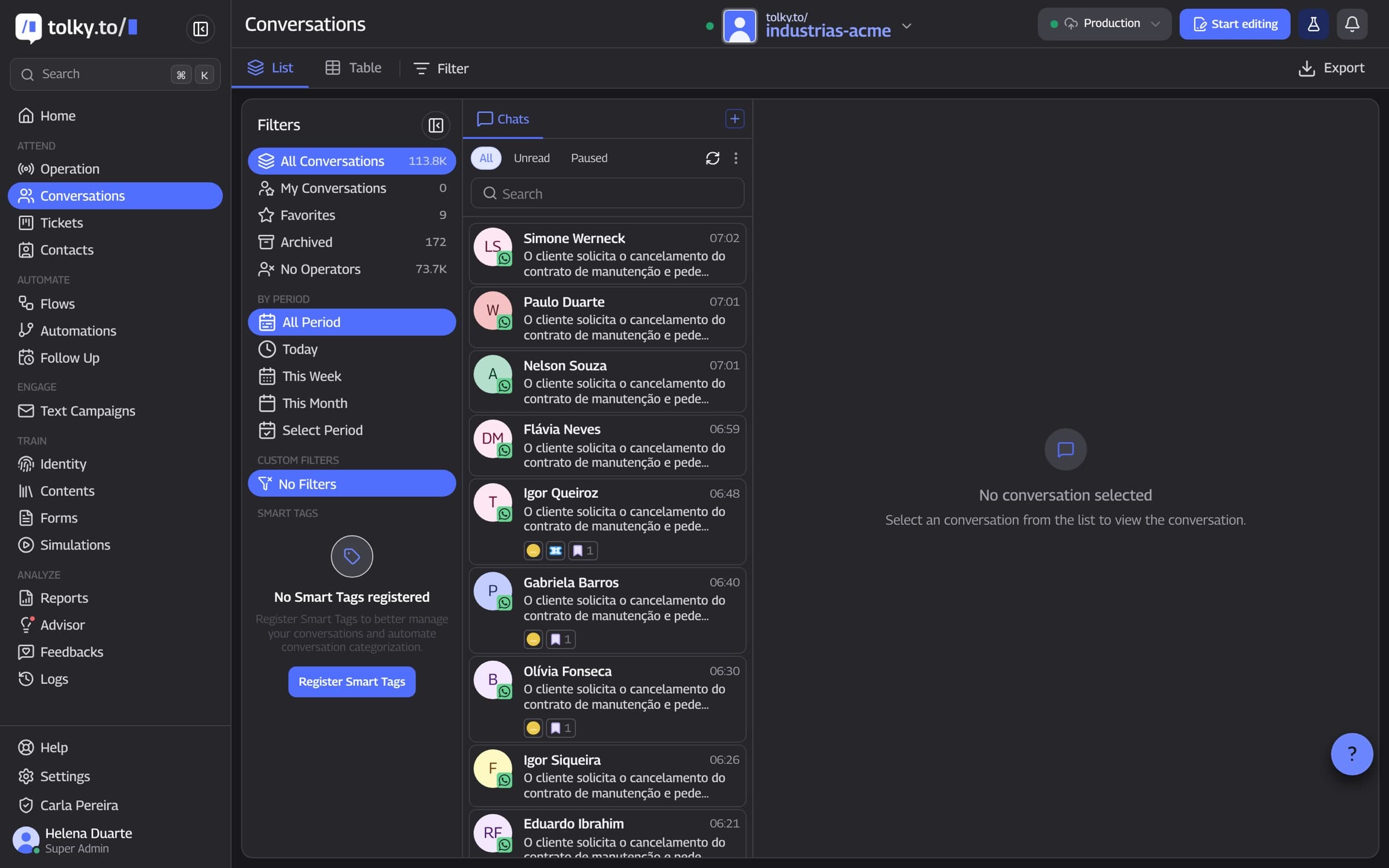
WhatsApp conversations in Tolky
AI agents and people answer on the same screen, with each contact's history.
What to know before connecting
01
Coexistence
Number on the app and the API at once
With coexistence, the number stays on the WhatsApp Business app and on the API. It depends on availability for your account at Meta.
If someone replies from the phone, the AI pauses
Without coexistence, the number lives only on the API
Check availability in the WhatsApp guide
02
Window and templates
24-hour window and templates
Meta allows free-form replies for 24 hours after the customer's last message. After that, only approved message templates.
Templates need Meta approval
Meta charges for template messages
Use the simulator to estimate cost
03
Campaigns
Campaigns that become conversations
The campaign goes out with an approved template and replies land in support, with the agent ready to continue.
Templates approved by Meta
Replies enter support
Each contact keeps its history
04
AI with people
When a person steps in
The agent handles what it can resolve and hands over to the team when the case calls for it, without losing context.
Handoff with history
Pause the AI at any time
Same conversation for AI and people
05
CRM
Conversation and customer in one place
WhatsApp conversations are tied to the contact in Tolky's CRM. With HubSpot, the contact and deal also show up there.
Tolky's own CRM
Native HubSpot integration
API and webhooks for other systems
How to connect WhatsApp to Tolky
Connecting takes a few steps in Settings and uses your Meta login.
What you need
A Meta account with administrator access
A number that can be used on the WhatsApp Business API
A payment method on Meta, for billed messages
An agent configured in Tolky to answer
The steps
- 1
Open the connection
In Settings, open the WhatsApp connection.
- 2
Choose the provider
Choose between Meta (Cloud API) and Gupshup.
- 3
Log in with Meta
Log in with your Meta account and connect the number.
- 4
Choose the agent
Pick which agent answers on that number and test a conversation.
WhatsApp guides and tools
Material to decide, estimate cost and get the channel running.
WhatsApp Business API guide
Official API, coexistence, templates, campaigns and AI support.
WhatsApp price simulator
Estimate Meta's message costs for your operation.
Support on WhatsApp
How Tolky serves customers on WhatsApp with AI and people.
Text campaigns
Send campaigns with approved templates and handle the replies.
WhatsApp link generator
Create a wa.me link with a ready message, free.
WhatsApp QR Code generator
Generate a QR Code that opens a chat with your number, free.
Questions about WhatsApp on Tolky
Yes. The connection uses the official WhatsApp Business API, directly with Meta (Cloud API) or through Gupshup, an official Meta partner.
Both use the official API. With Meta, the connection is direct with your account. With Gupshup, an official Meta partner bridges it.
Yes, with coexistence, when available for your account at Meta. If someone replies from the phone, the AI pauses.
It is the 24 hours after the customer's last message in which Meta allows free-form replies. After that, only approved message templates.
Yes, with message templates approved by Meta. Replies land in Tolky's support.
Yes. Tolky's voice answers calls on WhatsApp, as well as website voice and telephony, which is enabled on activation.
Meta charges for messages sent with templates. Use the WhatsApp price simulator to estimate your operation's cost.
Other integrations

Connect WhatsAppand start talking
Show us your number and we will set up the connection and the first agent with you.