Tolkyvs Decagon
Compare Tolky with Decagon to choose between AI agents on top of your current help desk and an AI CRM with agents, CRM and team in one workspace.
Tolky
AI CRM

Decagon
AI agents for enterprise support
Conversational AI CRM
Which fits your operation?
Consider Tolky if…
You want to manage customer service, conversation history, and CRM in one platform.
You sell or support customers over WhatsApp with a mix of AI and human service.
You want to size your plan around monthly service volume and team capacity.
Consider Decagon if…
Your support operation is large and already uses Zendesk, Salesforce or Intercom as its help desk.
Your team wants to write procedures in natural language and test the agent with simulations and experiments before scaling.
Feature comparison
Check the plan, region, and add-ons required to run the same scenario on both platforms.
Criterion
Tolky
Decagon
Focus
Customer service, sales, and conversational CRM in one workspace.
AI agents for enterprise customer service, presented as an AI concierge for every customer.
AI agents
Configurable agents answer questions, qualify leads, look up data, and take permitted actions.
Agent Operating Procedures (AOPs) define agent workflows in natural language. It offers simulation testing, A/B experiments, Watchtower for always-on QA and actions through APIs and MCP.
Service channels
WhatsApp through the official API, webchat, Microsoft Teams and voice (WhatsApp, web and telephony on activation). Instagram coming soon.
Chat (web, SMS and WhatsApp), email and voice in one layer. Voice connects to Amazon Connect and RingCentral.
CRM updates
The Tolky CRM is updated during the conversation. Native HubSpot integration and 1,000+ apps through the Integration node in Flows.
Syncs tickets and customer data from Salesforce, Intercom and Zendesk and acts on those systems through workflows. No native CRM is stated.
Human handoff
Your team can take over with access to the conversation history. Queue and department features vary by plan.
On voice, it transfers the call to people when escalation is needed. On email, it hands the conversation to the team through Zendesk or Intercom.
Billing model
Billed per conversation, with a free plan and plans with monthly conversation allowances and user seats. Meta’s WhatsApp charges are separate.
Per conversation or per resolution, with no charge for escalations under the second model. Rates are not publicly disclosed.
Official sources checked on November 16, 2026
What to test in a pilot
Pick a frequent ticket type, write the procedure on both platforms and run it for two weeks on the same channel. Compare resolved conversations, handoff quality and the cost per conversation or per resolution.
Tolky in action
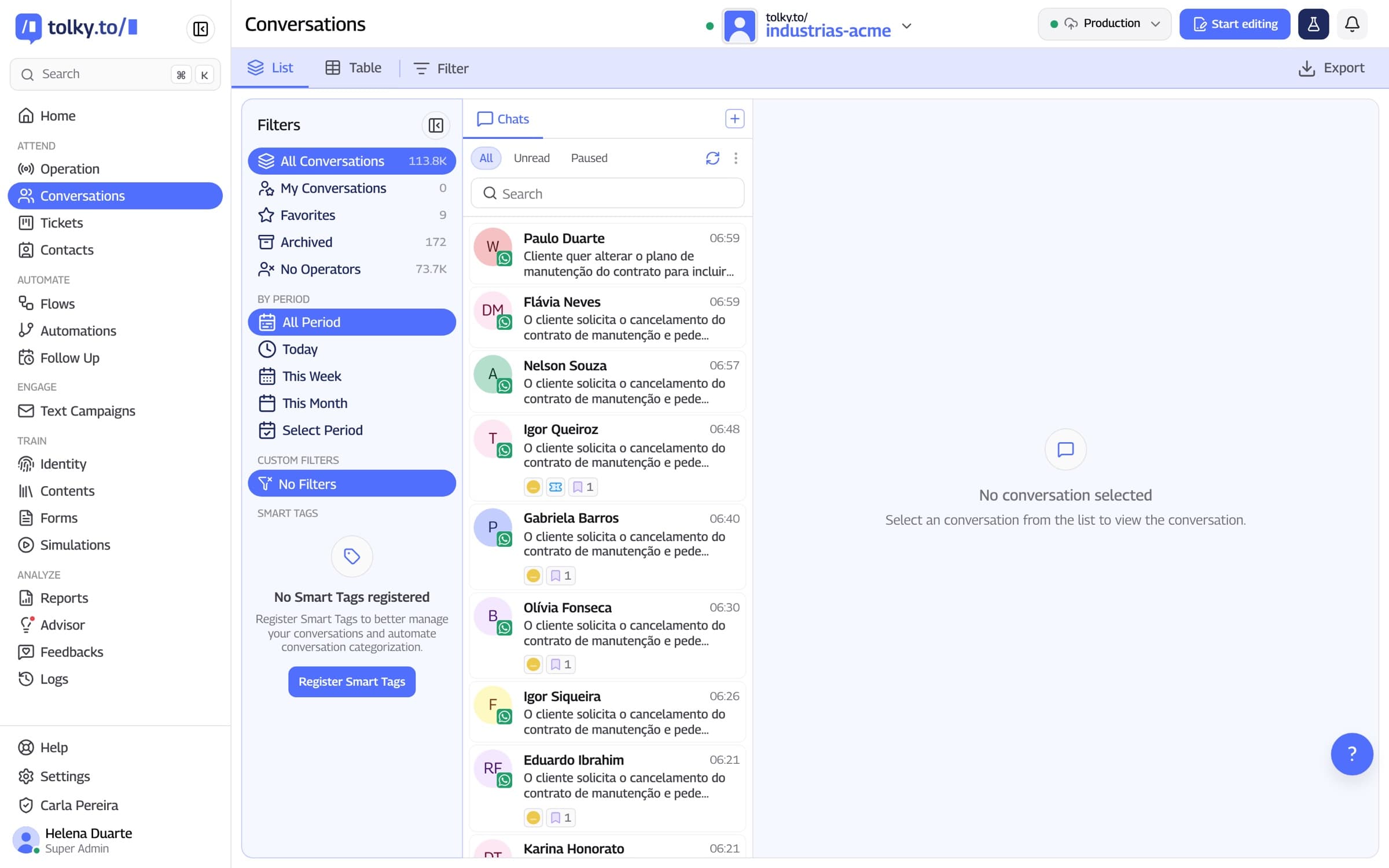
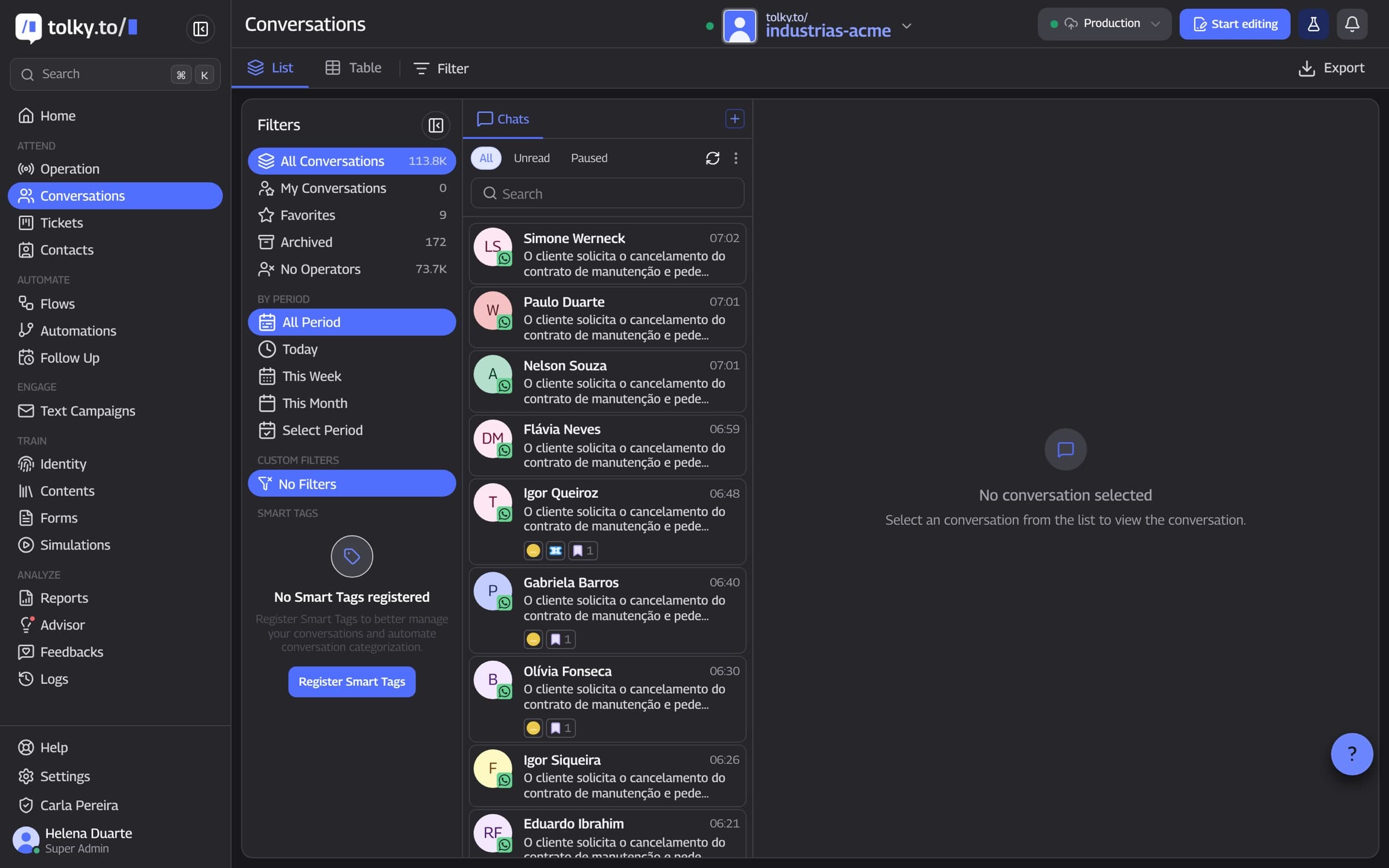
Screenshot of the Tolky platform
How to plan the transition
Start with your highest-impact workflow. Validate the data, integrations, and channels before moving production traffic.
- 1
Inventory
List your channels, flows, templates, data, and integrations. Check what you can export.
- 2
Configuration
Define permitted actions, escalation rules, and which system will own each field.
- 3
Pilot
Start with a low-risk segment. Validate history, permissions, CRM updates, and human handoff.
- 4
Expansion
Increase volume once you have validated the results. Plan a rollback before switching your main number.
Frequently asked questions
Agent Operating Procedures are agent workflows written in natural language instead of technical configuration. They define how the agent handles each type of request.
Decagon describes two models: per conversation, with a fixed rate per incoming conversation, and per resolution, with a higher rate per resolved conversation and no charge for escalations. Rates are not published.
More comparisons

Tolky vs Intercom
AI agent for support

Tolky vs Zendesk
Help desk with AI agents

Tolky vs Sierra
AI agents for large enterprises

Tolky vs VTEX CX Platform
AI agents for e-commerce

Tolky vs HubSpot
CRM and marketing

Tolky vs Salesforce
Enterprise CRM

Tolky vs RD Station
Marketing, sales, and service

Tolky vs Manychat
Messaging automation

Tolky vs Blip
Conversational service

Tolky vs Zenvia
Omnichannel CX platform

Tolky vs Octadesk
Omnichannel service with AI

Tolky vs Kommo
Sales CRM for messaging

Tolky vs Leadster
AI lead generation

Tolky vs Respond.io
Multichannel inbox with AI

Tolky vs Wati
WhatsApp messaging and AI

Tolky vs SleekFlow
AI conversation suite

Tolky vs Huggy
Omnichannel digital customer service

Conversations aren't support.They're infrastructure.
Step into the new era of the relationship between companies and customers.