WhatsApp AI chatbotthat resolves and knows when to call a person.
Tolky's WhatsApp AI chatbot is an agent that answers on your company's official WhatsApp number: it understands text and voice notes, answers from your knowledge base, carries out tasks in your systems and hands off to your team when a rule says so.
What a WhatsApp AI chatbot is
A WhatsApp AI chatbot is an assistant that talks in natural language on WhatsApp instead of showing numbered menus. On Tolky, it is set up as an agent: you choose its mission, teach it with your company's content, define what it can and cannot answer and decide when a conversation goes to a person. It runs on Meta's official API and works alongside your team on the same screen.
At a glance
- Channel
- WhatsApp on Meta's official API, with coexistence in the phone app
- Setup
- One or two missions, a knowledge base and limits you define
- When it calls a person
- Based on rules you set, with the history and a summary on screen
From zero to an agent answering
Step 01
Choose the mission
Conversation and Support, Sales and Commercial Relationship or another of the five missions. Up to two per agent.
Step 02
Teach it your content
Your company's texts, files and links become the agent's knowledge base.
Step 03
Set the limits
Scope, fixed answers and the rules for when a conversation goes to a person.
Step 04
Connect the number
Meta's official API with guided signup; the number keeps working in the phone app.
Step 01
Choose the mission
Conversation and Support, Sales and Commercial Relationship or another of the five missions. Up to two per agent.
Step 02
Teach it your content
Your company's texts, files and links become the agent's knowledge base.
Step 03
Set the limits
Scope, fixed answers and the rules for when a conversation goes to a person.
Step 04
Connect the number
Meta's official API with guided signup; the number keeps working in the phone app.
How the AI agent works on WhatsApp
Seven features turn a chatbot into an agent. All of them are on the platform today, and each one has a page or guide to go further.
01
Missions
The mission says what the agent is for
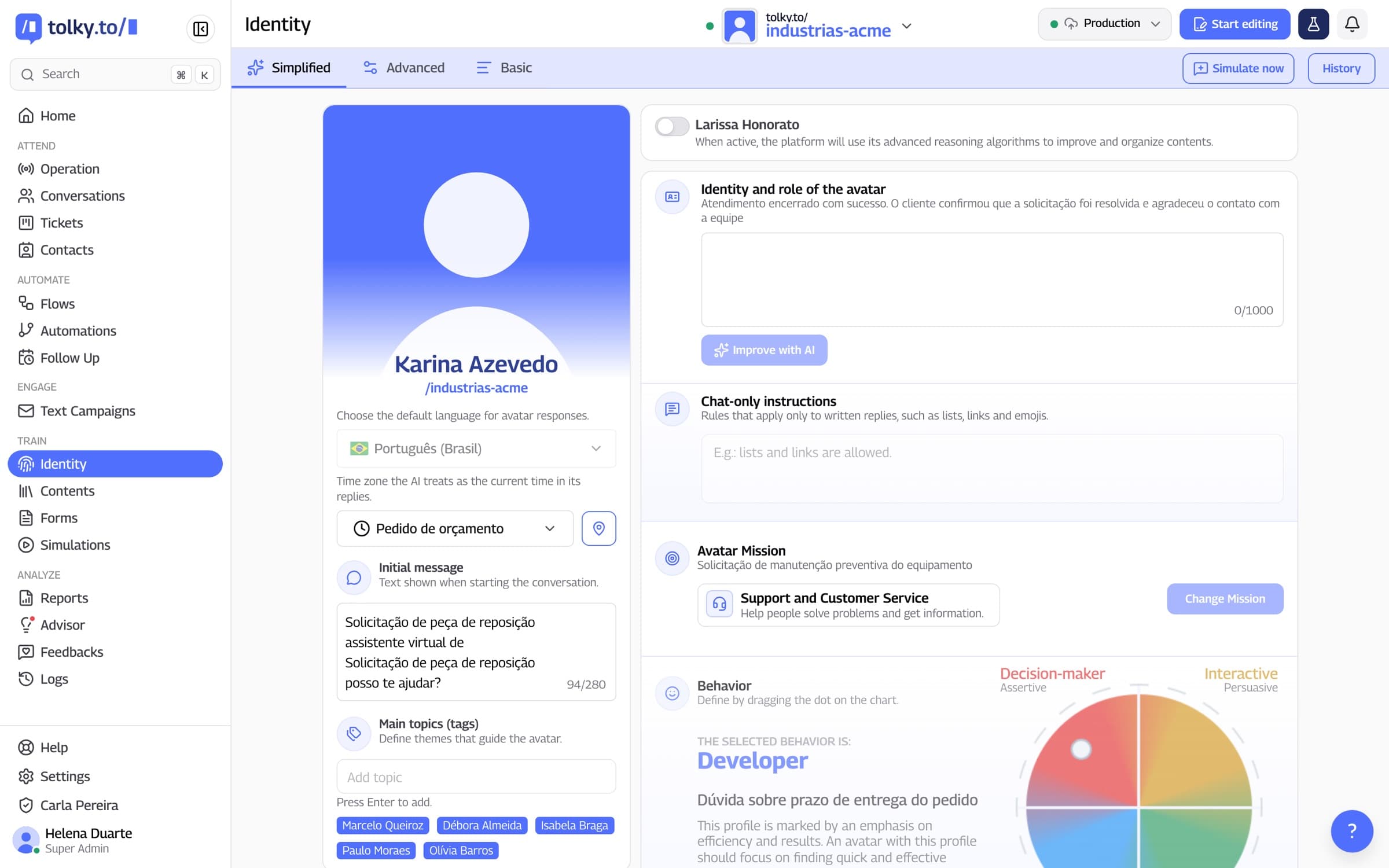
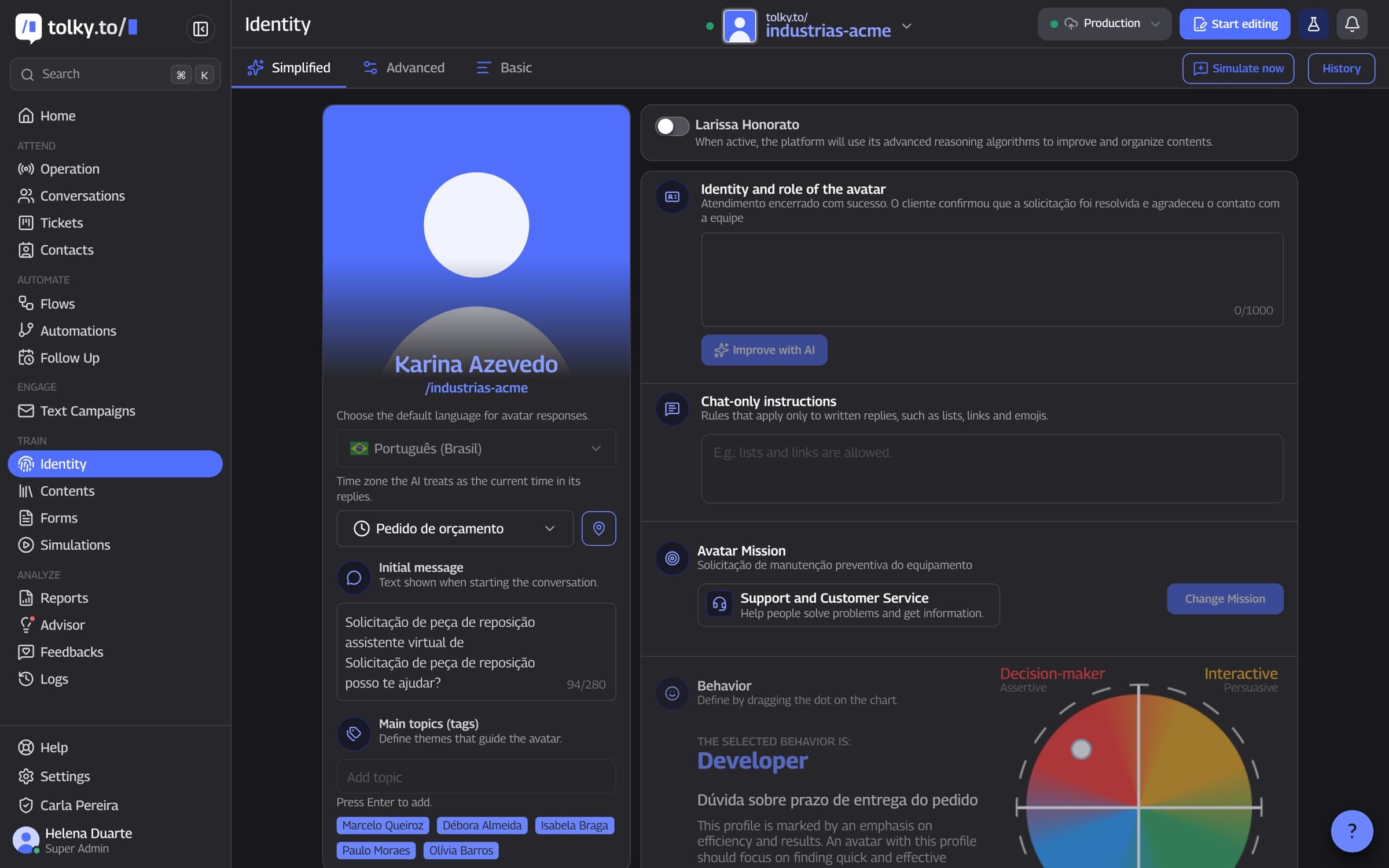
Every Tolky agent starts from one or two missions that shape its tone, questions and actions. In Identity, you set its name, scope, limits and default reply language, from 20 options.
Conversation and Support, Education and Guidance, Sales and Commercial Relationship
Engagement and Experience, Management and Productivity
Roles such as pre-sales or after-sales are set up by you on top of the missions
02
Knowledge base
The agent answers from your company's content
The knowledge base holds the texts, files and links you add, and the agent looks them up to answer. On the Professional and Enterprise plans, it can also search the web, limited to the sites you choose.
Texts written right on the platform
Files such as PDF and DOCX
Web page links, of which only the text is used
03
Limits
It only answers what it should
Messages outside the agent's scope are redirected, following an instruction you write. Anything that cannot change, such as a standard notice, becomes a fixed answer, with a cap on how many times it is sent per conversation.
Protection against off-scope messages
Fixed answers for what must not change
Scope and limits written in the agent's Identity
04
Actions
Beyond answering, the agent gets things done
During the conversation, the agent collects data with forms, opens tickets, creates and moves deals in the CRM and labels the conversation with Smart Tags. In Flows, it queries systems through HTTP requests and more than 1,000 connectable apps.
Forms filled in inside the conversation
Tickets and CRM deals created from what the customer said
Native HubSpot integration, REST API and webhooks
05
Voice and media
It understands voice notes, images and documents
WhatsApp voice notes are transcribed and answered, and the agent can reply with audio when it makes sense. Images and documents, such as PDFs, are read too and feed into the answer.
Transcription of the customer's voice notes
Replies in text or audio, with the voice you choose
Reading of images and documents sent in the chat
06
Handoff
It knows when to call a person
You write rules in the form when this happens, do that, and the agent flags the conversation that needs human attention, which stands out in the service queue. In Flows, the Transfer to human step pauses the AI. Whoever takes over sees the history and a summary of the conversation.
Handoff rules written by you
AI paused in the conversation that went to the team
Handover message with the name of the person who took over
07
Follow-up and the 24-hour window
It picks the conversation back up at the right time
When the customer stops replying, automatic follow-up sends a message to restart the conversation, in one or more attempts, each with its own wait. Nothing goes out during quiet hours. Outside WhatsApp's 24-hour window, the conversation restarts with a Meta-approved template.
Attempts with waits from a few minutes up to 7 days
Quiet hours respected on every attempt
Approved templates to reach out outside the window
Menu chatbot or AI agent: what changes
The difference shows when the customer goes off script. The table compares a menu chatbot, built from option trees, with Tolky's AI agent.
| Situation | Menu chatbot | Tolky AI agent |
|---|---|---|
| The customer writes in their own words | Asks them to pick a number from the menu | Understands the sentence and replies in natural language |
| The customer sends a voice note | Usually cannot understand it | Transcribes it and replies in text or audio |
| An off-script question | Goes back to the main menu | Answers from the knowledge base, or redirects if it is off scope |
| A request that depends on a system | Sends a link or a phone number | Queries the system, opens a ticket or logs it in the CRM |
| A case that needs a person | Transfers with no context | Transfers by the rule you set, with history and a summary |
| The customer goes quiet | The conversation stops there | Automatic follow-up, outside quiet hours |
Frequently asked questions
It is an assistant that talks in natural language on a company's WhatsApp instead of showing numbered menus. On Tolky, it works as an AI agent: it answers from the company's knowledge base, carries out tasks in connected systems and hands off to the team when a rule says so.
A traditional chatbot follows a fixed script of options. An AI agent understands the question, looks up the company's content and acts: it opens tickets, fills in forms and updates the CRM. Tolky uses the agent, with limits and handoff rules you define.
Yes. It connects through Meta's official API with guided signup. With coexistence, the same number keeps working in the WhatsApp Business app on the phone.
You choose one or two missions, write the agent's identity (name, tone, scope and limits) and add the knowledge base with texts, files and links. No coding is needed.
No. It answers within the scope you set and from your knowledge base. Off-scope messages are redirected, anything that must not change becomes a fixed answer, and cases that need a person follow the handoff rules.
Yes. The customer's voice notes are transcribed and answered, and the agent can reply in text or audio. Images and documents, such as PDFs, are read too.
Each agent has a default reply language, chosen from 20 options, including Portuguese, English and Spanish.
Tolky bills per conversation. The Individual plan is free, with 150 conversations a month; Starter costs $90 a month and Professional $450 a month. Meta's WhatsApp fees are charged separately.
The same feature, other angles.
Solution
WhatsApp ServiceAI that answers, resolves and hands off to the team with context, on your company's official number.
Feature
WhatsApp shared inboxSeveral agents and the AI on the same WhatsApp number, with departments, queues, automatic distribution and handoffs with context.
Feature
AI website chatHow Tolky's webchat and minichat put the AI agent on your website: script installation, adjustable look, the same knowledge base and handoff to the team.
Pricing
Plans and pricingBilled per conversation, with a free plan to start. Meta's WhatsApp fees are charged separately.

Your chatbot canresolve more today.
Book a demo and watch Tolky's agent answer with your knowledge base, your rules and your team close by.