WhatsApp shared inboxwith many agents and one number.
Tolky's WhatsApp shared inbox puts several agents and the AI agent on the same official WhatsApp number: each conversation lands in a department, goes to the right queue, is assigned to someone available and can be transferred without losing its history.
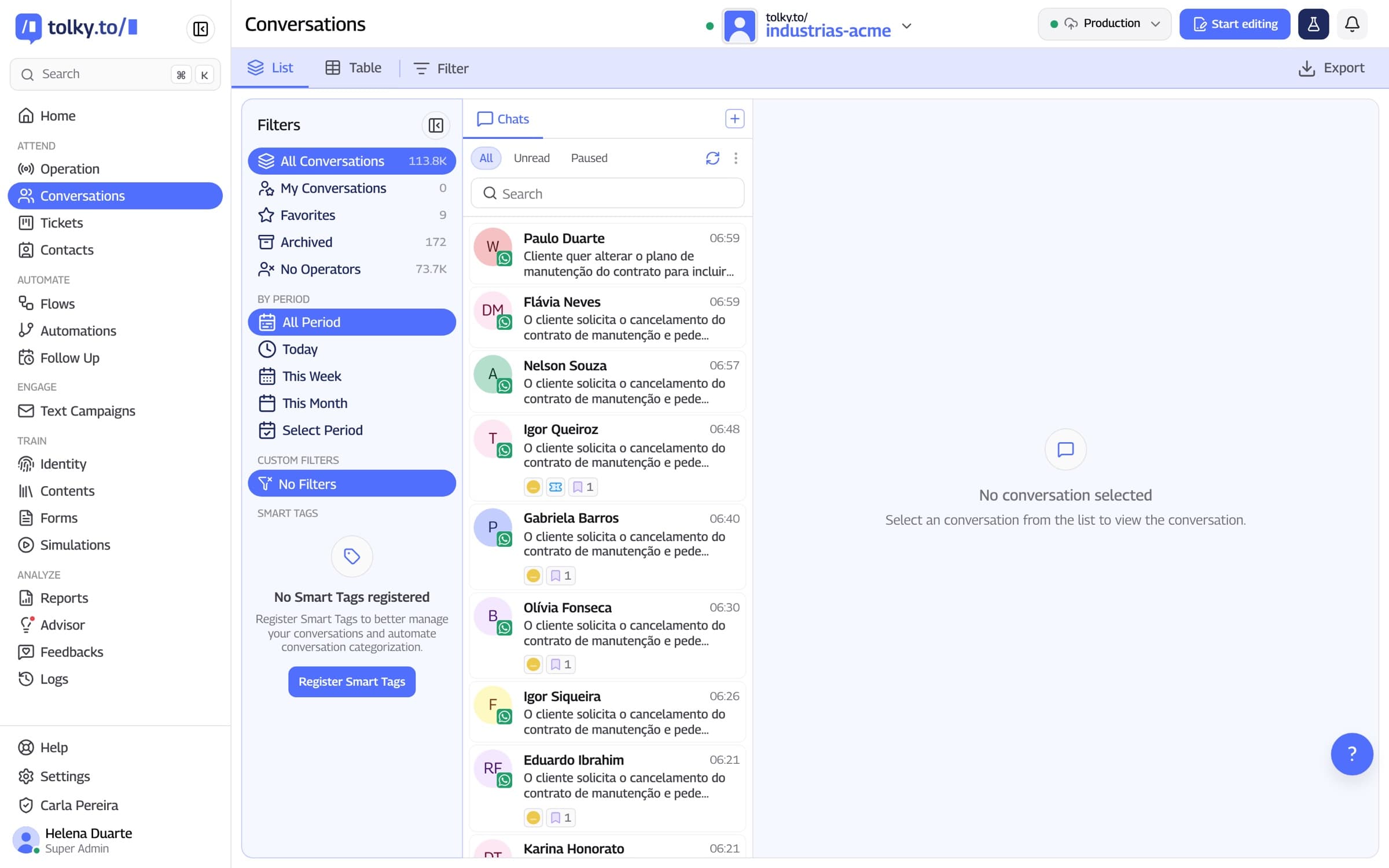
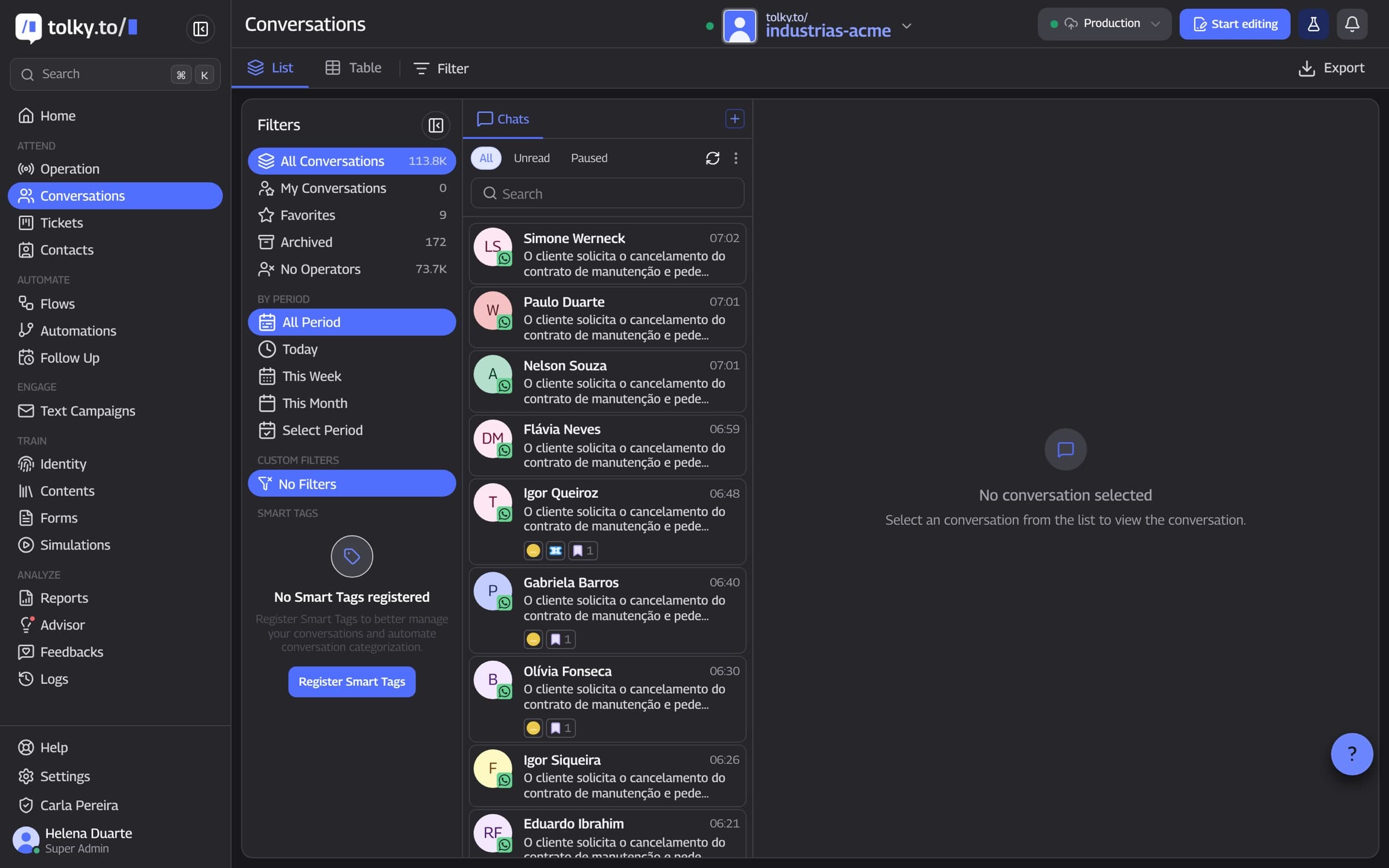
What a WhatsApp shared inbox is
A WhatsApp shared inbox lets several agents use the same WhatsApp number at the same time, each with their own conversations. On Tolky, the AI can answer first and classify the topic, the ticket goes to the right department, the queue assigns it to an available operator and the manager follows everything live.
At a glance
- Number
- One official number for the whole team and the AI agent
- Distribution
- Manual or automatic, only to people who are available
- Management
- Live Queue Health, tickets, NPS and access profiles
From the first hello to the right agent
Step 01
The customer writes
The message reaches the official number, and the AI can resolve on its own whatever is in the knowledge base.
Step 02
The AI classifies it
Based on the topic, the ticket goes to the right department; anything it cannot classify goes to the default department.
Step 03
The queue assigns it
Manually or automatically, by criteria you rank, only among available operators.
Step 04
The team resolves it
Whoever takes over sees the history, the summary and the AI's suggestions, and can transfer with a reason.
Step 01
The customer writes
The message reaches the official number, and the AI can resolve on its own whatever is in the knowledge base.
Step 02
The AI classifies it
Based on the topic, the ticket goes to the right department; anything it cannot classify goes to the default department.
Step 03
The queue assigns it
Manually or automatically, by criteria you rank, only among available operators.
Step 04
The team resolves it
Whoever takes over sees the history, the summary and the AI's suggestions, and can transfer with a reason.
How Tolky's WhatsApp shared inbox works
Seven features organize a whole team on the same number. All of them are on the platform today.
01
One number
The whole team on the same official number
The company's number is connected through Meta's official API, and every agent works on it through Tolky with their own login. With coexistence, the number keeps working in the WhatsApp Business app on the phone.
Connection through the official API, with guided signup
Coexistence with the WhatsApp Business app
Users according to your plan
02
Departments and queues
Every conversation in the right department
You create departments and describe what each one handles. The AI uses that description to decide where each ticket goes, and anything it cannot classify lands in a default triage department. Departments are part of the Professional and Enterprise plans.
Departments with their own queue
A default department for what the AI could not classify
One conversation can create tickets for more than one department
03
Distribution
Conversations go to whoever is available
Each queue uses manual distribution, where the operator pulls the next ticket, or automatic distribution, following an order of criteria you set. Only active operators receive tickets, and each one has a limit of simultaneous tickets.
Criteria: longest without a ticket, fewest open tickets, specialist by history or declared specialist
Manual distribution by arrival order or by priority
A per-operator limit in each queue and a global limit
04
Transfers
Transfer without losing the history
The operator transfers the ticket to another department, queue or colleague, always with a reason, or sends it back to the queue. If the company requires it, the transfer goes through approval by an administrator or manager, and the ticket stays with the requester until the answer.
Transfers between departments, queues and operators
A reason logged with every transfer
Optional approval by an administrator or manager
05
AI and team
From the AI to a person, and back
The operator pauses the AI with one click, takes over the conversation and can send a handover message with their own name. With conversation reservation turned on, the text box is locked for everyone else while they are serving. If they are away, an away message lets the customer know.
Pause and resume the AI per conversation or in bulk
Handover message set up per agent
Conversation reservation released after 1 to 10 minutes
06
Context
Whoever serves sees the whole conversation
When opening a conversation, the operator gets the contact's history, an AI summary of the conversation and up to three suggested replies, with recommended actions such as transfer, close or send the NPS survey. Notes with mentions alert a colleague.
Conversation summary generated by the AI
Up to three suggested replies and recommended actions
Notes with mentions and conversation export to PDF
07
Management
The manager sees the queue live
Queue Health shows how many tickets are waiting, the average wait, the oldest wait, time to first response and each operator's load. Tickets have stages and priority, and every conversation can end with an NPS survey.
Tickets on a board or list, with stages and priority
NPS at the end of the conversation
Access profiles and activity log
WhatsApp Business app or Tolky's shared inbox
The phone app was built for a few conversations. The table shows what changes when a whole team answers on the same number with Tolky.
| Situation | WhatsApp Business app | Shared inbox on Tolky |
|---|---|---|
| Several people on one number | Everyone sees every conversation, with no clear owner | Each ticket has an owner, with conversation reservation |
| The message is about another topic | Someone has to read it and pass it on | The AI classifies it and sends it to the right department |
| A spike in messages | Whoever has the app open replies | Automatic distribution, with a per-operator limit |
| Moving it to another team | Forward the message or ask the customer to message another number | Transfer with a reason, on the same number |
| Repeated questions | Quick replies typed by the team | The AI agent answers from the knowledge base |
| Tracking the operation | No queue and no waiting time | Queue Health, time to first response and NPS |
Frequently asked questions
It is when several agents use the same WhatsApp number at the same time, each with their own conversations. On Tolky, it comes with departments, queues, automatic distribution, transfers and the AI agent working alongside the team.
No. You connect the number you already use through Meta's official API. With coexistence, it keeps working in the WhatsApp Business app on the phone and is also available to the team on Tolky.
It depends on the plan: Starter includes 2 users and Professional 10 users, with departments and queues. Enterprise is quoted on request. Everyone works on the same number, each with their own login.
Each queue uses manual distribution, where the operator pulls the next ticket, or automatic distribution, by criteria you rank: longest without a ticket, fewest open tickets or subject specialist. Only operators who are active and under their simultaneous ticket limit receive tickets.
Not with conversation reservation turned on: while one operator is serving a contact, the conversation's text box is locked for the others. You set when the reservation is released, from 1 to 10 minutes.
Based on rules you set, the agent flags that the conversation needs a person, and it stands out in the service queue. The operator takes over, the AI is paused in that conversation and the operator sees the history and the summary.
Yes. Queue Health shows live the tickets in queue, the average wait, the oldest wait, time to first response and each operator's load.
Billing is per conversation. Starter costs $90 a month and Professional, which includes departments and queues, $450 a month. Meta's WhatsApp fees are charged separately.
The same feature, other angles.
Solution
WhatsApp ServiceAI that answers, resolves and hands off to the team with context, on your company's official number.
Feature
WhatsApp AI chatbotHow Tolky's AI agent works on WhatsApp: missions, knowledge base, limits, actions, voice notes and handoff to a person.
Feature
Microsoft Teams AI agentHow Tolky's AI agent serves employees on Microsoft Teams and sends campaigns through the channel, with the app in your company's Azure.
Pricing
Plans and pricingBilled per conversation, with a free plan to start. Meta's WhatsApp fees are charged separately.

Your whole teamon one number.
Book a demo and see queues, distribution and the AI working alongside your agents.