AI voice agentthat answers the call without a keypad menu.
Tolky's voice agent answers calls on the web, on WhatsApp and by phone: the customer speaks in their own words, the AI understands, checks the knowledge base and replies, and a person joins the line when the case calls for it. The phone network is available on activation.
What an AI voice agent is
AI voice agent is an assistant that answers calls in natural language, combining speech recognition, a language model and speech synthesis. It is the basis of the semantic IVR: instead of "press 2", the customer says what they need. In Tolky, the same agent that handles text handles voice, with the transcript saved in the contact's history.
At a glance
- Where it answers
- Voice on the website, calls on WhatsApp and phone (phone network on activation)
- How it talks
- Natural speech, with interruptions allowed and a transcript that follows the speaker's language
- When it calls a person
- The operator joins the audio and the AI goes silent; the transcript stays in the history
From call to resolution
Step 01
Choose the channels
Voice on the website, WhatsApp and phone, each number with its own agent.
Step 02
Give the AI a voice
Voice with preview, regional accent, opening greeting and shorter replies.
Step 03
The AI talks and resolves
It listens, understands, checks systems and replies, accepting interruptions.
Step 04
The team joins when needed
Transfer to a human agent, with the full transcript in the history.
Step 01
Choose the channels
Voice on the website, WhatsApp and phone, each number with its own agent.
Step 02
Give the AI a voice
Voice with preview, regional accent, opening greeting and shorter replies.
Step 03
The AI talks and resolves
It listens, understands, checks systems and replies, accepting interruptions.
Step 04
The team joins when needed
Transfer to a human agent, with the full transcript in the history.
How the voice agent works
Seven real capabilities of Tolky's voice service.
01
Channels
Web, WhatsApp and phone
Voice answers in three places: directly in the browser, on WhatsApp calls and on the regular phone network. On the phone network, you choose the number and the agent that answers, on activation. For the company to call over WhatsApp, the contact has to give permission.
Voice on the website, nothing to install
Calls on WhatsApp
Phone network on activation
02
Semantic IVR
The customer speaks, not presses
A semantic IVR recognizes free speech, with variations, accents and topic changes, not numeric menus. The AI resolves what is in the knowledge base, checks systems and transfers what takes judgment.
No menu tree
The conversation continues if the topic changes
Resolves or transfers with the reason
03
Voice and modes
Choose the voice before publishing
You choose the voice with a preview, the regional accent, the opening greeting and the length of replies. In cascade mode, the platform transcribes, thinks and synthesizes the voice; in real-time mode, the AI listens and speaks at the same time.
Voice with preview and regional accent
Cascade or real-time mode
Background sounds, hold sounds and transfer music
04
Interruption
The customer can cut the AI off
As in a conversation between people, the customer can interrupt the AI mid-sentence, and it starts listening. The transcript follows the speaker's language.
Interruption allowed
Short listening cues and hold phrases
Transcript in the speaker's language
05
Live transcript
The team follows the calls
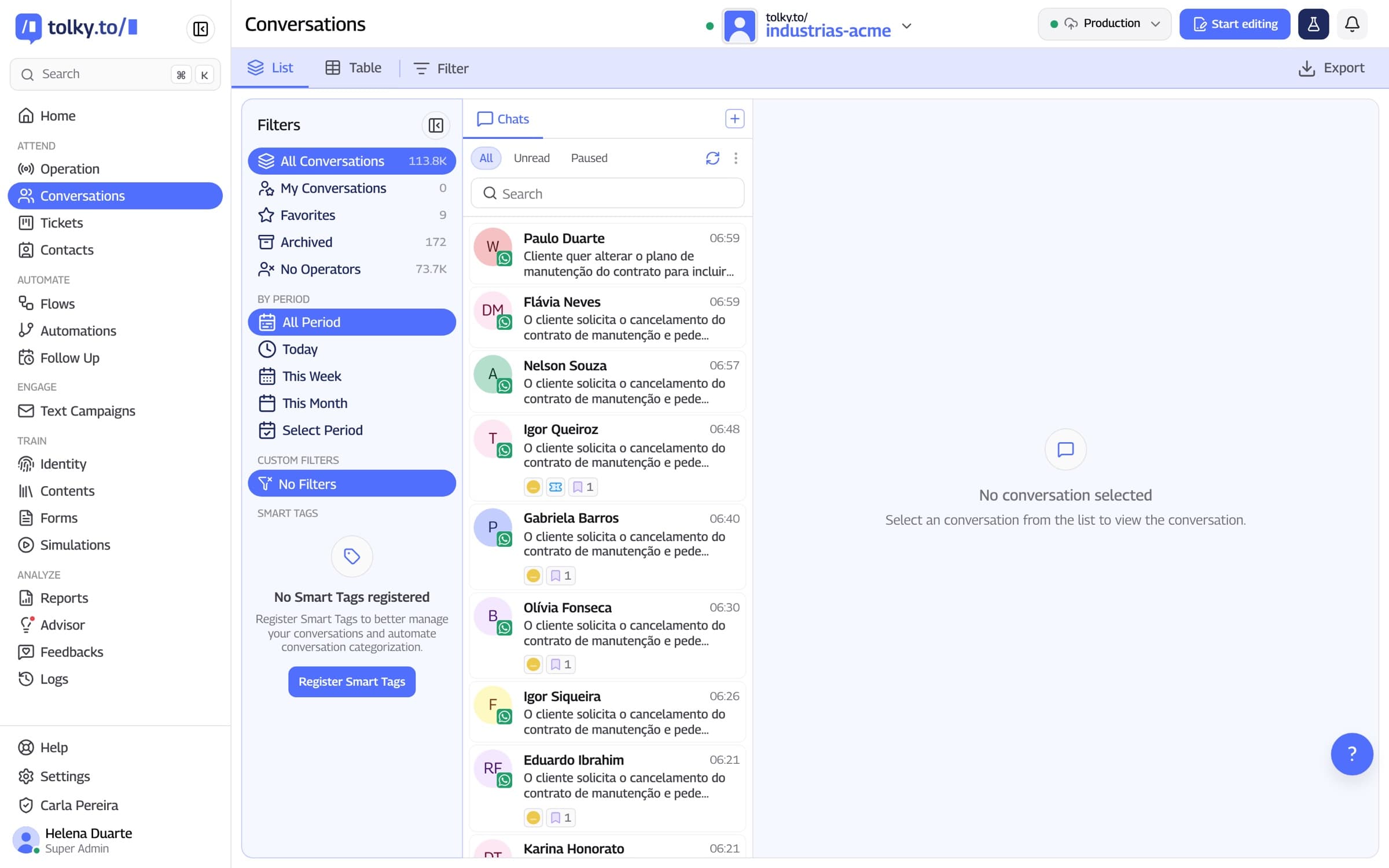
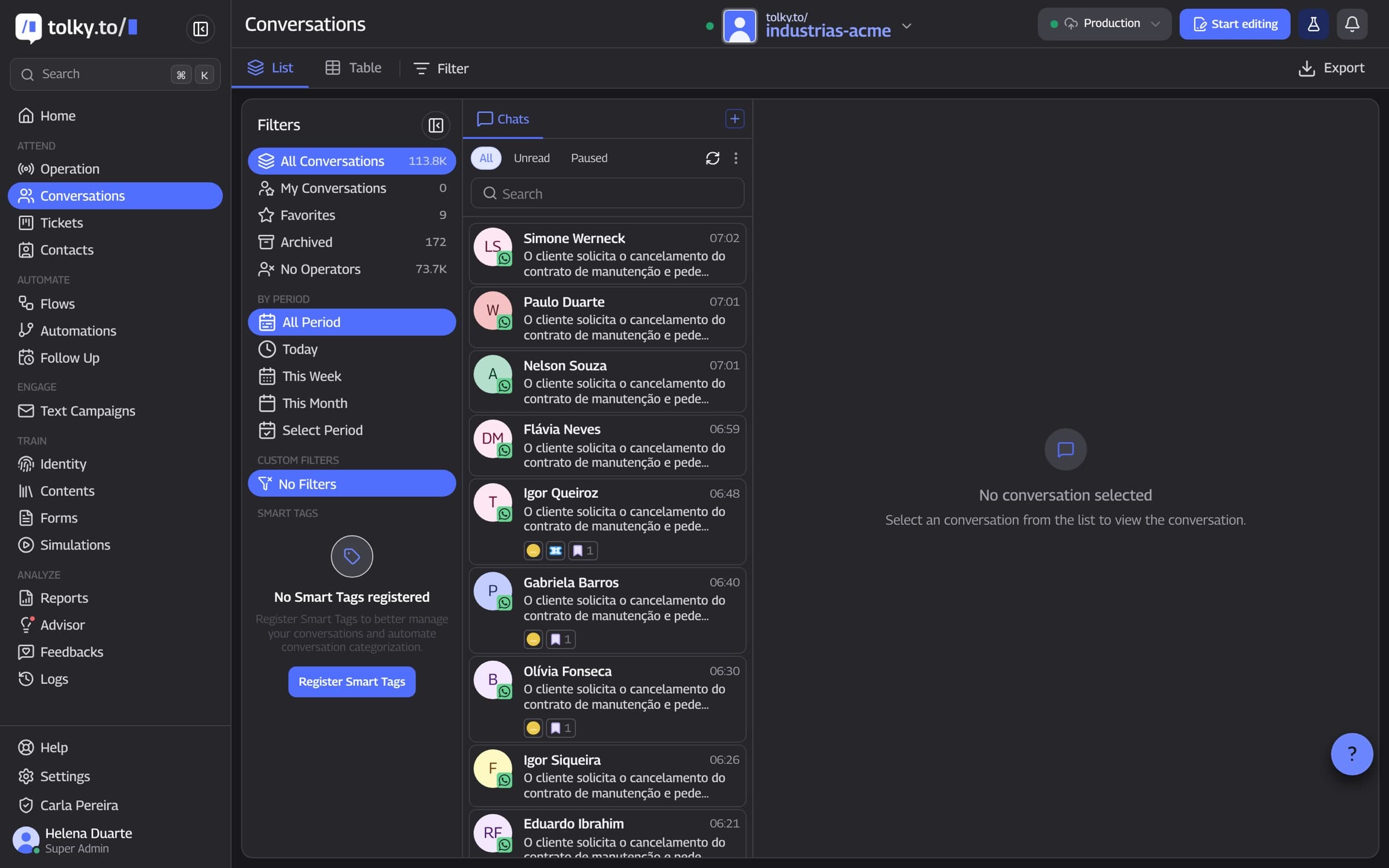
During the call, the team sees the transcript in real time, filters ongoing calls by AI or by person and can listen in. Afterward, the transcript stays in the contact's history, alongside text conversations.
Ongoing calls in real time
Filter by AI or by person
Transcript in the contact's history
06
Handoff
A person joins the line
The operator joins the audio and the AI goes silent while they speak. If the owner does not answer, the call rings other operators, and the operator can also call over WhatsApp or phone straight from the conversation.
Operator joins the audio
Other operators called when the owner does not answer
Call from the chat
07
Voice campaigns
The AI calls your list
In voice campaigns, the AI calls contacts over WhatsApp or the phone network, follows a script and pursues a goal. Every call starts with the transcription notice, which cannot be turned off, and you set time windows and a daily spending cap.
Script and goal defined by you
Transcription notice on every call
Time windows and a daily cap
Menu IVR or AI voice agent: what changes
The table compares the traditional keypad IVR with Tolky's voice agent.
| Situation | Menu IVR | Tolky voice agent |
|---|---|---|
| How the customer asks | Keys and fixed options | Natural speech, in their own words |
| Changes topic midway | Goes back to the start of the menu | The conversation continues |
| Wants to interrupt | Has to hear the whole menu | Can interrupt the AI |
| Request that depends on a system | Routes to a queue | Can check the system and reply |
| Case that needs a person | Transfers without context | Transfers with the reason, and the transcript stays in the history |
| Call record | Almost none | Transcript in the contact's history, alongside text |
Frequently asked questions
It is an assistant that answers calls in natural language: it recognizes speech, understands intent with a language model and replies with synthesized voice. It is the basis of the semantic IVR.
Yes, on the phone network, on activation: you choose the number and the agent that answers. It also answers WhatsApp calls and voice on the website.
Yes. The customer can interrupt the AI as they would a person, and the transcript follows the speaker's language.
Yes. The operator joins the audio and the AI goes silent while they speak. The AI also transfers to a human agent when the conversation calls for it.
The transcript is saved in the contact's history, alongside text conversations. During the call, the team follows the live transcript and can listen in.
For the company to call, yes: WhatsApp requires the contact's permission. Tolky sends the request and shows the status in the conversation. When the customer is the one calling, there is no such step.
No. It handles the repetitive calls and transfers what takes judgment, with the transcript. The goal is AI working with people.
The phone network is available on activation and the cost depends on usage. Customer service plans are on /pricing; talk to the team to see how voice fits your plan.
The same feature, other angles.
Solution
Voice ServiceAI that answers calls on WhatsApp, on the phone line and on your website, with real-time transcription.
Feature
WhatsApp AI chatbotHow Tolky's AI agent works on WhatsApp: missions, knowledge base, limits, actions, voice notes and handoff to a person.
Feature
WhatsApp bulk messagingHow Tolky runs text campaigns on WhatsApp, Teams and email, and voice campaigns: audience from a spreadsheet, personalized messages, the 24-hour window and AI on replies.
Pricing
Plans and pricingBilled per conversation, with a free plan to start. Meta's WhatsApp fees are charged separately.

Your contact center cananswer every call.
Book a demo and hear Tolky's voice agent answering on the website, on WhatsApp and by phone.