Microsoft Teams AI agentthat helps where the team already works.
Tolky publishes an AI agent as a bot in Microsoft Teams: employees ask in the channel where they already work, the agent answers with the company's knowledge base, and the same platform sends campaigns and announcements through Teams.
What a Microsoft Teams AI agent is
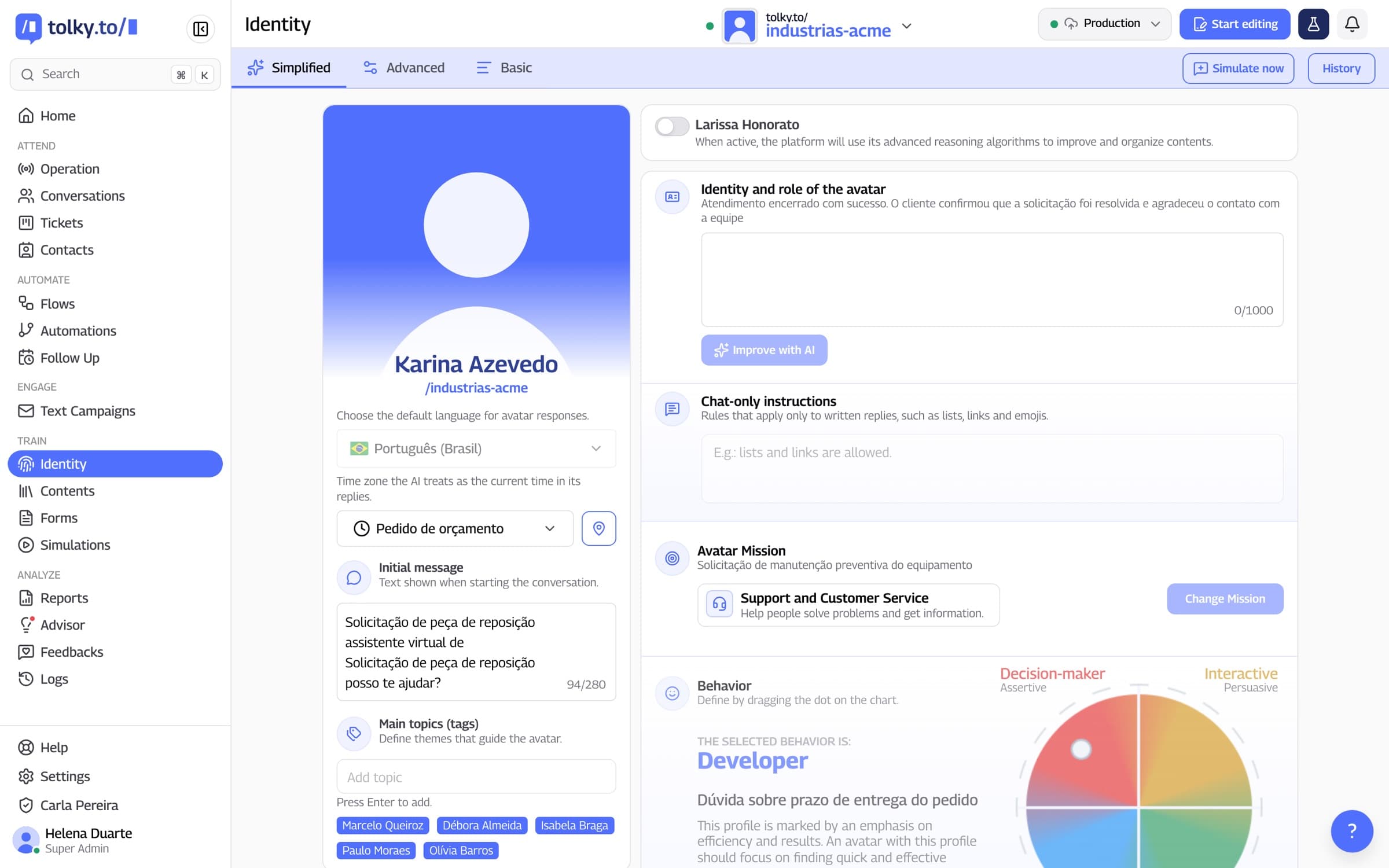
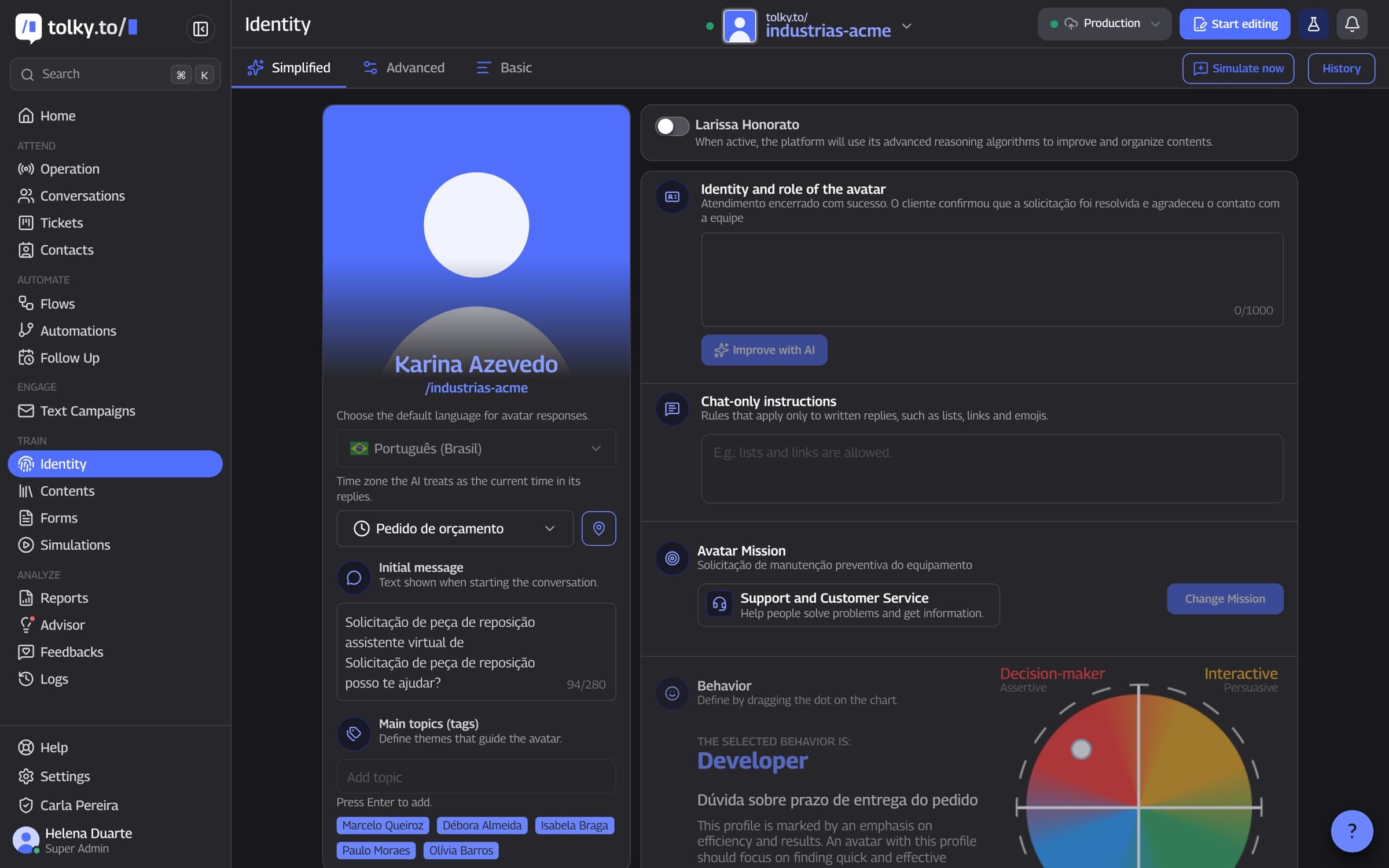
Microsoft Teams AI agent is an assistant that talks with people inside Teams, answers with the company's content and hands off to a person when needed. In Tolky, Teams is a channel for service and text campaigns, alongside WhatsApp, website, voice and email. The app is registered in the company's own Azure.
At a glance
- Who it is for
- Employees and internal teams, and companies that talk to customers on Teams
- How it connects
- App registered in the company's Azure, with the tenant and secret entered in Settings
- What it does
- Answers with the knowledge base and sends campaigns, with a unified history
From the Azure app to the agent answering
Step 01
Register the app in Azure
The app lives in your company's own environment, in Azure.
Step 02
Connect Teams
In Settings, enter the app's tenant and secret.
Step 03
Teach the agent
Pick the mission, write the limits and add a reviewed knowledge base.
Step 04
Answer and send announcements
The agent replies as a bot on Teams, and campaigns bring notices to the channel.
Step 01
Register the app in Azure
The app lives in your company's own environment, in Azure.
Step 02
Connect Teams
In Settings, enter the app's tenant and secret.
Step 03
Teach the agent
Pick the mission, write the limits and add a reviewed knowledge base.
Step 04
Answer and send announcements
The agent replies as a bot on Teams, and campaigns bring notices to the channel.
What Tolky does on Teams
Seven real points about the channel, without promising what the product does not deliver.
01
Connection
App in your company's Azure
You register an app in Azure, enter the tenant and secret in Settings and choose the agent that answers on Teams. The corporate environment belongs to your company, so it is worth agreeing on the details with the Tolky team before you start.
App registered in the company's Azure
Tenant and secret in Settings
Choice of the answering agent
02
Agent
The same agent as the other channels
The Teams agent is configured as on WhatsApp: mission, identity, scope and knowledge base. The AI answers within the scope you defined, with what the knowledge base covers.
Mission and limits written by you
The company's knowledge base
Answers within scope
03
Identification
The person is the corporate account
On Teams, the contact is identified by the corporate account, with name and email, not by a phone number as on WhatsApp. This changes how history is tied to the person.
Account name and email
No phone number
History tied to the person
04
Internal support
HR, IT and process questions
The uses that make the most sense are repetitive questions with a documented answer: policies, benefits, steps for getting access, procedures and questions from new hires. If the answer exists in a document, the agent finds it right away.
HR: policies, benefits and calendar
IT: first-level guidance
Onboarding for new hires
05
Campaigns
Announcements that start conversations
Text campaigns also go out through Teams: notices of changes, deadlines and rules. Whoever replies with a question talks with the AI in the same conversation. WhatsApp's window and template rules do not apply to Teams.
Same campaign feature as WhatsApp
AI talking with whoever replies
No approved template on Teams
06
History
One history per person, across channels
The Teams conversation lands in the same history as the other channels, in one place, so the team does not start from scratch.
Same history across channels
Context visible to whoever takes over
Fewer repeated questions
07
Limits
When the AI cannot resolve it alone
Define the agent's scope and which topics go to a person, such as sensitive HR topics, requests that need a decision and questions the knowledge base does not cover. Tolky does not promise campaign scheduling or A/B testing on Teams.
Scope defined by you
Rules for handing off to a person
No promise of scheduling or A/B testing
Email ticket or AI agent on Teams: what changes
The table compares the question that turns into a ticket or an email with the AI agent answering on Teams.
| Situation | Email or ticket | AI agent on Teams |
|---|---|---|
| Policy or benefits question | Waits for a person to answer | The agent answers right away, with the knowledge base |
| Where the person asks | In another tool | On Teams, where they already work |
| Notice to the team | An email that can go unnoticed | Campaign on Teams, with the AI answering questions afterward |
| Sensitive topic | Lands in the inbox of whoever read it | Follows the handoff rule you defined |
| Who asked | Identified by the sender | Identified by the corporate account, with name and email |
| View across channels | Each channel separate | One history per person, alongside the other channels |
Frequently asked questions
It is an assistant that talks with people inside Teams, answers with the company's content and runs configured tasks, handing off to a person when needed.
Yes. Teams is a Tolky channel for service and text campaigns, with the same history as the other channels.
An app registered in your company's Azure. In Settings, you enter the app's tenant and secret and choose the agent that will answer.
Yes. Text campaigns go out on WhatsApp, Teams and email, and the AI talks with whoever replies. Scheduling and A/B testing are not promised.
It can. You define the scope of each service. Confirm with the team how to organize the knowledge base by audience.
By the corporate account, with name and email, not by phone number.
No. It resolves what is documented and leaves the rest to the team. The goal is AI working with people.
Tolky bills per conversation. The Individual plan is free, with 150 conversations a month; Starter costs $90 a month and Professional $450 a month. Meta's WhatsApp fees are charged separately. To see how Teams fits your plan, talk to the team.
The same feature, other angles.
Solution
WhatsApp ServiceAI that answers, resolves and hands off to the team with context, on your company's official number.
Feature
WhatsApp AI chatbotHow Tolky's AI agent works on WhatsApp: missions, knowledge base, limits, actions, voice notes and handoff to a person.
Feature
WhatsApp bulk messagingHow Tolky runs text campaigns on WhatsApp, Teams and email, and voice campaigns: audience from a spreadsheet, personalized messages, the 24-hour window and AI on replies.
Pricing
Plans and pricingBilled per conversation, with a free plan to start. Meta's WhatsApp fees are charged separately.

Your team can get answerswithout leaving Teams.
Book a demo and see Tolky's agent answering on Microsoft Teams with your company's knowledge base.