Meta Verified for business: pricing, what it includes, API badge
What Meta Verified for business is, how much it costs, what each plan includes on WhatsApp Business, Facebook and Instagram, how to subscribe and when the official API badge is the right path.
TL;DR
Meta Verified for business is a paid monthly Meta subscription that gives a verified badge, impersonation protection and support on Facebook, Instagram and the WhatsApp Business app. On November 19, 2026, Meta's page lists four plans from US$14.99 to US$499.99 per month, and the price for your region appears in the app at checkout. It is not the API badge: numbers on the official API request an Official Business Account in WhatsApp Manager, with no subscription.
Share
"How much does Meta's verified badge cost?" is the question of anyone who has seen a competitor with the blue check on WhatsApp or Instagram and wants the same for their business. The answer has two parts: the price of the subscription and, before that, whether the subscription is the right path for your number at all.
Meta Verified for business is a paid subscription. The badge for businesses on the official WhatsApp API is a separate process with no monthly fee, covered in our guide to the WhatsApp Official Business Account. This guide covers only the subscription, based on Meta and WhatsApp official pages checked on November 19, 2026.
Updated in November 2026.
What is Meta Verified for business?
Meta Verified for business is a paid monthly subscription in which Meta confirms the business is authentic and, in return, gives it a verified badge, impersonation protection, support and extra profile features. It works on a Facebook Page, an Instagram professional account and the WhatsApp Business app. On WhatsApp, the badge shows on the business profile, the chat header and the channel (Meta Verified for business page, checked on November 19, 2026).
Paying does not guarantee the badge. The WhatsApp Help Center warns that subscribing to Meta Verified or Meta One does not guarantee a verified badge: Meta verifies the business before, during and after purchase, and may ask for documents. If Meta cannot confirm the business is authentic, you get a refund (how to subscribe to Meta Verified on WhatsApp).
On WhatsApp, the subscription belongs to the WhatsApp Business app, the phone app. It does not apply to numbers connected to the official WhatsApp Business API. If you are still choosing between the app and the API, the WhatsApp Business guide for companies compares them.


How much does Meta Verified for business cost?
On November 19, 2026, Meta's page lists four Meta Verified for business plans, from US$14.99 to US$499.99 per month, and notes that plans, benefits and availability vary by region, app and account. The exact price for your business appears in the app at checkout.


| Plan | List price | What it includes on WhatsApp Business |
|---|---|---|
| Business Standard | US$14.99 per month | Badge, impersonation protection, in-app support, 1 verified channel, business web page, up to 4 linked devices |
| Business Plus | US$49.99 per month | Prioritized support, 3 verified channels, up to 6 devices, business broadcasts |
| Business Premium | US$149.99 per month | 10 protected business accounts, 5 verified channels, up to 8 devices |
| Business Max | US$499.99 per month | 50 protected business accounts, 10 verified channels, up to 10 devices |
Sources: prices on the Meta Verified for business page and features in about Meta Verified for business on WhatsApp, both checked on November 19, 2026. The WhatsApp page does not publish prices and says they may change with promotions. Meta's page also notes a lower Business Standard price in some markets, such as US$11.99 on desktop in New Zealand.
On Facebook and Instagram, the plans add an enhanced profile, links in Reels and, on the larger tiers, the option to request a call with an agent and active case monitoring. Meta decides which plans each business sees based on its activity across the apps, such as profile visits and conversation volume. Protected business accounts are for companies with several numbers: you add them after subscribing to avoid wrongful bans for impersonation.
Meta Verified and Meta One: what changed in 2026?
Since September 15, 2026, Meta also sells Meta One, a subscription built on Meta Verified, with the badge, protection and more AI features. The Meta Verified page itself says Meta Verified features "are now available in Meta One".
Meta's Meta One announcement lists four business and creator plans: Essential from US$14.99 per month, Advanced from US$49.99, Expert from US$149 and Max from US$499. Essential includes a verified badge, a verified channel on the WhatsApp Business app and impersonation protection, pending successful verification, plus more access to Meta Business Agent, Meta's AI agent in the app.
The WhatsApp Help Center describes Meta One as a limited test that is not available in every region (about Meta One plans), and the pages we checked do not say whether Meta Verified subscribers will be migrated. In practice, the app shows what is available for your account.
Who can subscribe to Meta Verified on WhatsApp?
To subscribe on WhatsApp, the owner must be at least 18 and have a phone number from a country where Meta Verified is available, and the WhatsApp Business account needs some history and a complete profile. According to the Help Center eligibility requirements, the account must:
- have an established WhatsApp Business presence;
- have sent a message recently;
- have a name and profile picture set;
- not have an active Meta Verified subscription in Meta Business Suite.
Government entities and political organizations are excluded for now. If the account is linked to a Facebook Page or Instagram profile, the person subscribing needs full control of the business portfolio, set up in Meta Business Suite, as explained in Meta Business Suite and WhatsApp. On Facebook and Instagram, Meta also asks for minimum account tenure, two-factor authentication and business details validated by phone, email or domain, the same logic as business verification.
How to subscribe to Meta Verified on WhatsApp Business, step by step
You subscribe inside the app, under Tools, Meta Verified, and Meta's review can take up to three business days. Before you start, check the profile name, category, address, email and website, because editing them later may cancel the subscription.
| Step | What to do in the app |
|---|---|
| 1 | Tap Tools (in some versions, Settings or Business tools) and then Meta Verified. If you don't see the option, it is not available to you yet. |
| 2 | Tap Continue, choose the recommended plan and select the accounts to verify, including linked Facebook and Instagram accounts. |
| 3 | If the account qualifies, add a payment method and tap Pay. |
| 4 | Select your business, choose a verification method and submit the details. |
| 5 | Wait for the review, up to three business days, or longer during high-volume periods. |
Source: how to subscribe to Meta Verified on WhatsApp, checked on November 19, 2026. The business name must match your verification documents. The subscription cannot be transferred, and changing your phone number cancels it automatically.
Meta Verified or the API Official Business Account: what is the difference?
Meta Verified is a paid subscription for the WhatsApp Business app; the Official Business Account is a status with no monthly fee that Meta grants to API numbers of verified businesses. Both show a verification mark, but they come through different paths.


| Point | Meta Verified for business | Official Business Account (API) |
|---|---|---|
| For whom | WhatsApp Business app, Facebook and Instagram | Numbers connected to the official API |
| Cost | Subscription from US$14.99 to US$499.99 per month | No fee for the request, according to Meta |
| How you get it | In-app subscription, with verification | Request in WhatsApp Manager, with review |
| Prerequisites | Account history, complete profile, available country | Verified business, approved display name, two-step verification, 30 days on the platform |
| Beyond the badge | Impersonation protection, support, channels, devices | Number shows up in WhatsApp search |
| Guarantee | No guaranteed badge; refund if Meta can't verify | No guaranteed approval; new request after 30 days |
The criteria in the second column are in our guide to the WhatsApp Official Business Account and in the glossary entry for Official Business Account. Neither one is a verified number, which is the code check that proves the number belongs to you.
When is Meta Verified worth it?
Meta Verified is worth it for businesses that serve customers through the WhatsApp Business app or sell on Instagram and suffer from fake profiles, scams using the brand name or lack of Meta support. It matters most in four situations:
- Brand impersonation: customers get messages from fake profiles using your name and logo.
- Several numbers on the app: protected accounts lower the risk of wrongful bans.
- Small team on phones: extra linked devices let more people reply from the same number.
- Account blocked before: Meta Verified support is a direct channel when something goes wrong.
It makes less sense when your service already runs on the official API. There, the badge comes from the Official Business Account with no monthly fee, and your conversation volume calls for a platform with several agents, automation and a CRM, which the subscription does not provide. If that is where you are, see how to get the official WhatsApp Business API.
Where does Tolky fit?
Tolky is a conversational AI CRM that runs on the official WhatsApp API, so the badge path for Tolky users is the Official Business Account, requested by the business in WhatsApp Manager. Tolky connects your number directly with Meta (Cloud API) or through Gupshup, an official Meta partner, and the WhatsApp account stays in your company's business portfolio. See the WhatsApp customer service solution.
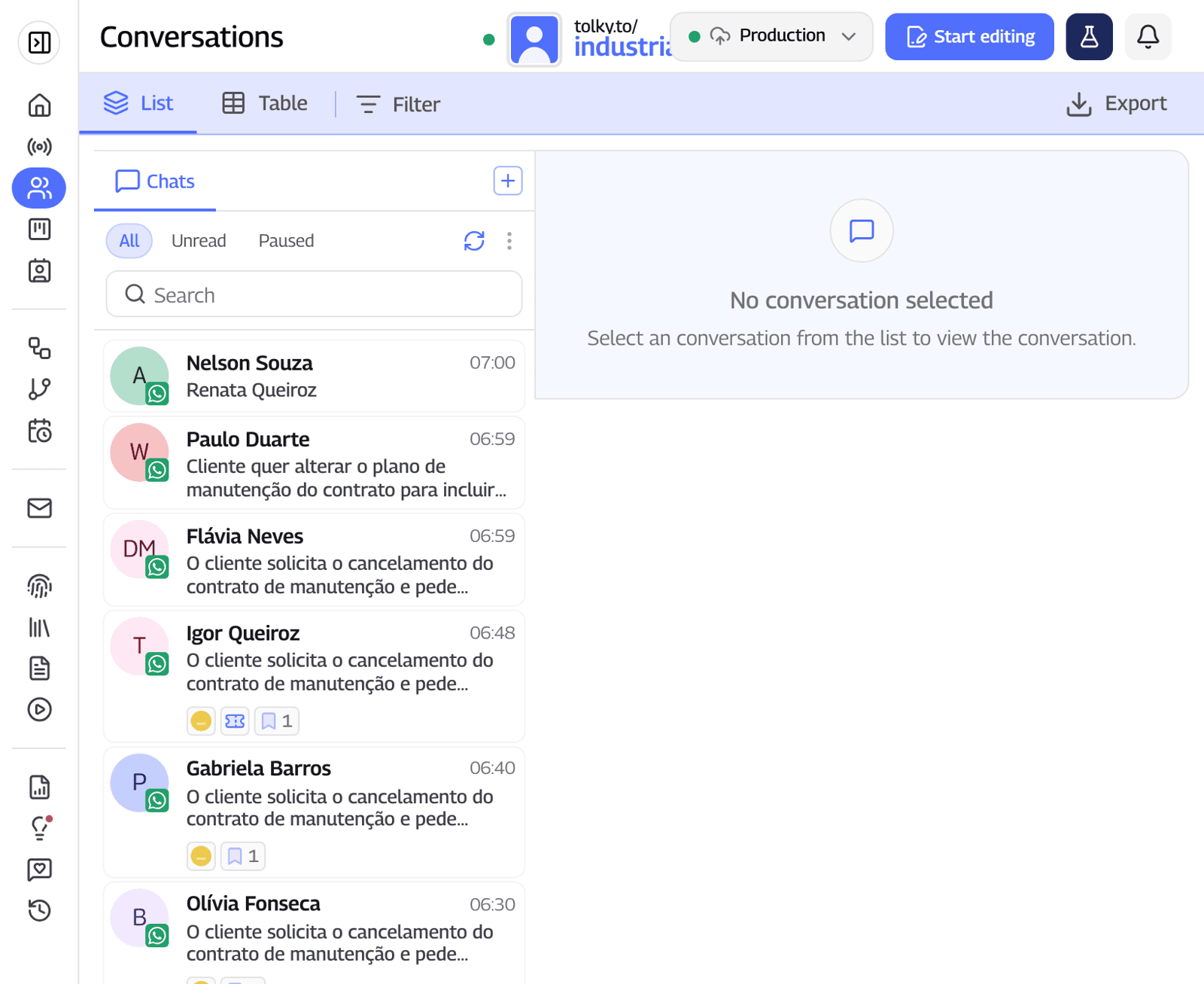
What Tolky does not do: it does not sell or request Meta Verified, it does not file the Official Business Account request on your behalf and it does not promise approval, which is Meta's decision. If your number uses coexistence, which keeps it on both the app and the API, confirm with Meta which badge path applies before paying for a subscription.
Frequently asked questions
How much does Meta Verified for business cost?
On November 19, 2026, Meta's page lists US$14.99, US$49.99, US$149.99 and US$499.99 per month. Prices vary by region, app and account, and the exact price for your business appears in the app at checkout.
Does Meta Verified work on WhatsApp Business?
Yes, on the WhatsApp Business app, where the option is available under Tools or Settings. Numbers on the official API do not use Meta Verified: their badge comes from the Official Business Account.
Does subscribing to Meta Verified guarantee the blue badge?
No. The WhatsApp Help Center says subscribing does not guarantee a badge, because Meta must verify the business. If Meta cannot confirm the business is authentic, you get a refund.
What is the difference between Meta Verified and Meta One?
Meta One, launched on September 15, 2026, is a subscription built on Meta Verified, with the badge and protection on the Essential plan and more AI features on higher tiers. It starts at US$14.99 per month and is still a limited test in some regions.
How long does Meta Verified verification take?
The Help Center says up to three business days, possibly longer during high-volume periods. Meta may ask for documents during the review.
I use the official WhatsApp API. Do I need Meta Verified?
No. For API numbers, the path is the Official Business Account, requested in WhatsApp Manager, with no monthly fee. The criteria are in our guide to the WhatsApp Official Business Account.
Conclusion
Meta Verified for business is the right subscription for companies that serve customers through the WhatsApp Business app or sell on Instagram and need a badge, impersonation protection and support. List prices run from US$14.99 to US$499.99 per month, your exact price appears in the app, and the badge depends on Meta's verification. If you serve customers on the official API, you don't need to pay for it. For related topics, see the WhatsApp Business Guide.
See Tolky's plans, explore the AI chatbot for WhatsApp or talk to the team →. Let's talk?
Share
Tags
- meta verified for business
- meta verified pricing
- meta verified whatsapp business
- whatsapp verified badge
- meta verified plans
- meta one
- official business account
- business verification
About the author

Co-founder of Tolky
Marlos Carmo is an AI entrepreneur and founder of Tolky, the conversational-era infrastructure and AI CRM that unifies intelligent service, multi-channel support (such as WhatsApp and voice), live CRM, and operational intelligence in a single ecosystem. He is a finalist for the SXSW Innovation Awards and a member of Francesco's Economy, a global network of young entrepreneurs focused on innovation and social impact. He works connecting Artificial Intelligence and digital transformation in projects for large organizations.
Next step
Want to bring this to your operation?
Tati, Tolky's AI assistant, understands your scenario in a few questions, suggests the best path and connects you with someone from the team, with full context.
Share