Is the WhatsApp Business AI agent free? What it means for businesses
The WhatsApp Business AI agent is free to start, but it has paid plans and a per-token price on the API. See what Meta has published, how to turn it on or off and when it is enough.
TL;DR
The WhatsApp Business AI agent (Meta Business Agent) is free to start in the app, according to Meta's June 3, 2026 announcement; more capacity comes with paid Meta One plans, and on the official API it costs US$ 2.00 per million tokens. It works well for solo professionals and small businesses with one number and few people. A team with queues, CRM, integrations and handoff rules needs an agent on the official API with a platform.
Share
Is the WhatsApp Business AI agent free? To start, yes: Meta announced on June 3, 2026 that using Business Agent is free, with paid plans for businesses that need more. On the official API, the math changes: Meta charges per token.
This guide covers what Meta has published about the agent, how much it costs, how to turn it on and off, where it stops for a business with a team and when to move to the official API.
Updated in November 2026, with Meta's official pages checked on November 19, 2026.
What is the WhatsApp Business AI agent?
The WhatsApp Business AI agent, which Meta calls Meta Business Agent, is an AI that replies to customers on the business's behalf, inside the WhatsApp Business app itself, at any hour. It also appears in Messenger, and Meta announced its expansion to Instagram.


The name changes by country and over time. In Brazil, the rollout began on February 24, 2026 under the name "IA para Empresas" (AI for Businesses), according to Forbes Brasil. In India, Meta launched it as "Business AI" in May 2026 (Meta's announcement). In June 2026, Meta presented it as Meta Business Agent (Meta's announcement).
It runs in the WhatsApp Business app, the free phone app, and there is a version for the official API, billed by usage.
What does Meta's AI agent do?
Meta's AI agent answers questions about the business, recommends catalog products, collects customer details, books appointments and hands complex cases to a person. The official Meta Business Agent page lists:
- Replies 24 hours a day, about address, hours, products, prices, discounts, payments and shipping.
- Automatic learning from your Facebook Page, past chats and website, plus catalogs and price lists you upload.
- Transfers to you on topics you flag as complex or sensitive; you can also step into a conversation whenever you want.
- Test mode before going live for customers.
The June announcement adds scheduling, lead qualification and closing sales.
Is the WhatsApp AI agent free or paid?
The WhatsApp AI agent is free to start in the app, has paid plans with more capacity under Meta One and is billed per token when used through the official API. What Meta has published for each path:
| Path | Price published by Meta | Source |
|---|---|---|
| WhatsApp Business app, no subscription | "Getting started with the Business Agent is free" | June 3, 2026 announcement |
| App with Meta One | Essential from US$ 14.99 a month, Advanced from US$ 49.99, Expert from US$ 149 and Max from US$ 499, with more access to the agent in each plan | Meta One announcement, September 15, 2026 |
| Official API (WhatsApp Business Platform) | US$ 2.00 per million tokens, about 4 to 5 cents per message | Platform pricing |
Three details matter. First, on the pages we checked, Meta has not published how much the free usage allows; the Meta One announcement only mentions "more access" and "more responses," and says plans, pricing and availability vary by region. Second, on the API, agent messages are charged even inside the free entry point window and do not count toward the 1,000 free service messages. Third, the API documentation requires a payment method for the agent to reply to all customers.
The full math is in WhatsApp AI agent pricing.
Where is the AI agent available?
Meta says the agent is "available to eligible businesses in select markets," without publishing the list of countries, and the press reported its rollout in Brazil starting in February 2026. According to Forbes Brasil, on February 24, 2026, the rollout there was gradual and required the app in Portuguese and at least one catalog item.
In practice, open the app's Tools tab: if the agent option appears, the account is eligible, though some features may be missing.
How do you turn on the WhatsApp Business AI agent?
To turn on the WhatsApp Business AI agent, open Tools, select Meta Business Agent, authenticate and confirm; then teach it, test it and activate it. These are the steps on the official page:
- Check the number. It must be registered on WhatsApp Business.
- Set it up. In Tools, select Meta Business Agent, authenticate, link your account if prompted and tap Confirm.
- Teach it. Let the agent learn from past chats and, if you want, add your website and catalog.
- Test and activate. Use test mode before going live for customers.
Before activating, list the topics that should always go to a person, such as complaints and billing.
How do you turn off or pause the WhatsApp AI agent?
Meta says the business controls when the agent is active and can change its settings anytime in Tools, but it has not published step-by-step instructions for turning it off on the pages we checked. In the India announcement, Meta states that businesses can step in, adjust how it works or "turn the feature off entirely."
- In the app: the path starts in Tools, under the same Meta Business Agent option used to turn it on. Menu names vary by version and country.
- In a conversation: you can step in at any moment, and the agent learns from that intervention.
- On the API: the developer documentation includes a setting to turn the agent on or off, limit it to an allowlist of test customers and pass or take back control of each conversation.
The AI in your personal chats is something else: Meta AI.
What is the difference between Meta's business agent and Meta AI?
Meta AI is the personal assistant for anyone who uses WhatsApp; Meta Business Agent replies to customers on behalf of a business. They are different products with different goals.
The Meta AI page on WhatsApp presents it as an assistant for anyone: it answers questions, summarizes unread messages and creates or edits images. The official pages we checked do not include instructions to remove Meta AI from the app.
Where does the app agent stop for a business with a team?
The app agent serves one number and a small team well, but it does not bring department queues, a CRM, integrations with your systems or handoff rules by person or area. The limits come from the app itself.
- Devices. Without a subscription, the app connects up to four devices; with multi-agent through Meta Verified or Meta One, up to ten, with chat assignment (Help Center, checked on November 19, 2026).
- Handoff. You flag topics that come to you; there is no handoff with rules by queue, reason and summary to the right person. See the AI-to-human handoff rules.
- Knowledge. The agent learns from your page, chats, website, catalog and documents, but it does not check orders, invoices or calendars in your system.
- History. Conversations stay in the app, without becoming a customer record in a CRM.
For larger companies, Meta introduced the Meta Business Agent Platform, which connects to systems such as Shopify and Zendesk and works alongside the official API.
App AI or an agent on the official API: which should you choose?
The app AI is the right choice to start at no cost with one number and a few people; an agent on the official API with a platform is the choice when the operation has a team, systems and volume. The table compares both.
| Criterion | WhatsApp Business app AI | Agent on the official API with a platform |
|---|---|---|
| Price | Free to start; more capacity with Meta One | Platform plus Meta's per-message fee |
| Where it runs | In the phone app | On the platform, linked to the official number |
| Team | Up to 4 devices, 10 with multi-agent | Per plan, with queues and departments |
| Handoff | By topics you flag | By rules, with history and summary |
| Systems | Website, catalog and documents | API, webhooks and integrations with your systems |
| CRM and history | In the app | Customer record and pipeline |
| Campaigns | App features | Approved templates, with opt-in |
The full app versus API comparison, with costs, is in WhatsApp Business chatbot: app or API.
When is the app AI enough?
The app AI is enough for solo professionals and small businesses that answer repeated questions, sell through the catalog and have one or two people on WhatsApp. In that case, it costs nothing to start and goes live in minutes.
Signs it is enough: questions repeat, the catalog answers most of them, one person handles the rest on the same phone and there is no system to check.
When does a business need an agent on the official API?
A business needs an agent on the official API when several people answer the same number, when the AI must check systems or when the conversation must become data in a CRM. The official WhatsApp Business API lets software reply through the number, with no device limit.


- The queue piles up and more than two people need to reply.
- Customers ask about orders, invoices or bookings, and the answer lives in your system.
- Handoff needs rules: by topic, by department, with a summary.
- Management wants numbers: conversion, response time, AI resolution.
- Marketing wants campaigns with approved templates and opt-in.
You can keep the app on the phone: with coexistence between the app and the API, when available for the account, the same number works on both. The step-by-step to build the agent is in how to create a WhatsApp AI agent.
Where does Tolky fit?
Tolky is a conversational AI CRM that serves customers through the official WhatsApp API: AI agents reply, hand the conversation to the right person with the history and fill in the CRM.
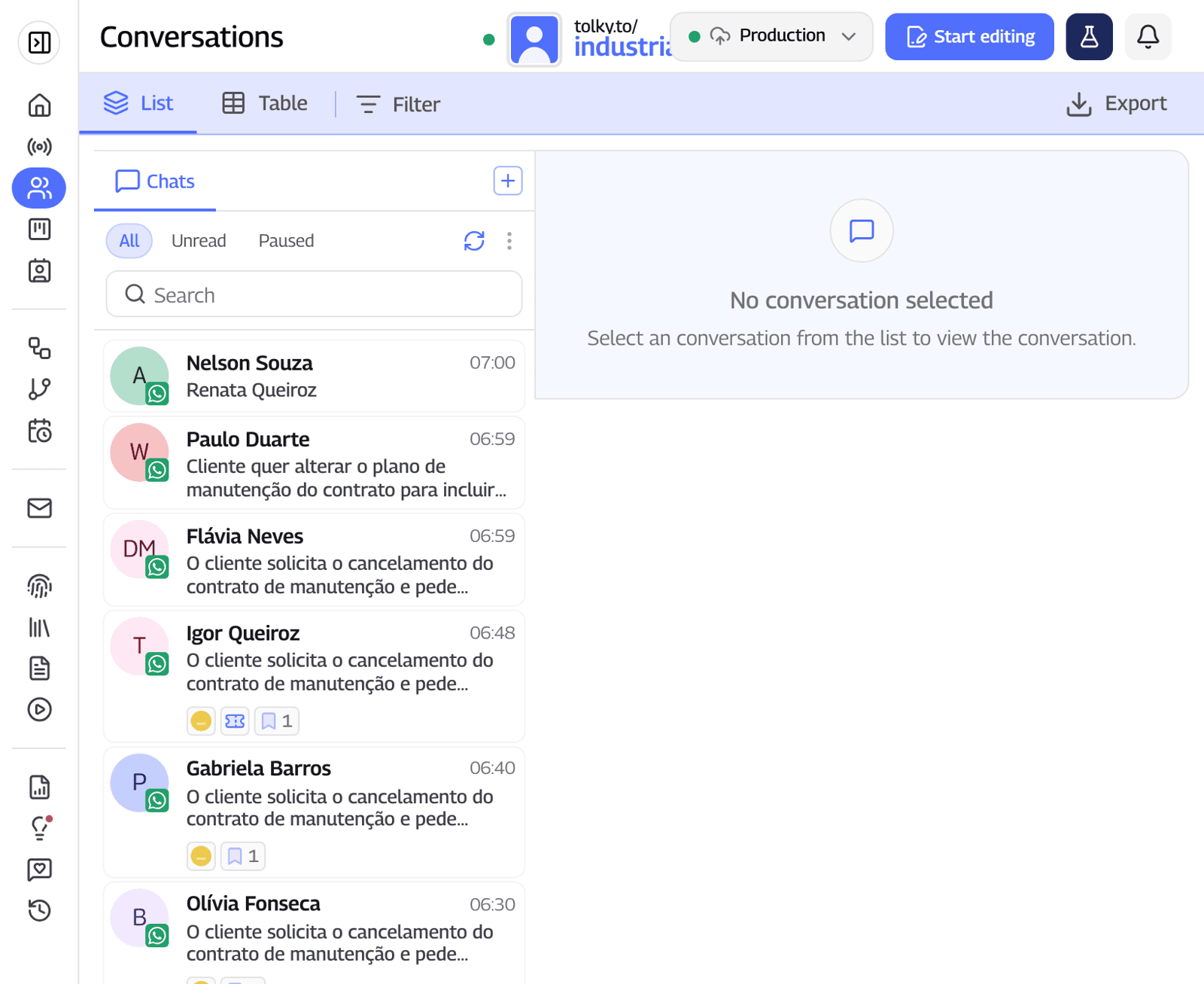
- An agent with rules. You write the mission, the limits and when the conversation goes to a person. See the AI chatbot for WhatsApp.
- A team on the same number. Distribution among people and, on Professional, departments and queues. See WhatsApp multi-agent support.
- The same number as the app. With coexistence, if someone replies from the phone, the AI pauses in that conversation.
What Tolky does not do: it is not free for WhatsApp (the channel starts on Starter), it does not pay Meta's fees, and it does not yet serve Instagram or SMS, which are coming soon. Prices are on the pricing page.
Frequently asked questions
Is the WhatsApp AI agent free?
To start, yes. Meta announced on June 3, 2026 that using Business Agent is free, and later launched paid Meta One plans with more capacity. On the pages we checked, Meta has not published the limit of free usage.
Is the WhatsApp AI agent paid on the API?
Yes. On the official API, Meta Business Agent costs US$ 2.00 per million tokens, about 4 to 5 cents per message, according to Meta's pricing page.
How do you turn off the WhatsApp Business AI agent?
Meta says you control when it is active and change its settings in Tools, under the Meta Business Agent option. It has not published step-by-step instructions for turning it off on the pages we checked on November 19, 2026.
What is the difference between a WhatsApp AI agent and a chatbot?
A chatbot follows a fixed script. An AI agent understands open questions, answers with the business's knowledge and decides when to hand off to a person.
Does Meta's agent work with multiple agents?
It works in the app, which connects up to four devices, or up to ten with multi-agent through Meta Verified or Meta One. Department queues and automatic distribution call for the official API with a platform.
Conclusion
The WhatsApp Business AI agent is free to start and works well for anyone answering alone or with one other person. When a team, systems and a CRM come in, the path is an agent on the official API, with a per-message fee and handoff rules.
See the plans, check WhatsApp AI agent pricing, explore multi-agent support or talk to the team →. Let's talk?
Share
Tags
- whatsapp business ai agent free
- meta business agent
- is the whatsapp ai agent free
- how to turn off whatsapp business ai agent
- how to stop whatsapp ai agent
- whatsapp ai agent vs chatbot
- business ai whatsapp
- #conversational CRM
Cited in
- How to build a WhatsApp AI agent: n8n, a platform or Meta's AI
- WhatsApp AI agent pricing: platform, Meta fees and what you really pay
- WhatsApp Business chatbot: free app features vs. the official API
- WhatsApp Chatbot: How it Works and How to Create One
- AI for customer service: how to use it on WhatsApp in 7 steps
About the author

Co-founder of Tolky
Marlos Carmo is an AI entrepreneur and founder of Tolky, the conversational-era infrastructure and AI CRM that unifies intelligent service, multi-channel support (such as WhatsApp and voice), live CRM, and operational intelligence in a single ecosystem. He is a finalist for the SXSW Innovation Awards and a member of Francesco's Economy, a global network of young entrepreneurs focused on innovation and social impact. He works connecting Artificial Intelligence and digital transformation in projects for large organizations.
Next step
Want to bring this to your operation?
Tati, Tolky's AI assistant, understands your scenario in a few questions, suggests the best path and connects you with someone from the team, with full context.
Share