Cold leads on WhatsApp: how to approach, reactivate and convert
How to approach cold leads on WhatsApp: cold, warm and hot leads, Meta's rules for starting a conversation, per-message cost and 5 reactivation message templates.
TL;DR
Cold leads are contacts who once showed interest and stopped replying; on WhatsApp, reactivation uses Meta-approved message templates, in the marketing category, only for people who opted in. Segment by temperature, change the message's angle, let an AI agent answer those who come back and measure all the way to the sale. For an agency, it is the easiest service to prove, because the list is already paid for.
Share
Every agency client has an idle list: hundreds or thousands of contacts who clicked an ad, asked for a price, chatted a bit and disappeared. Those leads were already paid for with media budgets from previous months, and in most accounts nobody ever talks to them again.
For an agency leader, that list is the easiest place to prove results. It needs no new budget, the audience already knows the brand and the sale shows up quickly in the CRM. This guide shows how to separate cold, warm and hot leads, what Meta requires to start a WhatsApp conversation, what it costs, five reactivation message templates and how to turn all of it into a recurring service.
Updated in November 2026.
What are cold, warm and hot leads?
A cold lead is a contact who showed interest and stopped replying weeks or months ago; a warm lead still engages but does not move forward; a hot lead is ready to talk about buying. Temperature is not about the contact; it is about where they are with your offer right now.
| Temperature | Typical signal | Approach | First message outside the window |
|---|---|---|---|
| Hot | Replied in the last few days, asked for a price or proposal | Direct conversation with a salesperson | Usually not needed: the 24-hour window tends to be open |
| Warm | Engaged in recent weeks, but stopped at an objection | Address the objection, offer a clear next step | Marketing template |
| Cold | No reply for months, or stopped early in the conversation | New angle, short requalification question | Marketing template |
| Lost | Asked to opt out or said they are not interested | Do not contact | None |
Someone who asked and went quiet a few days ago is still in follow-up territory, with its own cadence, described in following up with leads on WhatsApp. This guide covers the list that has gone cold for good.
Why not send the same message to everyone?
The same message to the whole list gets few replies, more blocks and a cost that does not come back, because each contact stopped at a different point in the conversation. Someone who stopped at the price needs a new condition; someone who stopped at the start needs a reminder of why they came.


Segment the list before writing any copy:
- By source: the campaign or offer that brought the contact in.
- By where they stopped: no reply to the first message, after the price, after the proposal.
- By time idle: weeks, months, more than a year.
- By opt-in: only people who agreed to receive messages from the business go into the campaign.
Meta also responds to engagement. According to the per-user marketing limits page, checked on November 20, 2026, WhatsApp may limit how many marketing templates a person receives, based on their recent engagement. Unsegmented blasts make exactly that signal worse.
What does Meta require to start the conversation?
To message a cold lead on WhatsApp, the business needs opt-in, an approved message template and the right category, which for reactivation is marketing. These are three separate rules, and all of them apply on the official API.


- Opt-in. Meta's opt-in documentation says businesses must obtain opt-in before messaging people, making clear that the person agrees to receive communication from that business and naming it. The WhatsApp Business Messaging Policy only allows contacting people who gave their number and that permission. A purchased list meets neither condition.
- Approved template. According to Meta's pricing page, free-form messages only go out inside the 24-hour customer service window; outside it, only approved message templates.
- Right category. According to Meta's template categorization, messages to people who visited the website, used the app or engaged with the business (retargeting) are marketing, even when the user requested them. Meta recategorizes templates submitted as utility with marketing content.
Three more points. If a message blocked by the per-user limit comes back with error 131049, Meta's guidance is to wait at least 24 hours before resending. Marketing sent while the 24-hour window is open does not count toward that limit, so people who reply to the campaign can get the follow-up without that block. And, per the same limits page, WhatsApp does not currently deliver marketing templates to users with US phone numbers, so reactivating US leads by template is not an option today. The step-by-step for campaigns without blocks is in the 24-hour window and templates.
How much does it cost to reactivate cold leads on WhatsApp?
Meta charges per delivered template, by category and the recipient's country; for Mexico numbers billed in US dollars, a marketing template costs US$ 0.0397 and a utility template US$ 0.0085. The figures come from the rate card in effect since October 1, 2026, published on the WhatsApp Business Platform pricing page and checked by Tolky on November 17, 2026.
Illustrative example: a segmented list of 2,000 cold leads in Mexico receives one marketing template. If all are delivered, Meta's fee comes to 2,000 × US$ 0.0397 = US$ 79.40, before the platform. Replies open the 24-hour window, and service messages inside it have 1,000 free sends per number each month since October 1, 2026; above that, the service rate applies.
To simulate other volumes and countries, use the WhatsApp API cost calculator. The number that matters to the client, though, is not the cost of sending: it is the cost per reactivated lead and per sale.
5 message templates for cold leads
A good message for a cold lead is short, recalls where the conversation stopped, offers something new and ends with an easy question. The five templates below are illustrative; adapt them to the client's business, submit them for approval as marketing and use variables for the name and the offer.
| Template | For whom | Goal |
|---|---|---|
| 1. The open question | Stopped after asking something | Come back with the answer |
| 2. Relevant news | Stopped at price or availability | Bring a new condition or new stock |
| 3. Requalification | Cold for months | Find out if it still makes sense |
| 4. Useful content | Stopped at the start | Give a reason to come back |
| 5. Closing the loop | Did not reply to earlier attempts | Close the cycle respectfully |
- The open question. "Hi, {{1}}. You asked about {{2}} and our conversation stopped halfway. Do you still want me to send you the details?"
- Relevant news. "Hi, {{1}}. The {{2}} you looked at has openings again this month. Want me to hold one for you?"
- Requalification. "Hi, {{1}}. It has been a while since we talked about {{2}}. Is it still in your plans this quarter?"
- Useful content. "Hi, {{1}}. We put together a short guide on {{2}}, with the questions we hear most. Can I send it to you?"
- Closing the loop. "Hi, {{1}}. I do not want to keep pushing, so I am closing your request about {{2}}. If you want to pick it up again, just reply to this message."
Each one has a button or a yes-or-no question, and each one respects an opt-out request. More ready-made templates are in customer reactivation message templates.
How do you run the campaign with an AI agent answering those who come back?
A reactivation campaign works best when whoever replies gets attention right away: an AI agent answers, requalifies and hands the leads who come back hot to a salesperson. Without that, the agency pays to restart the conversation and the lead cools off again waiting for sales.
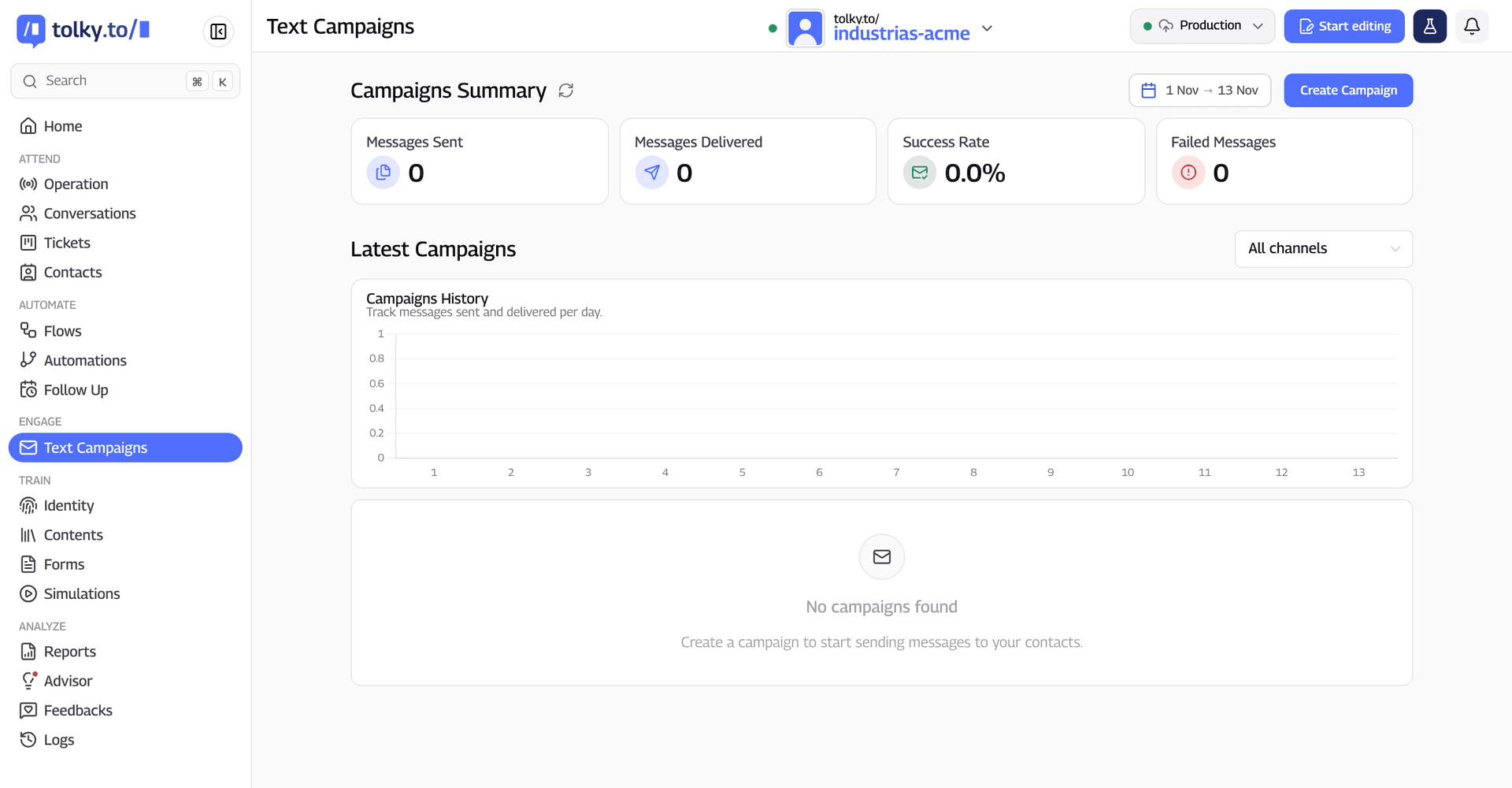
In Tolky, the conversational AI CRM, the campaign goes out through the official WhatsApp API with fixed or AI-generated messages, to CRM segments. Whoever replies is served by the AI agent configured for sales, the conversation is recorded on the contact and the automatic Follow Up restarts anyone who stops again. Campaigns and Follow Up are in the Professional and Enterprise plans; see the WhatsApp bulk messaging feature and the text campaigns solution.
What Tolky does not do: it does not provide contact lists, does not send from unofficial numbers and does not replace opt-in or Meta's template approval.
What does this change for your agency?
List reactivation is the easiest service to sell and to prove, because it uses money the client already spent and the sale shows up in the CRM within weeks. For the agency, it opens four paths:
- An entry project. Segmenting the list, writing the templates and running the first campaign fits a fixed scope, with results measured in sales.
- A recurring service. Leads go cold every month; monthly reactivation fits into the package, as the guide to an agency retainer with AI shows.
- A renewal argument. Showing what the idle list generated changes the conversation about the cost of each new lead.
- A bridge to the media. What reactivation learns about objections improves creative and pre-filled messages, and reduces the problem described in lead not responding on WhatsApp.
Frequently asked questions
How do you approach a cold lead on WhatsApp?
With a Meta-approved marketing template, only for people who opted in, recalling where the conversation stopped and offering something new. End with an easy question and have someone, or an AI agent, ready to reply right away.
What message should you send to cold leads?
A short message that mentions the earlier interest, brings news or a requalification question and respects an opt-out request. The five illustrative templates in this guide cover the open question, relevant news, requalification, useful content and closing the loop.
What is the difference between a cold lead and a hot lead?
A hot lead is ready to talk about buying and has usually replied in the last few days. A cold lead once showed interest but stopped replying weeks or months ago and needs a new reason to come back.
Is a WhatsApp reactivation message marketing or utility?
It is marketing. Under Meta's categorization, messages to people who already engaged with the business, aimed at restarting a sale, are marketing even when the user asked for them, and Meta recategorizes templates sent in the wrong category.
Can I buy a lead list to reactivate on WhatsApp?
No. The WhatsApp Business policy only allows contacting people who gave their number and permission to receive messages from that business. A purchased list has no such opt-in and also exposes the number to blocks and reports.
How much does it cost to message cold leads on WhatsApp?
It depends on the recipient's country. For Mexico numbers billed in US dollars, Meta charges US$ 0.0397 per delivered marketing template under the rate card in effect since October 1, 2026, before the platform; marketing templates are not currently delivered to US numbers.
Conclusion
Cold leads on WhatsApp are not a loss: they are budget already spent, waiting for a good approach. Segment by temperature, use approved marketing templates only for people who opted in, change the angle with each contact, let an AI agent answer those who come back and measure all the way to the sale in the CRM. For the agency, it is the service that pays for its own proof.
Your agency can deliver this with Tolky
The Tolky Partner Program is for agencies that want to bring AI agents, CRM and WhatsApp campaigns to their own client base, with recurring revenue. On the Solution track, your agency sells, implements and runs reactivation under the Tolky brand, charges for its own implementation and operation services and gets a discount that grows with its level. Training and certification are free for program companies, and the Tolky team supports every initial project in 1:1 sessions.
Explore the Partner Program → Let's talk?
Share
Tags
- how to approach cold leads
- message for cold leads
- how to convert cold leads
- how to work cold leads
- cold and hot leads
- whatsapp lead reactivation
- whatsapp marketing template
- #conversational CRM
About the author

Co-founder of Tolky
Marlos Carmo is an AI entrepreneur and founder of Tolky, the conversational-era infrastructure and AI CRM that unifies intelligent service, multi-channel support (such as WhatsApp and voice), live CRM, and operational intelligence in a single ecosystem. He is a finalist for the SXSW Innovation Awards and a member of Francesco's Economy, a global network of young entrepreneurs focused on innovation and social impact. He works connecting Artificial Intelligence and digital transformation in projects for large organizations.
Next step
Want to bring this to your operation?
Tati, Tolky's AI assistant, understands your scenario in a few questions, suggests the best path and connects you with someone from the team, with full context.
Share