Free WhatsApp shared inbox for multiple agents: when to pay
A free WhatsApp shared inbox for multiple agents: how many devices the app allows, what is missing without a queue or routing, open source options and when to pay.
TL;DR
A free WhatsApp shared inbox is the WhatsApp Business app itself, open on up to four devices linked to the primary phone, such as WhatsApp Web. Everyone sees the same chats, with no queue, routing, metrics or record of who replied. Going past four devices requires a paid Meta subscription, and the app only lets you assign chats by hand; a real queue and automatic routing need a platform on the official API.
Share
Two or three people answering the company's WhatsApp, each on a different computer. That is how almost every shared inbox starts. A free WhatsApp shared inbox exists: the WhatsApp Business app can be opened on up to four devices linked to the primary phone. The problem shows up later, when two people answer the same customer and no one knows who has the other one.
This guide shows what WhatsApp allows for free, checked in the Help Center, what is missing in that model, the open source alternatives and the signs that it is time to pay.
Updated in November 2026. WhatsApp rules checked on November 19, 2026.
What is a WhatsApp shared inbox?
A WhatsApp shared inbox, or multi-agent setup, is one number used by several agents at the same time, each with their own conversations. In a complete setup, each conversation enters a customer service queue, is routed to someone available and can be transferred with its history.
Shared access is not the same as a shared inbox. Opening the number on four computers gives everyone access; it does not say who is responsible for each customer.
What does WhatsApp allow for free with multiple agents?
For free, WhatsApp lets you use the same account on up to four devices linked to a primary phone, including WhatsApp Web and the desktop app. According to the WhatsApp Help Center, checked on November 19, 2026, the primary phone must be opened every 14 days for the devices to stay connected.


To go beyond that, WhatsApp Business has a multi-agent feature. According to the official feature page, checked on the same date:
- Up to ten devices: the maximum depends on the benefits of a Meta Verified or Meta One subscription, which are paid.
- Assigning chats: in the Chats tab, you can select chats and assign them to an agent.
- Availability: the page warns that the premium version of the feature may not be available to every account.
- If the subscription ends: only the four most recently active devices stay connected.
- Calls: accounts with more than four devices receive calls only on the primary device.
The Meta Verified for business page lists packages of four, six, eight and ten devices, with no price on the page and availability limited to selected businesses and locations.
What is missing in a free WhatsApp shared inbox?
What the free model lacks is organization: a queue, routing, an owner for each conversation, metrics and a history that does not depend on one person. Linked devices show everyone the same chats, and the operation runs on verbal agreements.


- Queue: there is no visible order of arrival or wait time per customer.
- Routing: no one gets the next conversation automatically; whoever sees it first answers.
- Who answered what: every device uses the same account, so there is no record of which agent wrote each message.
- Metrics: without average handling time, SLA and first response time per person, you cannot see where customers wait.
- Transfers: handing a case to another area means asking a colleague to "take a look," with no recorded reason. See how escalation between tiers works.
- Someone leaves: the history stays on the number, but notes and agreements leave with the person.
- Access: everyone sees everything; there is no profile limiting what each person can access.
Is there an open source WhatsApp shared inbox?
Yes, but many free shared inbox projects depend on an unofficial API that imitates WhatsApp Web and exposes the number to restrictions. The WhatsApp Terms of Service, checked on November 19, 2026, prohibit accessing the service through unauthorized automated means and sending unauthorized automated messages. The risks are in the guide on the unofficial WhatsApp API.
Some open source projects use the official API. Chatwoot, for example, publishes its core code under the MIT license and, according to its documentation, connects WhatsApp through Meta's Cloud API or through Twilio. The license is free; the server, the maintenance and Meta's fees are still on you.
Free or paid shared inbox: what changes?
The difference between a free and a paid shared inbox is who organizes the conversation: in the free one, people; in the paid one, the system. The table compares the three most common options.
| Feature | App and linked devices | Open source on the official API | Paid platform on the official API |
|---|---|---|---|
| Software cost | Free (up to 4 devices) | Free, plus a server | Monthly fee |
| Meta fee per message | No | Yes | Yes |
| Agents | Up to 4 devices; up to 10 with a Meta subscription | Depends on the server | Depends on the plan |
| Queue and routing | No; manual assignment only | Yes, set up by you | Yes |
| Who answered and metrics | No | Yes | Yes |
| Maintenance | None | Your technical team | The vendor |
On the official API, Meta charges per delivered message. Under the rate card in effect since October 1, 2026, checked on November 17, 2026, a service reply to a US or Canadian number costs $0.0034, with 1,000 free service messages per number each month, and a marketing message costs $0.025 (WhatsApp Business Platform pricing). Run the numbers in the WhatsApp API cost calculator.
Moving to the API does not mean giving up the app: with coexistence between the WhatsApp Business app and the API, the number stays on the phone. Connecting unlinks the devices, which have to be linked again.
When is it time to pay for a shared inbox?
It is time to pay when verbal agreements between agents start losing customers. The most common signs:
- Two agents answer the same customer with different information.
- A customer waits hours because each agent thought the other would reply.
- The manager cannot say how many conversations each person handled.
- The team has grown past four people or needs separate areas.
- Someone left and took the customers' context with them.
To compare paid options, see the best WhatsApp customer service platforms in 2026 and the guide to a WhatsApp customer service platform. If the problem is also sales with no record, the guide to a free WhatsApp CRM shows what is free on the CRM side.
Where does Tolky fit?
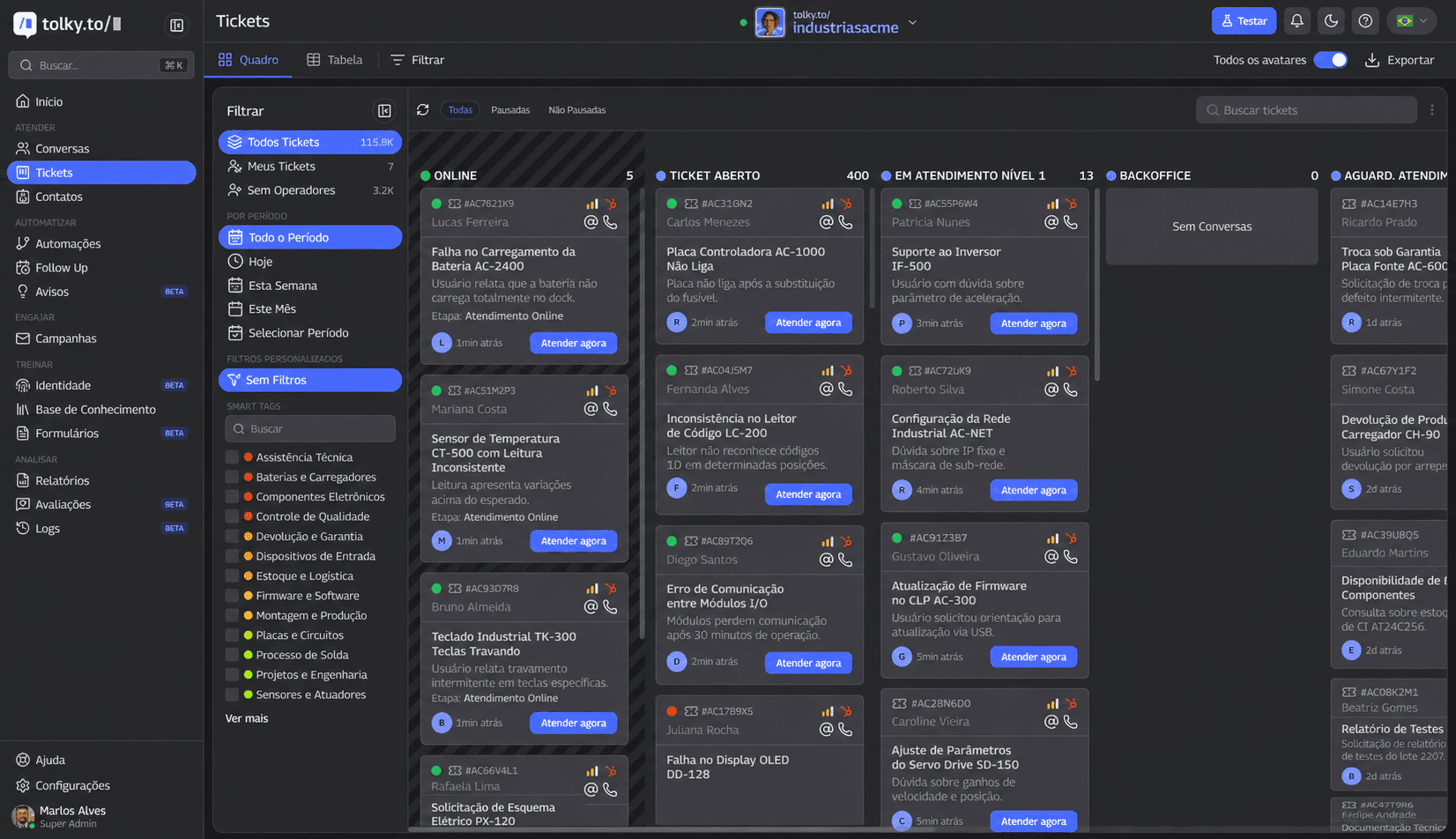
Tolky runs a WhatsApp shared inbox on the official API starting with the Starter plan; the free plan, Individual, does not include WhatsApp. Individual is for answering on your website with AI, with 1 user.
Based on the prices published on /precos on November 19, 2026:
- Starter, US$ 90 (R$ 500) a month: WhatsApp on the official API, 2 users, 500 attendances, conversation distribution across the team and access profiles.
- Professional, from US$ 450 (R$ 2,500) a month: 10 users, departments and queues with capacity per area, the operators report and queue health.
When someone takes over a conversation, the AI steps back and the conversation is reserved for that person, with history, summary and notes. The details are in how Tolky distributes conversations and on the WhatsApp shared inbox page.
What Tolky does not do: it does not connect WhatsApp through an unofficial API, does not include WhatsApp in the free plan and does not pay Meta's fees, which are billed separately. Instagram and SMS are still coming soon.
Frequently asked questions
Can I have multiple agents on WhatsApp Business for free?
Yes, up to four devices linked to the primary phone, such as WhatsApp Web. Everyone sees the same chats, with no queue or routing. More devices require a paid Meta subscription.
How many devices can I connect to WhatsApp Business?
Up to four devices linked to the primary phone, according to the WhatsApp Help Center checked on November 19, 2026. With the multi-agent feature, up to ten, depending on the Meta Verified or Meta One subscription.
What is the best WhatsApp shared inbox?
It depends on the team size. For up to four people at low volume, the app itself works. With a queue, separate areas or per-agent metrics, a platform on the official API is the way to go.
Is an open source WhatsApp shared inbox safe?
It depends on how it connects. Projects on the official API, such as Chatwoot, follow Meta's rules; projects that imitate WhatsApp Web expose the number to restrictions.
Does Tolky have a free shared inbox?
No. Tolky's free plan does not include WhatsApp. The WhatsApp shared inbox starts on Starter, at US$ 90 (R$ 500) a month, with 2 users and conversation distribution.
Conclusion
A free WhatsApp shared inbox works for a few people at low volume: up to four devices, everyone seeing everything. When customers wait without an owner or two agents answer the same one, a queue and routing become worth more than the monthly fee.
See the plans, explore Tolky's shared inbox, compare customer service platforms or talk to the team →. Let's talk?
Share
Tags
- free whatsapp shared inbox
- whatsapp multiple agents free
- whatsapp business multiple users
- whatsapp multi-agent
- whatsapp shared inbox official api
- open source whatsapp shared inbox
- customer service queue
- #conversational CRM
About the author

Co-founder of Tolky
Marlos Carmo is an AI entrepreneur and founder of Tolky, the conversational-era infrastructure and AI CRM that unifies intelligent service, multi-channel support (such as WhatsApp and voice), live CRM, and operational intelligence in a single ecosystem. He is a finalist for the SXSW Innovation Awards and a member of Francesco's Economy, a global network of young entrepreneurs focused on innovation and social impact. He works connecting Artificial Intelligence and digital transformation in projects for large organizations.
Next step
Want to bring this to your operation?
Tati, Tolky's AI assistant, understands your scenario in a few questions, suggests the best path and connects you with someone from the team, with full context.
Share