WhatsApp broadcast list: how it works, limits and the rules
WhatsApp broadcast lists explained: how to create one, the 256-contact limit, why only people who saved your number get it, how it compares with groups and Channels and when to use the API.
TL;DR
A WhatsApp broadcast list is an app feature that sends the same message to several contacts at once, with each person receiving it in a private one-to-one chat. Each list holds up to 256 contacts, only people who saved your number receive it and, in some countries, there is a monthly cap on broadcast messages. Once your audience grows past a few hundred people or you need reporting and a team, the next step is a campaign through the official API.
Share
The broadcast list is the first tool almost every business uses to reach customers on WhatsApp: a promotion, special opening hours, a reminder. It is free, it lives inside the app and it needs no integration at all.
The trouble starts when the list grows. Half the people say they never got the message, the contact limit arrives quickly and replies get mixed in with every other chat. This guide explains how the WhatsApp broadcast list works today, what the official limits are and when it makes sense to switch to campaigns through the official API.
Updated November 2026.
What is a WhatsApp broadcast list?
A WhatsApp broadcast list is an app feature that sends the same message to several contacts at the same time, and each person receives it in a private one-to-one chat with you. Nobody on the list sees who else received it, and anyone who replies talks only to you.
That is different from a group, where everyone talks to each other and sees each other's numbers. With a broadcast, the conversation stays one to one. That is why it is used for announcements and offers, not for discussions.
The feature exists in personal WhatsApp and in the WhatsApp Business app. In the Business app it gained business features, such as building the list from labels and turning the send into a paid marketing message, which we cover below.
How do you create a broadcast list, step by step?
To create a broadcast list, open Chats on your phone, tap the three-dot menu, choose Broadcast lists, select the contacts and confirm. The steps come from the WhatsApp Help Center, checked on November 23, 2026.
- Open Chats in the phone app.
- Tap the menu with three dots (Android) and choose Broadcast lists. On iPhone, the menu names may differ.
- Select the contacts who will receive it, up to 256 per list.
- Confirm with the check mark icon and give the list a name.
- Write the message and send it. Each person receives it as a one-to-one chat.
In the WhatsApp Business app, the broadcast lists page shows that you can create the list from a label, such as "active customers" or "order delivered", and edit the audience later. One detail that surprises many people: the Help Center says broadcast lists do not work in WhatsApp for Windows, on Mac or on WhatsApp Web. Phone only.
What are the limits of a broadcast list?
A WhatsApp broadcast list has three official limits: up to 256 contacts per list, delivery only to people who saved your number in their address book and, in some countries, a monthly cap on broadcast messages. All three are in the WhatsApp Help Center, checked on November 23, 2026.


| Limit | What the Help Center says | What it means in practice |
|---|---|---|
| Contacts per list | Up to 256 | A base of 2,000 customers becomes eight lists or more |
| Saved number | Everyone must have your number saved in their contacts | People who did not save it don't receive it, and you are not told |
| Monthly limit | In some countries, there is a monthly limit on broadcast messages | Your sends per month may be counted |
| Devices | Not available on Windows, Mac or WhatsApp Web | Sending happens on the phone |
The monthly limit is part of a wider push against spam. In March 2025, TechCrunch reported that WhatsApp would test a monthly cap on broadcasts for people and businesses, with numbers that would change during the test. In October 2025, the same outlet reported a new test: a monthly limit on messages sent to people who do not reply. Meta has not published the figures. If your app shows a limit warning, it applies to your account.
Why doesn't my broadcast list reach everyone?
A broadcast list message does not reach anyone who has not saved your number in their address book, and that is the most common reason behind "I never got it." WhatsApp does not tell you who was left out: the message simply is not delivered to that person.
Other frequent reasons:
- The contact blocked your number. A block stops any delivery.
- The number changed or was deactivated. Old lists are full of numbers that no longer belong to the same person.
- The account hit a limit. With the monthly cap being tested in some countries, sends can be held until the next month.
- The account was restricted. The Help Center page on restricted accounts says that many blocks and reports can restrict an account, even when people gave you their number.
The classic fix is asking customers to save your number, for example with a WhatsApp link or a QR code at the counter, on your website or on the receipt. That works for small, loyal audiences, but it does not scale.
Broadcast list, group, Community or Channel: what is the difference?
A broadcast list sends private messages to up to 256 contacts; a group is a shared conversation with up to 1,024 members; a Community brings together up to 100 groups and 2,000 members; and a Channel is a public, one-way broadcast with no follower limit. Choosing between them depends on who needs to reply to whom.


| Feature | Who sees the other members | Who can reply | Limit (Help Center, 11/23/2026) | Good for |
|---|---|---|---|---|
| Broadcast list | Nobody | Each person, only to you | 256 contacts per list, saved number | Announcements and offers to customers who already talk to you |
| Group | Everyone | Everyone, to everyone | Up to 1,024 members | Classes, teams, customers on the same project |
| Community | Members of the groups | Admins in the announcement group; members in the groups | Up to 100 groups and 2,000 members | Associations, condominiums, schools, franchise networks |
| Channel | Nobody | Nobody replies; only reactions and polls | Unlimited followers | Brand news for people who want to follow |
Sources: groups, Communities and Channels in the Business app, checked on November 23, 2026. For the Channel in detail, see the guide to WhatsApp Channels.
For businesses, a group carries a risk a broadcast does not: it exposes every customer's number to everyone else. Under privacy laws such as Brazil's LGPD (its general data protection law), that matters. A Community solves part of the problem with the announcement group, where only admins write.
Broadcast lists in WhatsApp Business: what changes?
In the WhatsApp Business app, a broadcast list can be built from labels and, to reach people who have not saved your number, it can become a paid marketing message, charged per delivered message. That is the main difference from the personal app.
The Help Center's advice: to reach customers who did not save your number, "turn your broadcast list into a marketing message." The page on business broadcast pricing, checked on November 23, 2026, says the business pays a fee for delivered messages, priced by each recipient's country code, and that the feature is only available in some countries.
In practice, the Business app has become a small campaign tool. It works well for a neighborhood shop with a few hundred customers. It does not solve the operation of a company with thousands of contacts, several people handling chats and a need to know who replied what.
When should you move from a broadcast list to the official API?
Move to campaigns through the official WhatsApp API when your audience passes a few hundred contacts, when many people have not saved your number or when more than one person needs to answer. The official API has no 256-contact cap and does not require a saved number, but every message outside the service window is a template approved and charged by Meta.
Signs the list has become too small:
- Your base is over 1,000 contacts and you maintain several lists by hand.
- Many people don't receive it because they never saved your number.
- Replies get lost among the day's chats.
- You don't know the result: who read, who replied, who bought.
- More than one person needs to handle replies, with history.
On the API, the rules are different: the person must have given opt-in, sending respects the portfolio's messaging limit and the phone number quality rating depends on how recipients react. The guide to WhatsApp bulk messaging compares the options by cost and risk, and the one on the 24-hour window and templates explains the message categories.
A warning: tools that promise an "unlimited broadcast list" by automating the app violate WhatsApp's terms and can get the number banned. See why in unofficial WhatsApp API risks and what to do if it happens in banned from WhatsApp.
Best practices for using a broadcast list without annoying customers
A healthy broadcast list sends little, sends only to people who asked and offers a simple way out. The same rules protect your number in the app and on the API.
- Ask permission. Ask whether the customer wants to receive offers and write down the answer.
- Split by interest. A list of people who bought pet food should not get the grooming promotion every week.
- Write short and useful. One offer, one deadline, one next step.
- Limit frequency. Too many messages lead to muting, blocking and reports.
- Offer a way out. "Reply STOP to stop receiving messages," and honor the request right away.
- Answer whoever answers. A broadcast opens conversations; someone has to be ready for them.
For ready-made announcement, offer and reactivation texts, use the WhatsApp message templates.
Where Tolky fits
Tolky is an AI conversational CRM that replaces the broadcast list with campaigns through the official WhatsApp API, with the audience coming from the CRM or a spreadsheet and AI talking to whoever replies. That is the text campaigns solution.


- Audience: an XLS or CSV spreadsheet, individual contacts or CRM opportunities, with no 256-per-list cap.
- Message: a Meta-approved template, with variables and media, plus a test send before the campaign.
- Clean base: Tolky flags duplicate numbers and numbers with or without Brazil's extra mobile digit before sending.
- Replies: AI answers with the campaign's instructions or hands the chat to the team, with the history.
- Results: sent, delivered, read and failed, with a daily history.
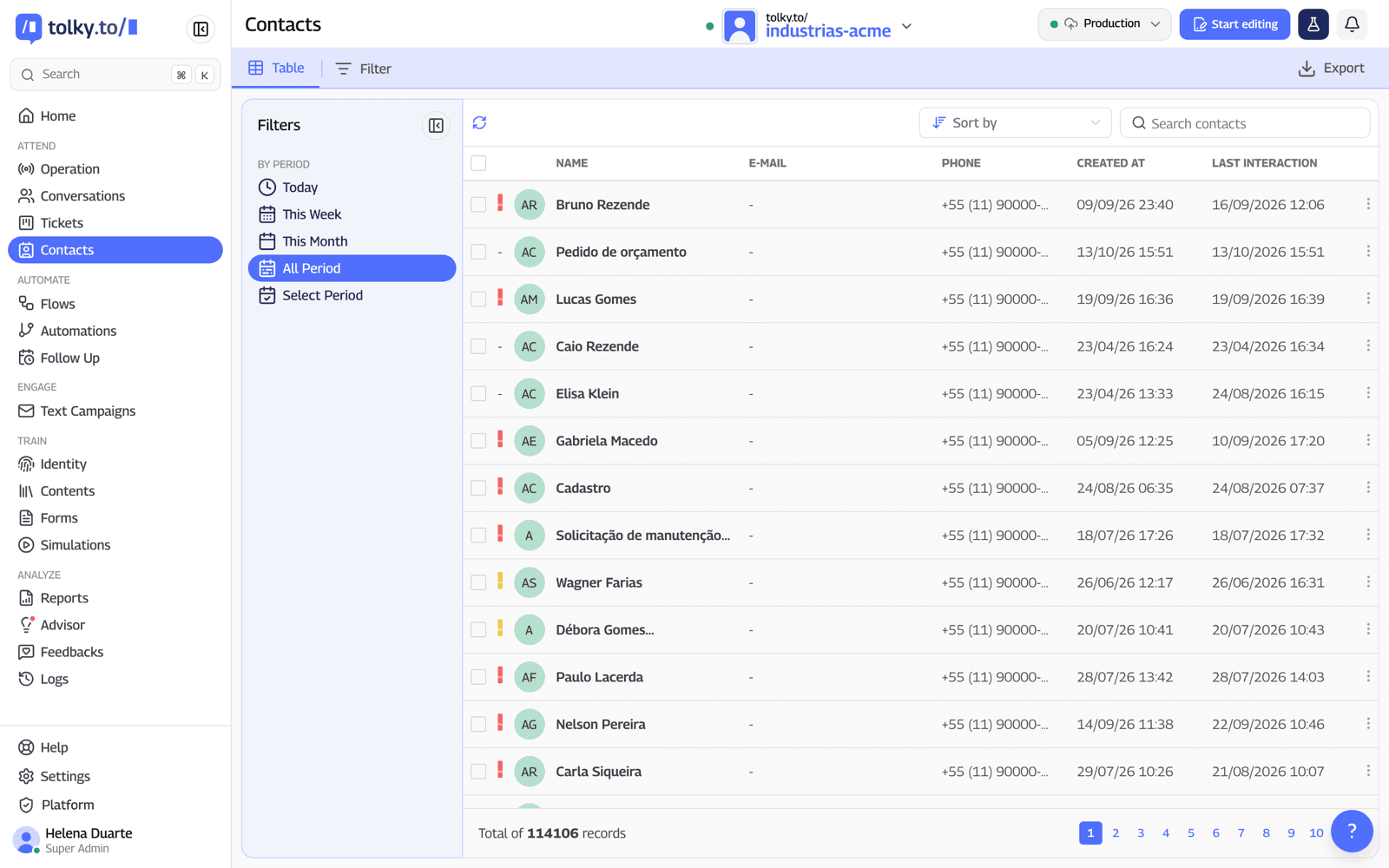
Campaigns are part of the Professional and Enterprise plans, and Meta's fees are not included in the plan; see plans and pricing. What Tolky does not do: it does not send through the app's broadcast list or automate personal WhatsApp, and it does not collect opt-in for you.
Frequently asked questions
How many contacts can a WhatsApp broadcast list have?
Up to 256 contacts per list, according to the WhatsApp Help Center. You can create several lists, but in some countries there is a monthly limit on broadcast messages.
Why don't some people receive my broadcast list?
Because only people who saved your number in their address book receive it. Blocks, deactivated numbers and account limits also stop delivery, and WhatsApp does not tell you who was left out.
Does the person know they got a broadcast list message?
They receive it as a one-to-one chat with you and cannot see the other recipients. If they reply, the reply goes only to you.
Can I use broadcast lists on WhatsApp Web?
No. The Help Center says broadcast lists do not work on WhatsApp Web or in the Windows and Mac apps. Sending happens on the phone.
What is the difference between a broadcast list and a group?
In a list, each person receives the message privately and replies only to you. In a group, up to 1,024 members talk to each other and see each other's numbers.
Can a broadcast list get my number banned?
Using the app's list for people who agreed to receive messages does not violate the terms. The risk comes from excessive reports and blocks, which can restrict the account, and from unofficial tools that automate bulk sending.
Is there a broadcast list on the official WhatsApp API?
The API does not use 256-contact lists: it sends approved templates to people who gave opt-in, within a daily limit of people that grows with quality. Platforms call this a campaign.
Conclusion
The broadcast list is a great place to start: free, simple and private. The 256-contact limit, the saved-number rule and the monthly cap in some countries show how far it goes. When your audience grows and more people need to answer, a campaign through the official API, with opt-in and a platform that organizes replies, is the next step.
Explore text campaigns, see the plans, read the bulk messaging guide or talk to the team →. Let's talk?
Share
Tags
- whatsapp broadcast list
- how to create a broadcast list
- whatsapp broadcast list limit
- whatsapp business broadcast list
- broadcast list vs group
- whatsapp business broadcast
- whatsapp campaign
- #conversational CRM
Cited in
- WhatsApp Channels: what they are, how to create one, business uses
- WhatsApp marketing: strategy, opt-in, templates and costs in 2026
- Unofficial WhatsApp API: ban risks and what Meta actually allows
- WhatsApp bulk messaging: how to send mass messages without a ban
- WhatsApp Business: what it is, benefits, tools and when to migrate
- WhatsApp Business Web: how to use it on a computer and its team limit
- WhatsApp 24-hour window, templates and campaigns without blocks
- WhatsApp customer service platform for businesses: how to choose
- WhatsApp Business API: What It Is, How It Works, Pricing and Setup
About the author

Co-founder of Tolky
Marlos Carmo is an AI entrepreneur and founder of Tolky, the conversational-era infrastructure and AI CRM that unifies intelligent service, multi-channel support (such as WhatsApp and voice), live CRM, and operational intelligence in a single ecosystem. He is a finalist for the SXSW Innovation Awards and a member of Francesco's Economy, a global network of young entrepreneurs focused on innovation and social impact. He works connecting Artificial Intelligence and digital transformation in projects for large organizations.
Next step
Want to bring this to your operation?
Tati, Tolky's AI assistant, understands your scenario in a few questions, suggests the best path and connects you with someone from the team, with full context.
Share