Banned from WhatsApp: why it happens, how to appeal and avoid it
Banned from WhatsApp or blocked for spam? Learn why accounts get banned, how to request the official review, what applies to virtual numbers and how a business avoids losing its number.
TL;DR
Being banned from WhatsApp means WhatsApp blocked the number because it believes the account violated its Terms of Service, usually through spam, scams, automated or bulk messaging or the use of an unofficial app. The official path is to tap Request a review in the app itself; most reviews finish within 24 hours and, if the option is missing, the ban is final. Businesses avoid the problem with the official API, opt-in and messages only to people who asked.
Share
You open WhatsApp and read that the number can no longer use the app. For a person, it is a scare. For a business that sells, collects payments and serves customers on that same number, it means cash flow stops and hundreds of customers go unanswered.
Bans do not happen by chance. There is almost always a pattern behind them: messages to people who did not ask for them, a wave of reports, a tool that automates the app. This guide explains why accounts get banned, how to request a review through the official channel, what applies to virtual numbers and how a business organizes WhatsApp so it never goes through this.
Updated November 2026.
What does it mean to be banned from WhatsApp?
Being banned from WhatsApp means WhatsApp blocked the number from using the app because it believes the account violated its Terms of Service. The ban can be temporary or permanent, or it can come first as a restriction, and each case has a different path.


| Situation | What you see | How long it lasts | What to do |
|---|---|---|---|
| Restricted account | "Your account is restricted right now" | Time shown in the app; lifts on its own | Wait and rethink how you send messages |
| Temporary ban | "Temporarily banned" | Temporary; no published duration | Switch from the unofficial app to the official one and stop scraping data |
| Ban with review | "This phone number is banned from using WhatsApp" with the Request a review option | Until the decision; most within 24 hours | Request the review in the app |
| Permanent ban | The same notice, without the review option | Permanent | No appeal possible |
Sources: WhatsApp Help Center pages on account bans, restricted accounts, temporarily banned accounts and bans on WhatsApp Business, checked on November 23, 2026.
Why do accounts get banned from WhatsApp?
Accounts get banned when WhatsApp believes they violate its Terms of Service through spam, scams, automated or bulk messaging, unofficial apps or activity that puts users at risk. The rules are written down, and businesses tend to trip over the same ones.
- Bulk and automated messaging. The WhatsApp Terms of Service prohibit communications such as "bulk messaging, auto-messaging, auto-dialing" and any non-personal use of the service unless authorized. The Help Center page on unauthorized automated or bulk messaging says its products were not designed for this and that, since December 7, 2019, WhatsApp takes legal action against people or companies that engage in or help with this abuse.
- Unofficial apps. The page about unofficial apps names versions such as GB WhatsApp and FM WhatsApp and warns that using them, or linking your account to an unofficial app or website, can lead to a temporary or permanent ban.
- Data scraping. Collecting user information by automated means, known as scraping, is also listed among the reasons for a temporary ban.
- Reports and blocks. When many people block or report your messages, the account can be restricted, even if those people gave you their number.
- Scams and prohibited products. Fraud, selling items banned by the commerce policies and putting people's safety at risk lead to a ban and, in the Business app, to the cancellation of Meta Verified with no refund.
The pattern is clear: WhatsApp tolerates a business talking with its customers, and it punishes a business blasting people who did not ask. Scammers who impersonate brands are also a target of these controls; see how to protect yours in WhatsApp scams.
WhatsApp banned for spam: what happened?
"WhatsApp banned for spam" is almost always a restricted account: for a while it cannot start chats with new contacts, but it keeps talking with people it already chatted with. It is a warning before a ban.
According to the Help Center, during a restriction you cannot start chats or calls with new contacts, create groups, add members or use linked devices. The restriction ends on its own, and the app shows how much time is left when you try to start a new chat.
The same page says how to avoid it next time: let the customer start the conversation, for example with an ad that opens WhatsApp; introduce yourself when you write to someone who shared their number; and make it easy for people who no longer want messages to opt out. Click-to-WhatsApp ads do exactly the first point.
How do you request a review of a ban?
To request a review, open WhatsApp with the banned number and tap Request a review; the app asks for a confirmation code sent by SMS and notifies you when the decision is made, usually within 24 hours. It is the only channel that can change the decision.
- Open the app on the device with the banned number.
- Tap Request a review on the notice screen.
- Confirm the number with the six-digit code sent by SMS.
- Explain how you use the account, briefly and truthfully.
- Wait for the notification. The Help Center says most reviews finish within 24 hours.
Three Help Center warnings that save time. First: if the Request a review option does not appear, the ban is final and cannot be appealed. Second: contacting WhatsApp outside this process, or through someone else's account, does not speed it up or change the decision. Third: third-party services cannot ban or unban accounts. Anyone selling a "guaranteed unban" is selling something they cannot deliver.
While the account is banned, chat history and backups are not accessible. If the ban is lifted, you verify the number again and regain access.
What if the banned number is on the official API?
Numbers on the official WhatsApp API follow a different process: Meta flags the violation, applies escalating blocks and the appeal goes through Business Support Home, with a decision usually in 24 to 48 hours. None of this goes through the app's button.
According to Meta's policy enforcement page, checked on November 23, 2026, the account first receives a warning naming the policy it broke. If violations repeat, it gets 1 or 3 day blocks on templates, then 5, 7 or 30 day blocks on any message, an indefinite lock that is only lifted through an appeal and, finally, disablement. Scams and other severe violations can lead to immediate removal.
The reasons Meta lists include spam, templates in the wrong category, high-risk categories and excessive negative user feedback. Warnings arrive in WhatsApp Manager, by e-mail to the portfolio admins and through the account webhook. The difference from the app is that the API gives signals first: the phone number quality rating drops, the messaging limit stops growing, and there is time to fix things.
Virtual numbers on WhatsApp: are they allowed?
A virtual number only works on WhatsApp when it is a number the business controls and that can receive an SMS or call for verification; VoIP numbers are not accepted in the app, and temporary numbers bought to create accounts violate the terms. It depends on which WhatsApp you will use.


- Personal app and Business app. The Help Center page on registration problems says WhatsApp cannot verify VoIP numbers, toll-free numbers, premium numbers, switchboard numbers, collect-call numbers or private numbers. Landlines only work in the WhatsApp Business app, with the code delivered by phone call.
- Official API. Meta's phone number documentation requires the number to be yours and able to receive an SMS or call for the code. Mobile is recommended, landlines work with the code by voice, toll-free numbers must accept international calls and short codes are not supported.
- Temporary numbers. The Terms of Service require accurate information and the registrant's current number, and prohibit creating accounts through automated or unauthorized means. Buying disposable numbers on websites to open accounts in bulk is exactly what WhatsApp bans.
For a business, the best number is one it will keep for years: a mobile or landline owned by the company, registered on the API and tied to the verified portfolio. Switching numbers after every ban wipes out your reputation and your history with customers.
How does a business avoid being banned from WhatsApp?
A business avoids bans by using the official API, messaging only people who gave opt-in, controlling frequency and tracking its phone number quality. These are simple practices that most operations skip.
| Practice | Why it protects the number |
|---|---|
| Official API instead of an automated app | Bulk sending through the API is allowed, with rules; automating the app violates the terms |
| Recorded opt-in | People who asked to receive messages rarely report them |
| A way out in every campaign | People who want out reply STOP instead of blocking |
| Gradual sending | Volume spikes to cold contacts lead to waves of blocks |
| Customer starting the conversation | Ads, links and QR codes open chats with no risk |
| Quality tracked in WhatsApp Manager | A drop in quality warns you before a restriction |
| Templates in the right category | The wrong category counts as a violation |
The step-by-step for a safe campaign is in WhatsApp bulk messaging and in the 24-hour window, templates and campaigns. If your operation runs today on a tool that automates WhatsApp Web, first read unofficial WhatsApp API risks and the roadmap for getting the official API.
Where Tolky fits
Tolky is an AI conversational CRM that connects the company's number to the official WhatsApp API, directly with Meta or through Gupshup, an official Meta partner, and runs service and campaigns without automating the app. The WhatsApp account stays in your company's portfolio.
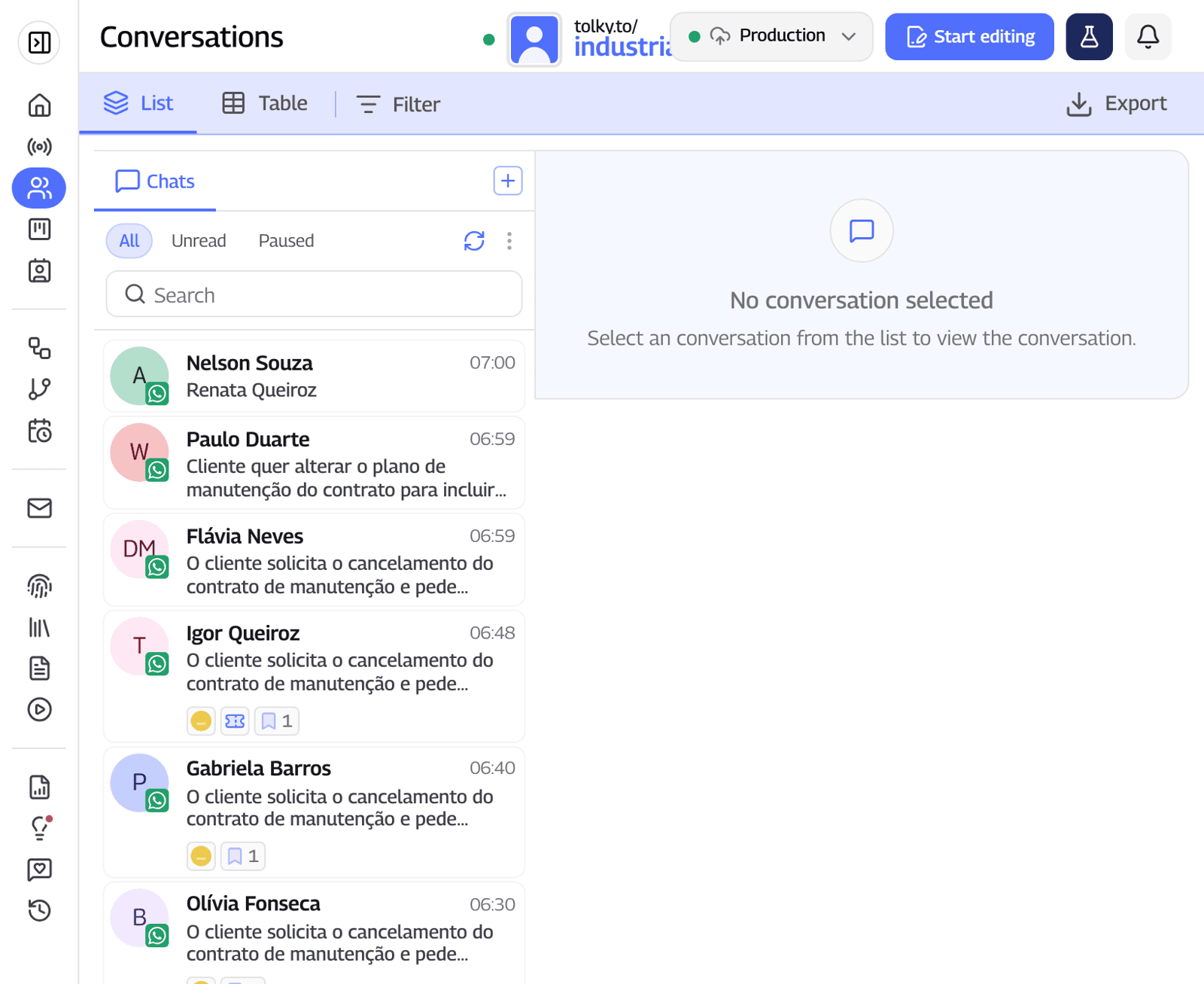
- Service: AI agents answer on WhatsApp and hand off to the team with the history; see WhatsApp customer service.
- Campaigns: approved templates, an audience from the CRM or a spreadsheet and AI talking to whoever replies, in text campaigns.
- Clean base: duplicate numbers and numbers with or without Brazil's extra mobile digit are flagged before sending, and contacts with no interest are left out.
What Tolky does not do: it does not unban numbers, it does not talk to WhatsApp on your company's behalf about a ban and it does not collect opt-in for you. If the number was banned in the app, the appeal is yours, through the Request a review button. WhatsApp is available from the Starter plan up; see the plans.
Frequently asked questions
How long does a WhatsApp ban last?
It depends on the type. A restriction shows in the app how much time is left and ends on its own; a temporary ban has no published duration, and the Help Center advises switching back to the official app so it does not become permanent. Bans with review last until the decision, usually within 24 hours. Without the review option, the ban is permanent.
How do I get unbanned from WhatsApp?
Through the Request a review button, in the app itself, with the banned number. Only WhatsApp can review the decision: third-party services cannot unban accounts, and contacting WhatsApp outside this process does not speed anything up.
Why was my WhatsApp banned for spam?
Usually because many people blocked or reported your messages, or because the account sent automated or bulk messages. The account is restricted for a while and cannot start chats with new contacts.
Can using GB WhatsApp or another modified app get me banned?
It can. The Help Center lists GB WhatsApp and FM WhatsApp among unofficial apps and warns that using them can lead to a temporary or permanent ban. The fix is to uninstall them and use the official app.
Can I use a virtual number on WhatsApp Business?
In the app, VoIP numbers are not accepted, and landlines only work in the Business app, with the code delivered by call. On the official API, the number must be yours and able to receive an SMS or call for verification; short codes are not supported.
Can the official WhatsApp API also be blocked?
Yes. Meta flags the violation and applies escalating blocks, from 1 day to 30 days, up to disablement for repeated cases. Appeals go through Business Support Home, with a decision usually in 24 to 48 hours.
Do I lose my chats if I get banned?
While the account is banned, chat history and backups are not accessible. If the ban is lifted, you regain access after verifying the number. On platforms that use the API, the history lives in the CRM.
Conclusion
Being banned from WhatsApp is almost never bad luck: it is the result of messages to people who did not ask, reports and tools that automate the app. If it happened, use Request a review and nothing else. To keep it from happening again, the business moves to the official API, messages only with opt-in and tracks its phone number quality.
Explore WhatsApp customer service, see the plans, read the WhatsApp Business guide or talk to the team →. Let's talk?
Share
Tags
- banned from whatsapp
- whatsapp banned for spam
- whatsapp account banned
- how to get unbanned from whatsapp
- virtual number whatsapp
- whatsapp business banned
- whatsapp restricted account
- #conversational CRM
Cited in
- WhatsApp broadcast list: how it works, limits and the rules
- WhatsApp marketing: strategy, opt-in, templates and costs in 2026
- Unofficial WhatsApp API: ban risks and what Meta actually allows
- WhatsApp bulk messaging: how to send mass messages without a ban
- WhatsApp Business: what it is, benefits, tools and when to migrate
- WhatsApp Business Web: how to use it on a computer and its team limit
- WhatsApp green tick: Official Business Account and how to get it
- WhatsApp customer service platform for businesses: how to choose
- WhatsApp Business API: What It Is, How It Works, Pricing and Setup
About the author

Co-founder of Tolky
Marlos Carmo is an AI entrepreneur and founder of Tolky, the conversational-era infrastructure and AI CRM that unifies intelligent service, multi-channel support (such as WhatsApp and voice), live CRM, and operational intelligence in a single ecosystem. He is a finalist for the SXSW Innovation Awards and a member of Francesco's Economy, a global network of young entrepreneurs focused on innovation and social impact. He works connecting Artificial Intelligence and digital transformation in projects for large organizations.
Next step
Want to bring this to your operation?
Tati, Tolky's AI assistant, understands your scenario in a few questions, suggests the best path and connects you with someone from the team, with full context.
Share