WhatsApp CRMwith the history of every contact.
Tolky's CRM keeps each contact with the history of conversations, forms and ratings, and updates opportunities, stages and activities from what was said on WhatsApp. The team reviews it, and the native HubSpot integration keeps sales where they already work.
What a WhatsApp CRM is
WhatsApp CRM is a relationship system where WhatsApp is the source of the data: each conversation is tied to a contact and feeds opportunities, pipeline stages and activities. Tolky has its own CRM, on the same platform as customer service, and also integrates natively with HubSpot. This page covers the features; the full concept is on the CRM solution page.
At a glance
- Contact data
- Conversations, forms, ratings and follow-up in the same record
- Filling in
- The AI suggests from the conversation, a text or a file, and the team reviews
- Native integration
- HubSpot. Salesforce and Pipefy are not native: the connection goes through the API, webhooks or an HTTP request
From conversation to pipeline
Step 01
The conversation happens
On WhatsApp, voice or the website, with the AI or with the team.
Step 02
The AI suggests the record
Opportunity, fields and next activity, reviewed before saving.
Step 03
The pipeline moves
The CRM agent and Flows create deals, change stages and mark wins or losses.
Step 04
The team follows along
Probability by stage, goals per person and pipeline reports.
Step 01
The conversation happens
On WhatsApp, voice or the website, with the AI or with the team.
Step 02
The AI suggests the record
Opportunity, fields and next activity, reviewed before saving.
Step 03
The pipeline moves
The CRM agent and Flows create deals, change stages and mark wins or losses.
Step 04
The team follows along
Probability by stage, goals per person and pipeline reports.
What Tolky's CRM offers for WhatsApp
Seven real capabilities, from the contact record to the HubSpot integration.
01
Contacts
Each contact with its history
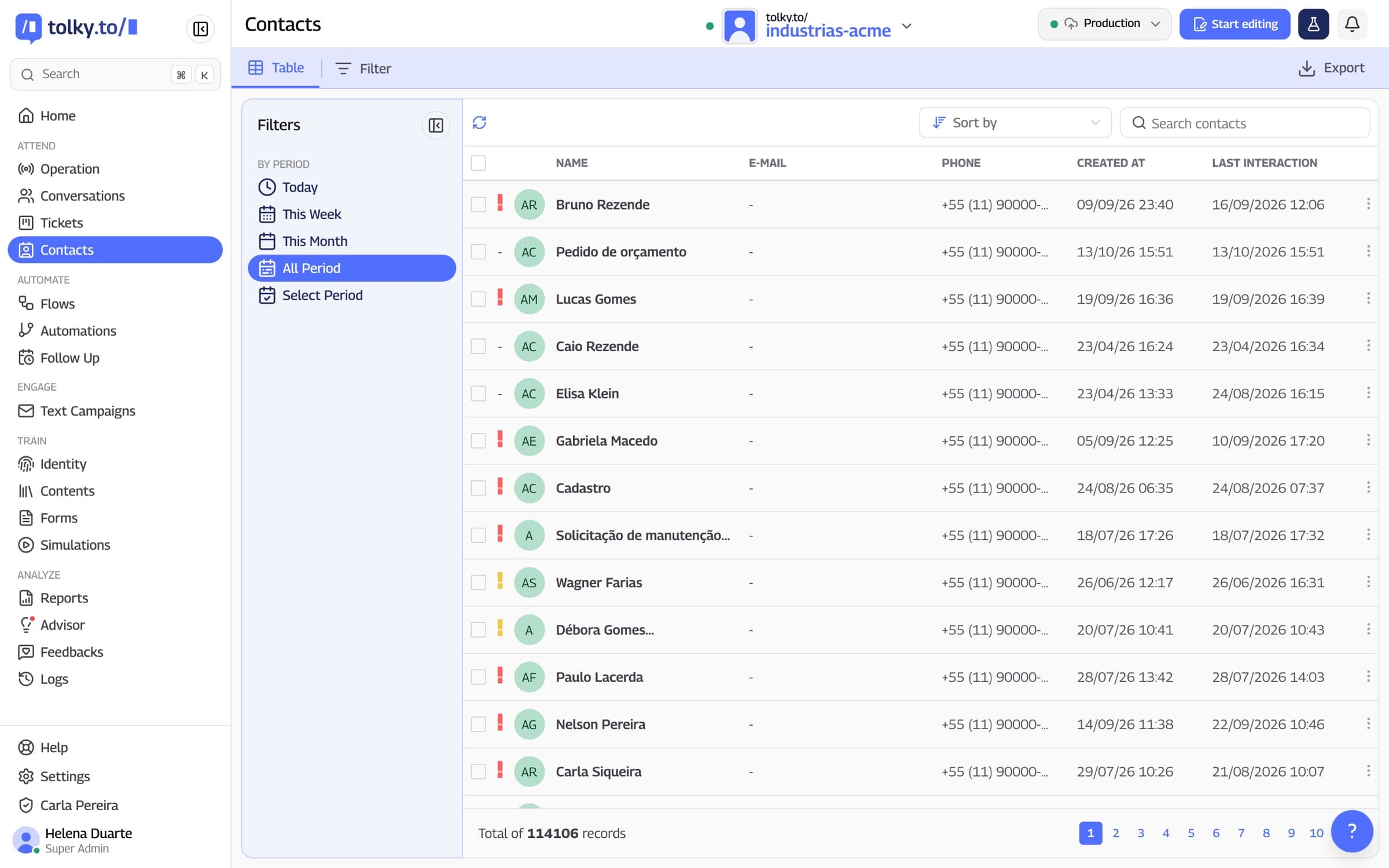
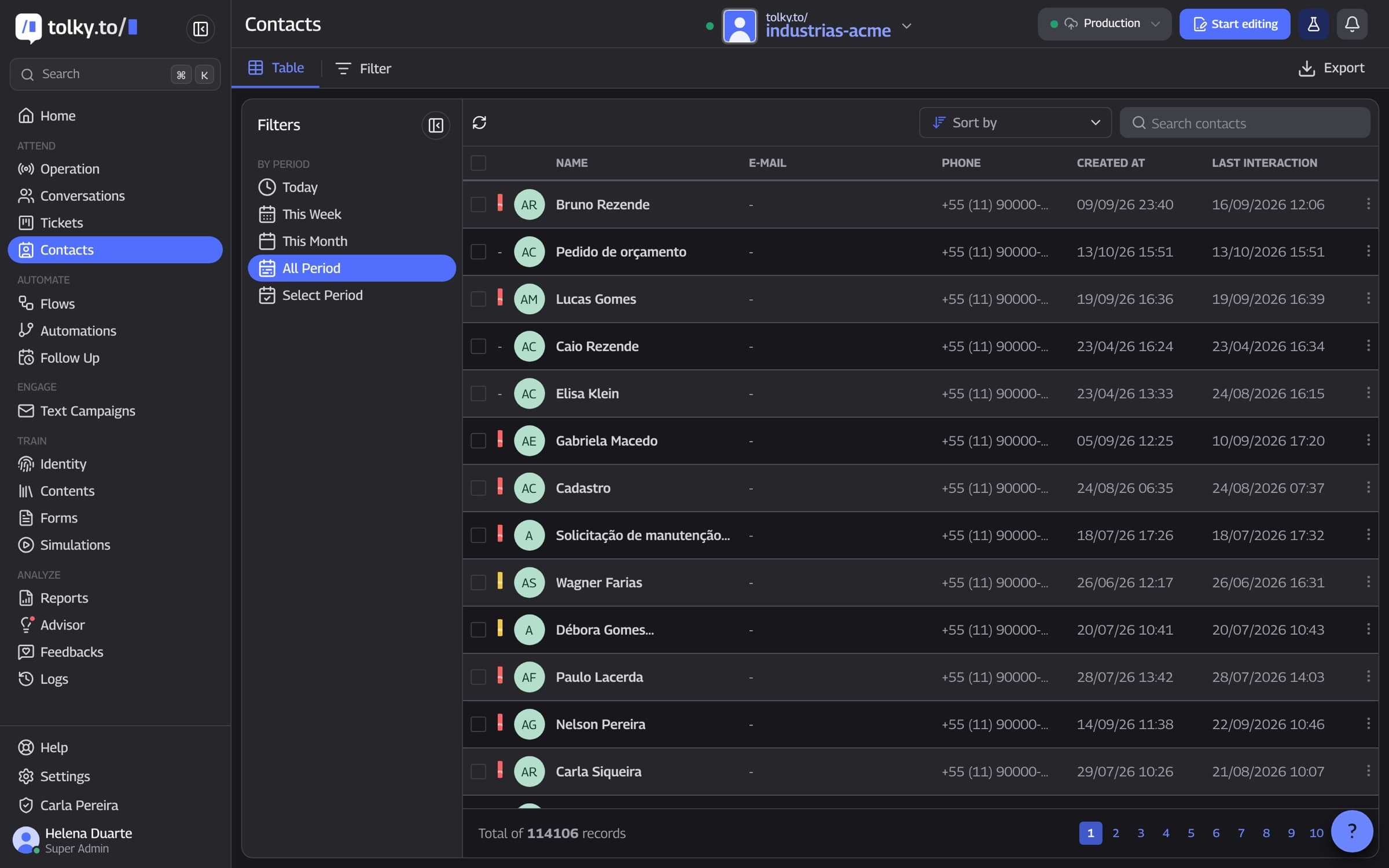
The contact gathers identity, conversation history, completed forms, ratings and follow-up, so the team does not ask again for what the customer already said. The list has period filters and search, and spreadsheets and the address book can be imported.
Conversations tied to the contact
Forms, ratings and follow-up
Import from spreadsheets and the address book
02
Filling in with AI
The AI fills in, the team reviews
From the conversation, a text or a file, the AI suggests the opportunity data. Each field keeps a version history, showing what was captured and what was edited, and saving goes through review.
Suggestion from the conversation
Version history for each field
Review before saving
03
Pipeline
Stages with probability and time
Build pipelines with your own stages, closing probability and expected time in each. Wins and losses require a reason, and sales goals show where the team stands.
More than one pipeline
Reason for wins and losses
Sales goals and pipeline reports
04
Proposals and activities
From quote to next step
Register products, build a quote and a proposal with monthly, quarterly or annual billing. The activity is suggested with the deadline the customer mentioned, and Google Calendar is part of activities.
Products, quote and proposal
Activities with deadlines
Google Calendar in activities
05
HubSpot
Native HubSpot integration
Tolky creates and updates contacts, deals and tickets in HubSpot, searches first to avoid duplicates and maps properties, including custom ones. Other CRM systems connect through the API, webhooks or the HTTP request step in Flows. There is no native integration with Salesforce or Pipefy.
Contacts, deals and tickets
Property mapping
Other CRMs by API, webhooks or HTTP
06
Bulk actions and campaigns
From the pipeline to the conversation
Move a stage, change the owner or apply tags to many opportunities at once. Select stalled opportunities in the pipeline and create a text campaign for them; whoever replies goes back to the conversation with the history.
Stage, owner and tags in bulk
Campaign created from the pipeline
Reply back to the conversation with the history
07
Prospecting and capture
New leads with complete data
Find companies and people by job title, industry and region, and fill in title, company and email with a data provider, with review before saving and a daily credit cap. Capture pages, forms and popups bring new contacts into the CRM.
Search by title, industry and region
Enrichment with review and a daily cap
Capture pages, forms and popups
Spreadsheet and phone or Tolky's CRM: what changes
The table compares tracking in a spreadsheet and on each salesperson's phone with Tolky's CRM.
| Situation | Spreadsheet and phone | Tolky CRM |
|---|---|---|
| Contact history | The conversation stays on the phone of whoever answered | Conversations, forms and ratings in the record, visible to the team |
| New lead | Written down by hand | Opportunity suggested by the AI from the conversation, with review |
| Pipeline stage | Updated when someone remembers | Moved by the CRM agent or by a Flow |
| Next step | Depends on the salesperson's memory | Activity suggested with the deadline the customer mentioned |
| Another CRM in the company | Copy and paste | Native HubSpot; other systems by API, webhooks or HTTP request |
| Reactivate stalled opportunities | Build a new list | Select the opportunities in the pipeline and create the campaign |
Frequently asked questions
It is a CRM where WhatsApp is the source of the data: each conversation is tied to a contact and feeds opportunities, stages and activities. In Tolky, the CRM is built in and lives on the same platform as customer service.
It can replace it or coexist with it. Tolky has a pipeline, opportunities, proposals and activities, and integrates natively with HubSpot.
The AI suggests what to fill in from the conversation and the team reviews it. Each field keeps a version history, showing what was captured and what was edited.
There is no native integration with either one. The connection can be made through Tolky's API, webhooks or the HTTP request step in Flows.
It is native. Tolky creates and updates contacts, deals and tickets in HubSpot, searches first to avoid duplicates and maps contact, deal and ticket properties.
Yes. You create pipelines with your own stages, closing probability and expected time in each.
Yes. Select opportunities in the pipeline and create a text campaign for them. Whoever replies goes back to the conversation with the history.
Tolky bills per conversation. The Individual plan is free, with 150 conversations a month; Starter costs $90 a month and Professional $450 a month. Meta's WhatsApp fees are charged separately.
The same feature, other angles.
Feature
WhatsApp automation flowsHow Tolky Flows automate WhatsApp: triggers, conditions, the AI agent, 1,000+ apps, HTTP requests, webhooks, REST API and MCP.
Feature
WhatsApp shared inboxSeveral agents and the AI on the same WhatsApp number, with departments, queues, automatic distribution and handoffs with context.
Pricing
Plans and pricingBilled per conversation, with a free plan to start. Meta's WhatsApp fees are charged separately.

Your CRM canremember every conversation.
Book a demo and see a WhatsApp conversation become a contact, an opportunity and an activity, with your team reviewing it.