WhatsApp chatbot for small business: how to choose and pricing
WhatsApp chatbot for small business: what to automate first, when the free app is enough, 10 criteria to choose a tool and what each path costs, including Meta's per-message rates.
TL;DR
A WhatsApp chatbot for small business starts with what repeats most: questions about price, hours and location, quotes and bookings. With one or two people and a few conversations a day, the free WhatsApp Business app is usually enough; when the queue builds up, the team grows or answers depend on a system, the path is the official API through a platform, which adds a subscription and Meta's per-message rate.
Share
At a small business, the person who answers WhatsApp is usually the same person who runs the counter, writes the quotes and closes the till. Messages arrive mid-task, replies go out hours later and, by then, the customer has asked a competitor.
A WhatsApp chatbot for small business does not have to be a big project: it has to handle the few questions that eat up the day and hand the rest to you, with context. This guide covers what to automate first, when the free app is enough, how to choose and what it costs.
Updated in November 2026.
What is a WhatsApp chatbot for small business?
A WhatsApp chatbot for small business is an automation that answers the most common questions on its own from the business number and brings in a person when the topic calls for it. It can be an automatic message in the free app or an AI chatbot connected to the official API through a platform.
At a large company, it absorbs volume. At a small one, it gives the owner time back and keeps customers from waiting. The technical side is covered in WhatsApp chatbot: how it works and how to build one; here the focus is the choice for teams with few people and a tight budget.
What does WhatsApp look like at a small business?
At a small business, WhatsApp is handled between other tasks by one or two people, and most messages repeat the same five or six questions. That is why the right chatbot is simple to maintain and cheap to run.


- One person answers everything. When they are busy, the queue stops; at night, nobody replies.
- Little time to set things up. A bot with 40 menu paths never gets finished; one that answers ten questions well does.
- A tight budget. The bill has to fit the month, with no surprise from charged messages or extra users.
A lead who waits goes cold. The diagnosis is in losing leads on WhatsApp.
What should you automate first on WhatsApp?
Automate first what repeats every day and needs no decision from you: frequent questions, hours and location, and the start of a quote. Then come bookings, confirmations and after-sales. The order follows the return: time saved and sales that stop slipping away.


| Order | What to automate | Example | Where you can do it |
|---|---|---|---|
| 1 | Repeated questions | "Do you deliver to my area?", "Do you take cards?" | App (quick replies, by hand) or platform with AI (automatic) |
| 2 | Hours, location and after-hours | Away message with reopening time and catalog link | App or platform |
| 3 | Start of the quote | Ask size, quantity or service before handing it to you | Platform (flow or AI) |
| 4 | Bookings | Offer open slots and record them | Platform with calendar integration |
| 5 | Confirmations and reminders | Confirm the order or remind the appointment the day before | Platform, with an approved template outside the window |
| 6 | After-sales | Usage tips, review request, repeat purchase | Platform, with a template and opt-in |
Steps 1 and 2 fit in the free app. From step 3 on, the automation has to decide and remember what was said, which calls for a platform. The full map is in WhatsApp automation for business, and ready-to-use copy is in the WhatsApp message templates.
Free app or API: which fits your size?
With one or two people and a few conversations a day, the WhatsApp Business app is usually enough; when the queue builds up, the team needs more than four devices or answers depend on a system, it is time for the official API through a platform. The full comparison is in WhatsApp Business chatbot: the free app or the API.
The app includes greeting, away messages, quick replies, labels and a catalog (app features, checked on November 19, 2026) and runs on up to four devices, or ten with Meta Verified or Meta One (multi-agent, checked the same day). The volumes in the table are illustrative, not a Meta rule.
| Your scenario | Team | Volume (illustrative) | Suggested path |
|---|---|---|---|
| Solo business, simple questions | 1 person | Up to 20 conversations a day | Free app: greeting, away message, quick replies and catalog |
| Shop or practice with a peak-hour queue | 1 to 2 people | 20 to 60 conversations a day | Well-configured app, or API with an entry plan if questions repeat |
| Business that books, quotes or bills over WhatsApp | 2 to 4 people | Dozens a day, with history that matters | Official API with a platform, AI and CRM |
| Larger team or integrations | 5 people or more | Constant queue | Official API with queues, reports and integrations |
You do not have to drop the app: with coexistence, the number stays on the phone and works on the API at the same time.
How much does a WhatsApp chatbot cost for a small business?
A chatbot in the app costs nothing; on the official API, the bill has two parts: the platform subscription and the rate Meta charges per delivered message. Messages the customer sends are never charged.
Under Meta's rate card in effect since October 1, 2026, checked on November 17, 2026, a message to a Brazilian number costs US$ 0.0068 for utility, authentication and service, and US$ 0.0625 for marketing. Each number gets 1,000 free service messages a month (WhatsApp Business Platform pricing). Rates vary by the recipient's country.
| Path | Software cost | Meta cost |
|---|---|---|
| WhatsApp Business app | Free | None |
| Platform on the official API | Subscription per user, contact or conversation | Per delivered message, by category |
| Your own build on the API | Development and maintenance hours | Per delivered message |
Illustrative example: a clinic sends 1,600 service replies and 300 utility reminders in a month to Brazilian numbers. Meta's share comes to (1,600 − 1,000) × US$ 0.0068 + 300 × US$ 0.0068 = US$ 6.12, plus the platform. Run your own numbers in the WhatsApp API cost calculator. Price ranges by vendor are in how much a WhatsApp AI agent costs.
Is there a WhatsApp chatbot with no monthly fee?
With no monthly fee, only the app's own automations or free plans that do not include official WhatsApp. Tools that promise a free bot by scanning the WhatsApp Web QR code automate the app from the outside, which violates WhatsApp's Terms of Service and puts the number at risk of a ban (Help Center, checked on November 19, 2026). See the risks of unofficial WhatsApp APIs.
A free trial helps you get to know a tool. Check whether it uses your number on the official API and what happens when it ends.
How to choose the best WhatsApp Business chatbot?
The best chatbot for a small business fits your volume with a predictable total price, uses the official API, answers with AI based on your information and hands the conversation to you without losing context. Compare vendors with these criteria.
| Criterion | What to ask the vendor | Red flag |
|---|---|---|
| Total price | What is the monthly total at my volume, with Meta's rates and extras? | Only shows the plan price |
| Official API | Does my number stay in my own Meta account? | Asks for the WhatsApp Web QR code |
| Real AI | Does the AI answer from my catalog, prices and rules? | Numbered menu only |
| Handoff to a person | How does the conversation reach me, and with what summary? | Customer gets stuck with the bot |
| Users | How many people are included in the plan? | Steep charge per extra user |
| History and CRM | Is the customer's history saved and searchable? | Conversations live only on the phone |
| Calendar and systems | Does it connect to the calendar and tools I use? | Only through custom development |
| Contract | Is it monthly? Is there a lock-in or exit fee? | Long lock-in or high exit fee |
| Support | Does support speak my language, and when? | Email only, in another language |
| Data protection | How does the tool handle my customers' personal data? | No answer or no contract |
Customer data falls under privacy laws such as Brazil's LGPD, and the business stays responsible for it even when it uses a vendor. On the CRM side, see free WhatsApp CRM.
WhatsApp chatbot examples by type of business
Each business's chatbot starts with the question that most often stalls a sale or a booking. The examples are illustrative.
- Small shop or online store. Answers stock, shipping and payment methods from the catalog, confirms the order and sends the shipping notice.
- Clinic or practice. Shares accepted insurance plans and prices, offers slots and sends a reminder the day before with an option to reschedule. Clinical questions always go to the team.
- Accounting or law office. Triages the matter, asks for the documents on the list and books the first call. Professional advice stays with the professional.
- Service provider. Asks for the service, the neighborhood and the urgency, and prepares the quote for you to approve.
The AI handles the repetitive part and hands over the rest with a summary. See the rules for AI-to-human handoff.
Common mistakes when adding a WhatsApp chatbot
The most common mistake is automating everything at once and leaving customers no way to reach a person. The others:
- Long menus. Nine numbered options wear the customer out.
- No way out to a person. Every flow needs a clear path to "I want to talk to someone".
- Outdated information. The bot repeats the old price. Update the knowledge base whenever something changes.
- Forgetting Meta's rates. Reminders and promotions outside the 24-hour window are templates charged per message.
- Sending promotions without opt-in. Offers to people who did not ask for them lower the number's quality.
- Unofficial tools. They save money in month one and can cost you the number.
To bring customers to the chatbot, create a link with a starter message in the WhatsApp link generator and add it to your website and social profiles.
Where does Tolky fit for a small business?
Tolky is an AI conversational CRM that connects your number to the official WhatsApp API and puts an AI agent and your team on the same number, with each customer's history in the CRM. It makes sense once you have outgrown the app.
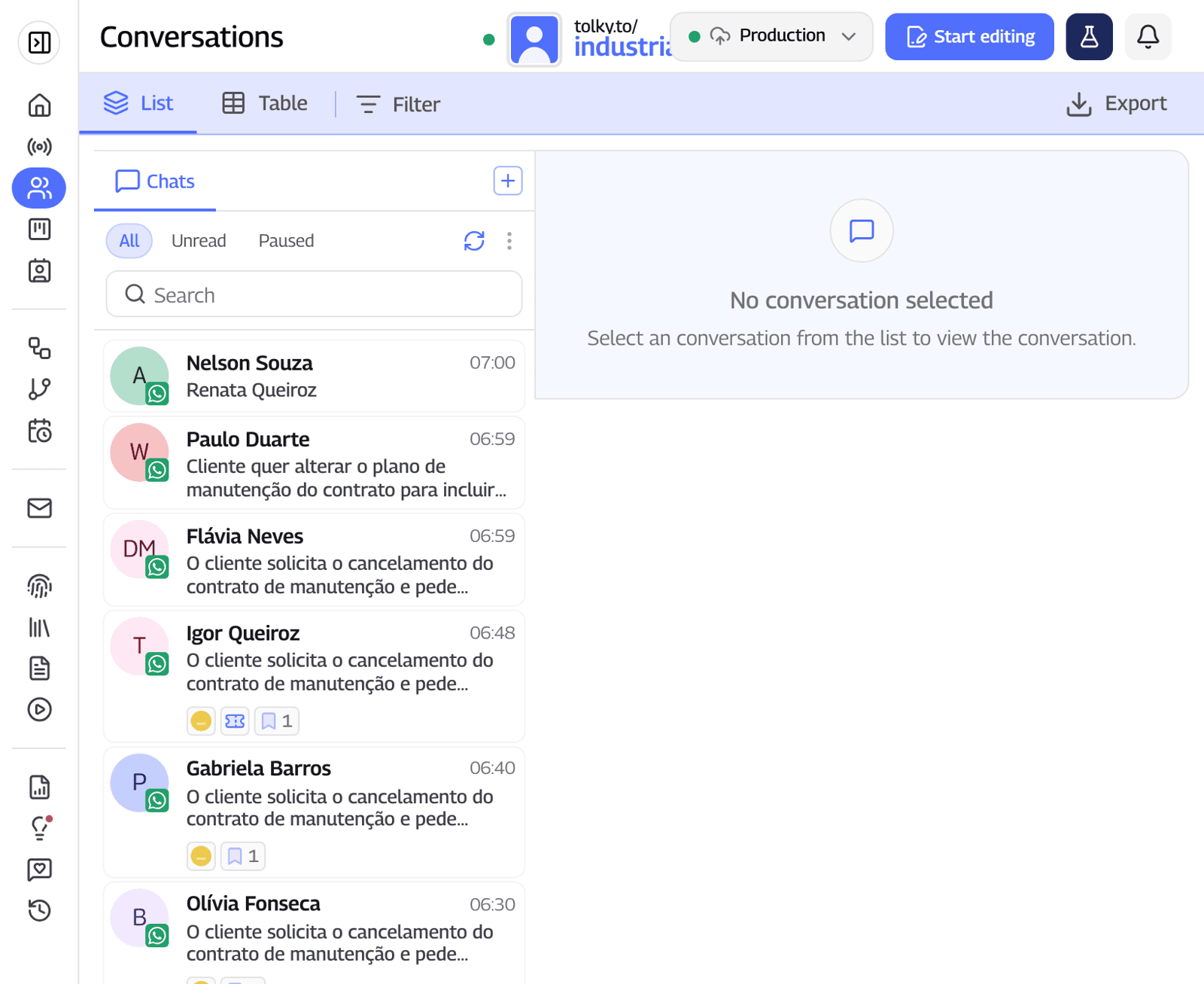
The plans, published on the pricing page and checked on November 19, 2026:
- Individual, free: 150 conversations a month and 1 user, with webchat, AI and a knowledge base. It does not include WhatsApp; it is for testing the AI on your website.
- Starter, US$ 90 a month: 500 conversations and 2 users, with WhatsApp through the official API, 10 flows and 1,000 runs a month. It is built for small teams.
- Professional, US$ 450 a month: 1,000 conversations and 10 users, with departments and more integrations.
A conversation counts when the contact sent at least one message that month. The agent answers from your knowledge base, hands off with a summary and picks up stalled conversations with Follow Up. See the AI chatbot for WhatsApp.
What Tolky does not do: it is not the cheapest option if you have few conversations, it does not automate the app outside the API and Meta's rates are not included in the plan. Instagram and SMS are coming soon. If your business fits in the app, stay with the app.
Frequently asked questions
What is the best WhatsApp chatbot for small business?
The one that fits your volume with a predictable total price, uses the official API, answers with AI from your information and hands the conversation to a person. If you work alone, the free app may be enough.
Is there a free WhatsApp chatbot?
Yes, at the WhatsApp Business app level: greeting, away messages and quick replies cost nothing. A chatbot with AI, flows and history requires the official API, which has Meta's per-message rates and, usually, a platform subscription.
How much does the WhatsApp API cost for a small business?
Meta charges per delivered message, by the recipient's country and the category: to Brazil, US$ 0.0068 for utility, authentication and service and US$ 0.0625 for marketing, with 1,000 free service messages per number each month. The platform that uses the API charges separately.
Does a small business need the official WhatsApp API?
Not at first. The API pays off when more than one person answers, the queue builds up or answers depend on a system, such as a calendar or orders.
Is a cheap WhatsApp chatbot safe?
It depends on how it connects. Tools that use the WhatsApp Web QR code violate WhatsApp's terms and put the number at risk of a ban. Choose the official API.
Conclusion
For a small business, a WhatsApp chatbot starts small: repeated questions, hours and the start of a quote. Stay with the app while it keeps up, and move to the API when the queue, the team or your systems call for it.
See the plans, explore Tolky's chatbot, use the message templates or talk to the team →. Let's talk?
Share
Tags
- whatsapp chatbot for small business
- whatsapp chatbot pricing
- whatsapp automation for small business
- whatsapp api for small business
- cheap whatsapp chatbot
- best whatsapp business chatbot
- #conversational CRM
About the author

Co-founder of Tolky
Marlos Carmo is an AI entrepreneur and founder of Tolky, the conversational-era infrastructure and AI CRM that unifies intelligent service, multi-channel support (such as WhatsApp and voice), live CRM, and operational intelligence in a single ecosystem. He is a finalist for the SXSW Innovation Awards and a member of Francesco's Economy, a global network of young entrepreneurs focused on innovation and social impact. He works connecting Artificial Intelligence and digital transformation in projects for large organizations.
Next step
Want to bring this to your operation?
Tati, Tolky's AI assistant, understands your scenario in a few questions, suggests the best path and connects you with someone from the team, with full context.
Share