How to build a WhatsApp AI agent: n8n, a platform or Meta's AI
How to build a WhatsApp AI agent three ways: n8n with the official API, a platform or Meta's AI in the Business app. A decision table, step-by-step guide, costs and common mistakes.
TL;DR
To build a WhatsApp AI agent, you choose one of three paths: build it with n8n or code on top of the official API, use a ready-made platform, or turn on Meta's agent inside the WhatsApp Business app. The shared steps are the same for all of them: a number on the official API, a clear mission, a knowledge base, limits, testing before launch, handoff to a person with context, and metrics. The right path depends on who will maintain the agent, how many people answer the number and how much risk the operation accepts.
Share
Building a WhatsApp AI agent means connecting a language model to the business number, teaching it the company's content and deciding when a person takes over the conversation. There are three ways to do it: build it yourself with n8n (or code) on top of the official API, use a ready-made platform, or turn on the AI that Meta offers inside the WhatsApp Business app.
The most-watched tutorials only teach n8n, and vendors only sell their own tool. This guide compares the three paths side by side and then walks through the steps that apply to any of them. Tolky is one of those paths, and we say where it is not the best choice.
Updated in November 2026. External sources checked on November 19, 2026.
In short:
- There are three ways to build a WhatsApp AI agent: n8n or code on top of the official API, an AI agent platform, or the Meta Business Agent in the WhatsApp Business app.
- n8n gives you full control, but you maintain everything: server, webhook, memory, handoff to a person and the screen where your team answers.
- A platform delivers the operation ready to use and charges a subscription; Meta's AI is the easiest to turn on, but it lives inside the app, with no CRM or business rules of your own.
- The shared steps are seven: a number on the official API, a mission, a knowledge base, limits, testing, handoff with context, and metrics.
What is a WhatsApp AI agent?
A WhatsApp AI agent is an assistant built on a language model that talks to customers on the business number, answers with the company's content, carries out tasks in other systems and hands the conversation to a person when a rule says so. The general definition is in the AI agent glossary entry.
It differs from a menu chatbot because it understands the sentence the way the customer wrote it, instead of asking them to "press 1." And it differs from a general-purpose assistant because it works only within the company's scope. For the full concept, see the guide to what an AI agent is; for the difference from a rule-based bot, the WhatsApp chatbot guide.
How does a WhatsApp AI agent work?
A WhatsApp AI agent works in a five-step loop: the message arrives through the API, the system gathers context, the model decides, the agent replies or acts, and the conversation goes to a person when needed. What changes across the three paths is who handles each step.
- Inbound. Meta delivers the customer's message to a business endpoint (webhook) through the WhatsApp Cloud API.
- Context. The system pulls the history, the customer's data and the passages of the knowledge base related to the question.
- Decision. The model reads the agent's instructions (mission, tone, limits) and chooses: answer, ask for what is missing, call a tool or transfer.
- Action. The agent replies, looks up an order, opens a ticket or updates the CRM.
- Handoff. If a rule calls for a person, the AI stops and the agent on duty receives the history.
The 24-hour window applies to any path that uses the API: inside it, the agent replies freely; outside it, only with a Meta-approved template.
What are the three ways to build a WhatsApp AI agent?
The three paths are: build it yourself with n8n or code on top of the official API, use an AI agent platform, or turn on Meta's agent in the WhatsApp Business app. None is best at everything. The table compares the criteria that weigh most.


| Criterion | 1. n8n or code + official API | 2. Agent platform | 3. Meta's AI in the app |
|---|---|---|---|
| Tool cost | n8n free if you self-host; cloud billed per execution; plus the AI model | Monthly subscription | Free to start; more replies on paid Meta One plans |
| Time to go live | Days to weeks | Hours to a few days | Minutes, if the account qualifies |
| Who maintains it | You: server, credentials, errors | The vendor runs the infrastructure; you own the content | Meta |
| Official API | Yes, direct connection | Yes, on serious platforms (check) | Does not use the API: runs in the app |
| CRM and history | You build or integrate it | Usually included or integrated | History in the app, no CRM |
| Handoff to a person | You build the rule and the screen | Ready, with configurable rules | You take over in the app |
| Multiple agents | Needs a separate inbox | Included, with queues and roles | Limited to the app's devices |
| Main risk | A flow breaks and nobody notices | Dependence on the vendor and its pricing | Limited availability and little control |
Left out on purpose: bots that hook into WhatsApp Web through a QR code. They break WhatsApp's terms and put the number at risk. The reasons are in the post on the unofficial WhatsApp API and its risks.
How do you build a WhatsApp AI agent with n8n?
With n8n, you build the agent as a workflow: the WhatsApp trigger receives the message, an AI agent node writes the reply and the WhatsApp Business Cloud node sends it back through the official API. It is the path of the most-watched tutorials, and the one that gives the most control.
What the n8n documentation shows, checked on November 19, 2026:
- Sending: the WhatsApp Business Cloud node sends messages and templates, sends and waits for a reply, and handles media.
- Receiving: the WhatsApp Trigger listens for messages and number events. The docs warn that WhatsApp allows only one webhook per app: switching between test and production overwrites the URL.
- Hosting: without a license key, n8n runs as the free Community edition on your own server (hosting docs). The pricing page showed cloud plans starting at 20 euros a month billed annually, with 2,500 executions.
On Meta's side, the Cloud API getting-started docs require a developer account, an app with the WhatsApp use case, a WhatsApp Business account, a number and a permanent system-user token; the temporary token in the dashboard is only for tests.
When n8n is the right choice: someone technical is on the team, volume is low or the agent is part of an automation already running in n8n. Where it charges its price: memory, agent queues, handoff with context, CRM and reports have to be built separately. The step-by-step is in the guide to building a WhatsApp AI agent with n8n.
How do you build a WhatsApp AI agent with a platform?
With a platform, you connect the number through Meta's guided signup, write the agent's mission, upload the company's content and set the transfer rules, without running a server or a webhook. The work left to you is what defines quality: content, limits and testing. And the team and the AI share one screen, which matters when several people answer the same number.
What to check before you subscribe:
- Meta's official API, through embedded signup or an official partner.
- Testing before launch, with simulated conversations.
- Handoff to a person with history and a summary, not just an alert.
- Pricing with Meta's fees listed separately, explained in writing.
To compare options with verified prices, see the best WhatsApp AI agent platforms in 2026 and the 12-question checklist for choosing an AI agent.
How does Meta's AI agent work in WhatsApp Business?
The Meta Business Agent is Meta's own AI that answers customers inside the WhatsApp Business app, turned on from the Tools tab, with no coding. It does not use the official API or a platform: it runs in the app the business already has.
What Meta states, checked on November 19, 2026:
- What it does: answers questions about address, hours, products and services, recommends products, shares prices, payment and shipping details, and asks questions to process orders (Meta Business Agent page).
- What it learns from: Facebook posts, past WhatsApp conversations, the website, catalog, price lists, FAQs and the business's own instructions.
- Handoff: transfers complex cases and the topics you choose.
- Availability: "eligible businesses in select markets."
- Pricing: in the June 3, 2026 announcement, Meta says getting started is free. On September 15, 2026, the Meta One subscription added more agent replies on WhatsApp, in plans starting at US$ 14.99 a month.
The limit is the app itself: few devices, no queues, no CRM and no business rules of your own. Eligibility and details are in the post on Meta's WhatsApp Business AI agent, and what the app does without AI, in the guide WhatsApp Business chatbot: app or API.
What is the best WhatsApp AI agent for your case?
The best WhatsApp AI agent is the one that fits whoever will maintain it: n8n for teams with technical people and low volume, a platform for teams answering together, and Meta's AI for someone answering alone from the app. The AI models on the market are close; what decides is who looks after the agent when something breaks.
| Your scenario | Path that usually fits | Why |
|---|---|---|
| One person answers from a phone, low volume | Meta's AI in the app | Free to start, no technical setup |
| Technical team, automation already in n8n | n8n + official API | Reuses what exists and gives control |
| Two or more people on the same number | Platform | Inbox, queues and handoff ready to use |
| Sales with a pipeline and lead follow-up | Platform with CRM | History and stages in one place |
| Regulated sector (health, legal, finance) | Platform with access roles and audit log | Control over who sees what |
| Started in n8n and the agent grew | Move to a platform | The operation came to depend on one person |
How do you build a WhatsApp AI agent, step by step?
Whatever the path, building a WhatsApp AI agent takes seven steps: a number on the official API, a mission, a knowledge base, rules and limits, testing, handoff to a person, and metrics. Skipping one of them is the most common reason an agent gives wrong answers in production.


- Connect the number to the official API. It requires a Meta business portfolio, a number that can receive SMS or a call, and a display name within the rules. With coexistence, the number stays in the phone app. See how to get the official WhatsApp Business API. On path 3, this step does not exist.
- Write the mission. What the agent exists for ("answer questions and book appointments"), its tone and what it does not do. There are templates in the AI agent prompt library.
- Build the knowledge base. Policies, prices, deadlines and FAQs, in short documents with no contradictions. See how to train the agent with a knowledge base.
- Set rules and limits. What the agent does not answer, what is a fixed reply and when it asks for missing details. Clear limits reduce hallucination.
- Test before launch. Run rehearsed conversations with direct questions, out-of-scope ones, questions the base cannot answer and an angry customer: that is conversation simulation.
- Set up the handoff. Written rules ("refund requests go to billing") with the history going along. See the handoff glossary entry and the rules for AI-to-human handoff.
- Measure and adjust. AI resolution, transfer rate, first response time and unanswered questions. Each gap becomes new content in the base.
How much does it cost to build a WhatsApp AI agent?
The cost of a WhatsApp AI agent adds up three parts: the tool, Meta's per-message fees and the time of whoever sets it up and maintains it. The third part is the one most often left out, and it usually weighs most on the n8n path.
Meta's fees apply to paths 1 and 2. Under the rate card in effect since October 1, 2026, checked on November 17, 2026, each number gets 1,000 free service messages a month; after that, each service reply to a US number costs US$ 0.0034, and a marketing template, US$ 0.025 (WhatsApp platform pricing). In the same pricing, the Meta Business Agent category is charged at US$ 2.00 per million tokens.
Illustrative example: 3,000 service replies a month to US numbers generate (3,000 − 1,000) × US$ 0.0034 = US$ 6.80 in Meta fees, plus the tool and the AI model. Run your numbers in the WhatsApp API cost calculator and see the full breakdown in how much a WhatsApp AI agent costs.
Can you build a WhatsApp AI agent for free?
You can start without paying for a tool, but not at zero cost. Meta's AI in the app is free to start, only for qualified accounts; more replies come with paid Meta One plans. The n8n Community edition has no license fee, but there is the server, the AI model, Meta's fees and your time. Free platform plans usually serve for testing: at Tolky, the Individual plan is free with AI, a knowledge base and webchat, and WhatsApp starts on the Starter plan.
WhatsApp AI agent examples by industry
A WhatsApp AI agent changes its mission by industry, but the structure (mission, base, limits and handoff) stays the same. These examples are illustrative:
- Clinic: answers questions about insurance and exam prep, offers time slots and transfers any question about symptoms. See the healthcare segment.
- School or course: answers about classes, tuition and enrollment, and sends scholarship cases to the admissions office. See the education segment.
- Online store: checks order status, explains returns and transfers complaints about defects. See retail and e-commerce.
- Real estate: qualifies interest (buy or rent, neighborhood, price range) and books a viewing. See the real estate segment.
What common mistakes break a WhatsApp AI agent?
The mistakes that most often break a WhatsApp AI agent are operational, not technical. Six come up again and again:
- Using an unofficial tool to save money. The number can be banned, and the history goes with it.
- Launching without testing. The first customer becomes the test.
- A base with two versions of the same rule. The AI picks one, not always the right one.
- Offering a general-purpose assistant. Meta's terms (section 4.7, checked on November 19, 2026) prohibit AI providers when AI is the primary functionality, rather than incidental or ancillary; an agent that serves the business's own customers is the permitted use (WhatsApp Business Platform terms).
- Transferring without history. The customer repeats everything and the AI becomes an obstacle.
- On n8n, nobody monitors the flow. A token expires or the webhook is overwritten, and the agent goes silent.
Where does Tolky fit in building a WhatsApp AI agent?
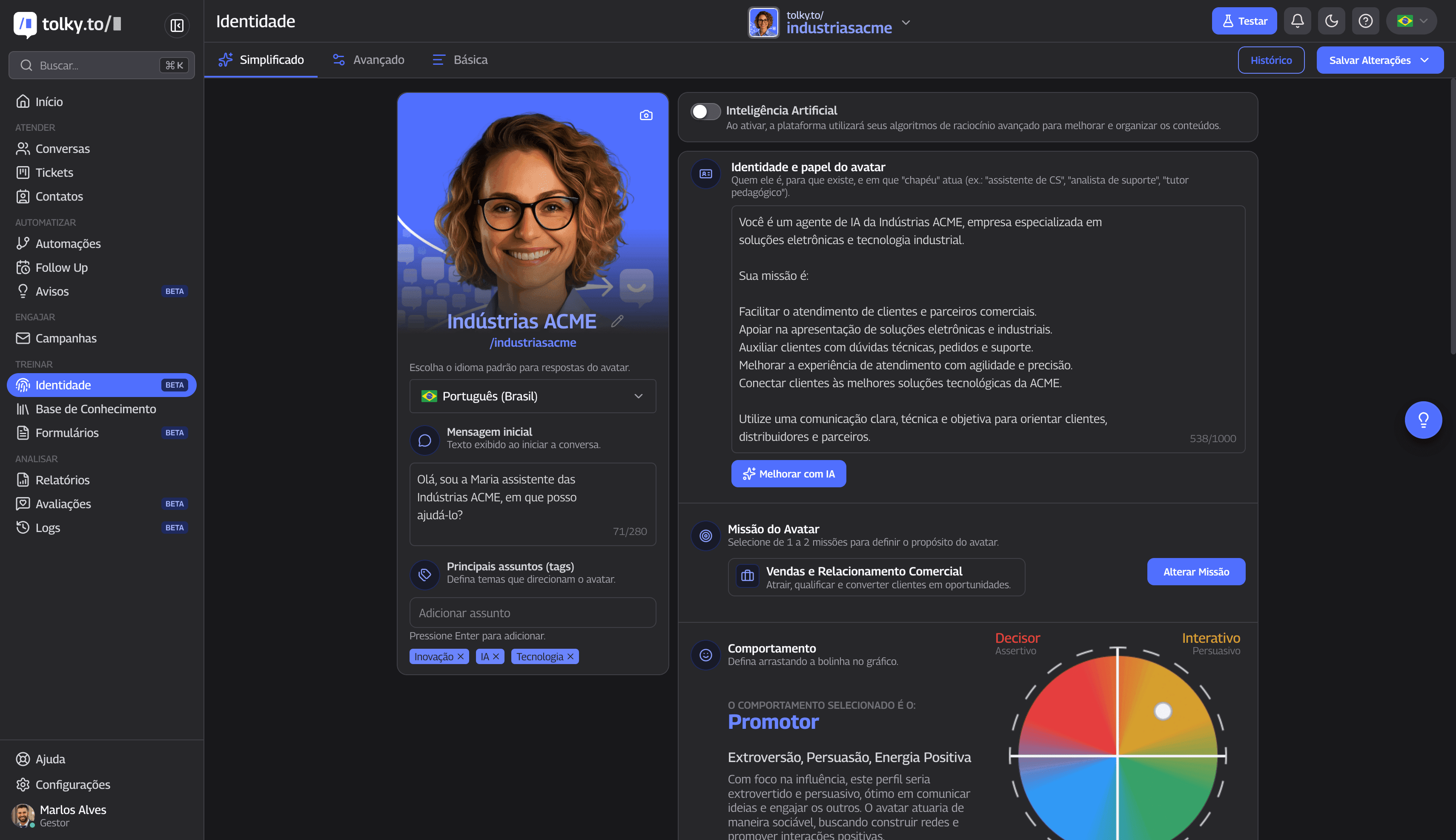
Tolky is a Brazilian conversational AI CRM where the AI agent answers on WhatsApp through the official API, with a mission, a knowledge base, simulations, handoff to the team and its own CRM on one platform. It is path 2, for teams that do not want to run a server or build a separate inbox.
- Mission-based agents: one or two missions per agent, such as Conversation and Support or Sales and Commercial Relationship, with scope, limits and language. See the AI chatbot for WhatsApp.
- Knowledge base: text, files such as PDF and DOCX, and web page links.
- Simulations: personas, scenarios and success criteria, run in batches before launch.
- Handoff to a person: rules in the form "when this happens, do that"; whoever takes over sees the history and the summary.
- Built-in CRM: native HubSpot integration and more than 1,000 apps in Flows. See Tolky's CRM.
- Flows that import n8n: if you started on path 1, you import the workflow JSON and can export in n8n format, with caveats on steps that have no equivalent. See WhatsApp automation flows.
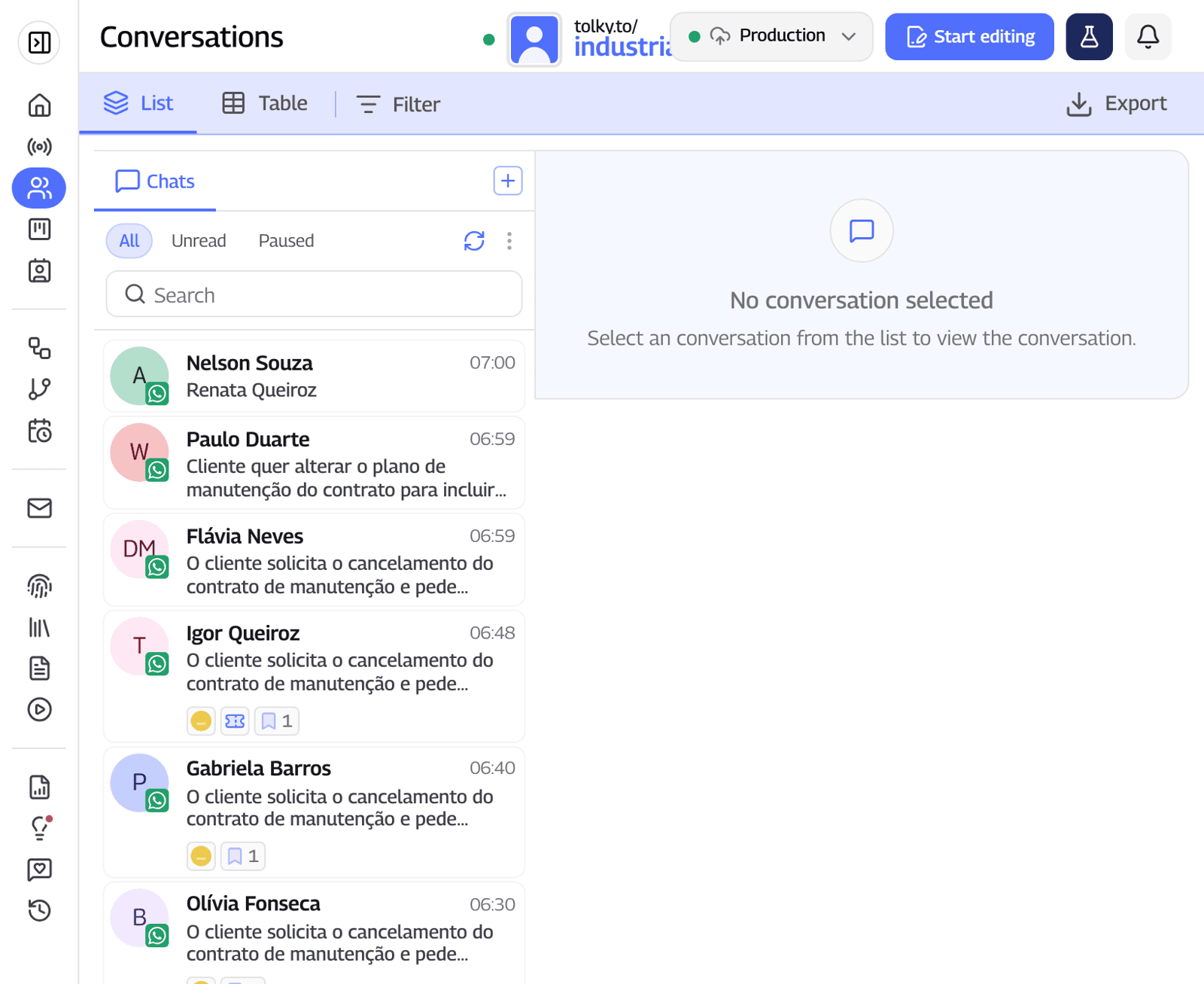
Pricing: Individual is free, with AI, a knowledge base and webchat. WhatsApp starts on Starter, at US$ 90 (R$ 500) a month with 500 attendances and 2 users; Professional costs US$ 450 (R$ 2,500) a month with 1,000 attendances and 10 users. Meta's fees are not included (Tolky plans, checked on November 19, 2026).
Where Tolky is not the best choice: for someone answering alone from a phone who needs no CRM (Meta's AI covers it) or who wants open source on their own server (n8n covers it). Instagram and SMS are still coming soon. See the WhatsApp customer service solution.
Frequently asked questions
How do you build a WhatsApp AI agent from scratch?
Pick a path (n8n, a platform or Meta's AI), connect the number to the official API when the path requires it, write the mission, build the base, set limits, test with simulated conversations, set up the handoff and measure.
Do I need to code to build a WhatsApp AI agent?
Not on a platform or with Meta's AI. On n8n, the basic flow needs no code, but hosting, managing credentials and fixing errors take technical skills.
Can I build a WhatsApp AI agent for free?
You can start without paying for a tool: Meta's AI is free to start, and n8n Community has no license fee. There are still server, AI model and Meta fees when the conversation goes through the API.
Does Meta's AI agent replace a platform?
For someone answering alone from the app, it may be enough. For a team with several agents, queues, CRM and its own rules, no, because it runs inside the app.
Can I use the WhatsApp Business phone app with an AI agent?
Yes, in two official ways: Meta's AI inside the app, or coexistence, which connects the same number to the API without removing it from the phone. Bots that use WhatsApp Web break the terms.
How long does it take to launch a WhatsApp AI agent?
With Meta's AI, minutes, if the account qualifies. On a platform, hours to a few days, and organizing the content takes the longest. On n8n, days to weeks.
Does Meta allow AI agents on the WhatsApp API?
Yes, when the AI serves the business's own customers. The terms prohibit AI providers when AI is the primary functionality offered, such as a general-purpose assistant, and allow a business to retain an AI provider as its solution provider.
What happens to my n8n workflows if I move to a platform?
It depends on the platform. At Tolky, Flows import n8n JSON for review in the visual editor and export in n8n format, with caveats on steps that have no equivalent.
Conclusion
Building a WhatsApp AI agent depends less on which AI you use and more on who will maintain it: n8n gives control and demands upkeep, a platform delivers the operation ready to use, and Meta's AI is the simplest, inside the app. On any path, skipping testing or handoff with context costs more than the tool.
See the plans, explore the AI chatbot for WhatsApp, compare platforms or talk to the team →. Let's talk?
Share
Tags
- how to build a whatsapp ai agent
- #whatsapp ai agent
- how does a whatsapp ai agent work
- whatsapp ai agent n8n
- free whatsapp ai agent
- whatsapp business ai agent
- official WhatsApp API
- #conversational CRM
Cited in
- Is the WhatsApp Business AI agent free? What it means for businesses
- WhatsApp AI agent with n8n: step-by-step setup and when to migrate
- WhatsApp AI agent pricing: platform, Meta fees and what you really pay
- Best WhatsApp AI agent platforms for businesses (2026 comparison)
- WhatsApp Chatbot: How it Works and How to Create One
- WhatsApp Business API: What It Is, How It Works, Pricing and Setup
- AI for customer service: how to use it on WhatsApp in 7 steps
About the author

Co-founder of Tolky
Marlos Carmo is an AI entrepreneur and founder of Tolky, the conversational-era infrastructure and AI CRM that unifies intelligent service, multi-channel support (such as WhatsApp and voice), live CRM, and operational intelligence in a single ecosystem. He is a finalist for the SXSW Innovation Awards and a member of Francesco's Economy, a global network of young entrepreneurs focused on innovation and social impact. He works connecting Artificial Intelligence and digital transformation in projects for large organizations.
Next step
Want to bring this to your operation?
Tati, Tolky's AI assistant, understands your scenario in a few questions, suggests the best path and connects you with someone from the team, with full context.
Share