WhatsApp scams using company names: how to protect customers
The WhatsApp scams that use company names (fake support agent, account hijacking, fake bank call center, fake invoices and payment codes) and what your business can do to protect customers.
TL;DR
WhatsApp scams using company names are frauds in which criminals pose as a bank, a store or a service provider to ask for codes, passwords, personal data or payments. According to Febraban, Brazil's banking federation, the WhatsApp scam was the most reported fraud among bank customers in Brazil in 2024. A business protects its customers with a single, published official number, a complete profile, a public rule of never asking for passwords or codes and identity verification for sensitive operations.
Share
When a scammer uses your company's name on WhatsApp, the customer loses the money, but you lose the trust. Customers do not separate "the company" from "someone who said they were the company": they remember being fooled by your logo.
This guide covers the most common scams that use company names on WhatsApp, the warning signs, what end-to-end encryption protects and what it does not, and the practical steps your business can take to protect customers. Data comes mainly from Brazil, one of WhatsApp's largest markets, and was checked on November 23, 2026.
Updated November 2026.
What are the most common WhatsApp scams?
A WhatsApp scam using a company name is a fraud in which the criminal poses as a bank, a store, a carrier or another service provider to convince the person to hand over a code, a password, personal data or a payment. The scam does not break the technology: it exploits trust in the brand.
According to a Febraban survey of 2024, reported by Agência Brasil on April 14, 2025, the scams most reported by bank customers in Brazil were the WhatsApp scam (153,000 complaints), fake sales (150,000) and the fake call center or fake employee scam (105,000). Fake invoices (boletos) came seventh, with 13,000.


| Scam | How it works | Warning sign |
|---|---|---|
| Fake support agent and account hijacking | The scammer poses as a company's support and asks for the six-digit code WhatsApp sends by SMS, to register the victim's account on another device | Any request for the verification code |
| Fake call center and fake bank manager | A call or message that imitates the bank, mentions a suspicious purchase and asks for a password or a "security update" | A request for a password, token or transfer "to protect the account" |
| Fake sale and fake profile | A profile with the store's name and photo offers a product that is far too cheap and asks for payment up front | A price well below market, a number different from the official one |
| Fake invoice or payment code | A charge with a swapped payee, sent as if it came from the company | A payee name that does not match the company |
| Money request in a friend's name | A profile with the photo of someone close asks for an urgent transfer | New number, urgency and a request for secrecy |
Sources: Febraban, via Agência Brasil (2025) and Agência Brasil (March 6, 2026); and the WhatsApp Help Center article about scams and suspicious messages.
How do scams that use company names work?
They all follow the same script: create urgency, look official and get something only the customer has, such as a code, a password or a payment. Knowing the script helps the business write the right warning.
Fake support agent and WhatsApp account hijacking
The scammer introduces themselves as an agent from a store, a service or WhatsApp itself and asks for "the code that just arrived by SMS". With that code, they register the victim's account on another device and start asking the victim's contacts for money. Febraban recommends turning on two-step verification, and the WhatsApp Help Center describes it as an extra layer against unauthorized access.
Fake call center and fake bank manager
The person gets a call or message that seems to come from the bank, sometimes with the branch number spoofed. The scammer mentions an improper charge or a cloned card and asks for a password, token or transfer. According to Febraban, "personal passwords, codes or tokens are for the customer's personal, non-transferable and exclusive use", and the advice is to end the contact and reach the bank through its official channels (Agência Brasil, March 6, 2026).
Fake sales, fake invoices and fake payment codes
A profile with your store's name and photo advertises an impossible price and asks for payment up front, or a "support agent" sends an invoice or payment code whose payee is not your company. The WhatsApp Help Center notes that scammers may pose as well-known businesses and advises distrusting messages that seem too good to be true.
What does end-to-end encryption protect, and what does it not?
End-to-end encryption protects the content of the conversation in transit, but it does not protect people from being deceived. According to the WhatsApp Help Center article about end-to-end encryption, checked on November 23, 2026, messages, photos, videos, voice messages, documents and calls are protected so that only the sender and the recipient can read them, "not even WhatsApp". That stops anyone from reading the conversation along the way, but it does not stop a customer from sending a code or a payment to a scammer: the message with the code arrives encrypted all the same. The same article explains that once received, a message is subject to the business's own privacy practices, that chats with optional Meta services, such as Meta AI, are not considered end-to-end encrypted and that payments do not have this protection. See end-to-end encryption in the glossary.
How does a business protect customers from WhatsApp scams?
A business protects customers when it keeps service on published official numbers, makes its profile verifiable, publicly commits to rules a scammer cannot follow and verifies identity before sensitive operations. No single measure solves it; together, they make the scam easy to spot.


| Measure | What to do | Why it works |
|---|---|---|
| One official number | Always serve and bill from the same numbers, ideally on the official API | A different number becomes a warning sign for the customer |
| Published channels | List the official numbers on the website, invoices, app and email signature | The customer checks before trusting |
| Complete profile and badge | Name, logo, website and address; apply for the official business account badge when eligible | An empty profile looks like a scam; the badge shows Meta verified the business |
| Public rule | Say it and repeat it: "we never ask for passwords, SMS codes or payments to another account" | Turns the scammer's request into proof of the scam |
| Two-step verification | Turn it on for the business number and encourage customers to do the same | Makes account hijacking harder |
| Identity for sensitive operations | Confirm who the person is before a change of account holder, a large withdrawal or a new device | A scammer with leaked data does not pass a document, selfie and liveness check |
| Monitoring | Look for fake profiles using your name and report them to WhatsApp | Shortens the time the fake profile stays up |
Two routine habits complete the list. Charges should show the exact payee name so customers can check it in their banking app. And the team needs a script for when a customer asks "is this number yours?": a fast answer, through the official channel, prevents the loss.
According to the WhatsApp Help Center article about chatting with businesses, a business profile shows a WhatsApp Business account label, and some show a blue badge indicating that Meta has verified the business. Teach customers to look for it.
What should you tell customers about scams?
A good scam warning is short, sent through the official channel and says exactly what the company never does and where to check. Send it in the welcome message, repeat it near payment dates and keep it pinned on the website.
Illustrative template:
"Hi Ana, this is Example Store on our official number. A quick security reminder: we never ask for passwords, codes received by SMS or payments to accounts that do not belong to Example Store LLC. Got something different in our name? Don't reply, and message us here."
Watch the category: a security notice with no offer tends to be utility when tied to the customer's account or transaction; if it includes a promotion, it becomes marketing. The guide to the 24-hour window and templates explains the categories.
What should you do when a customer falls for a scam using your name?
Support the customer, tell them to contact their bank right away and file a police report, report the fake profile to WhatsApp and warn your base if the scam spreads. Speed matters more than any well-written statement.


- Respond through the official channel, without blaming the customer, and log the case in the history.
- Tell them to contact the bank immediately to block the app or password, and to file a police report, as Febraban recommends in the Agência Brasil report.
- Report the fake number through WhatsApp itself, which lets users report messages, people and businesses.
- Account recovery. If the customer's account was hijacked, the WhatsApp Help Center has the recovery steps.
- Warn your base if several customers are targeted, using the template above.
Log each case: the pattern of approaches shows where to strengthen the warning.
Where Tolky fits in protecting against scams
Tolky is an AI conversational CRM that serves customers from your company's official number on the WhatsApp API, with AI agents that follow your rules, and offers identity verification with a liveness check for sensitive operations. It does not stop a scammer from creating a fake profile, but it helps make the real channel easy to recognize.
- One official number for everything. Service, sales and billing come from the same number on the official API, with each contact's history. See WhatsApp Service.
- AI with rules. The agent introduces itself as an AI assistant and follows the instructions you write, such as never asking for passwords or codes and explaining how customers can verify the channel.
- Liveness Check. The Liveness Check solution, in early access, generates a link the business sends by WhatsApp, email or app, so the person can photograph their ID and perform three randomly chosen movements in front of the camera; the result comes back approved, rejected or under review, with the reason. It does not yet query government databases, and human review is on by default.
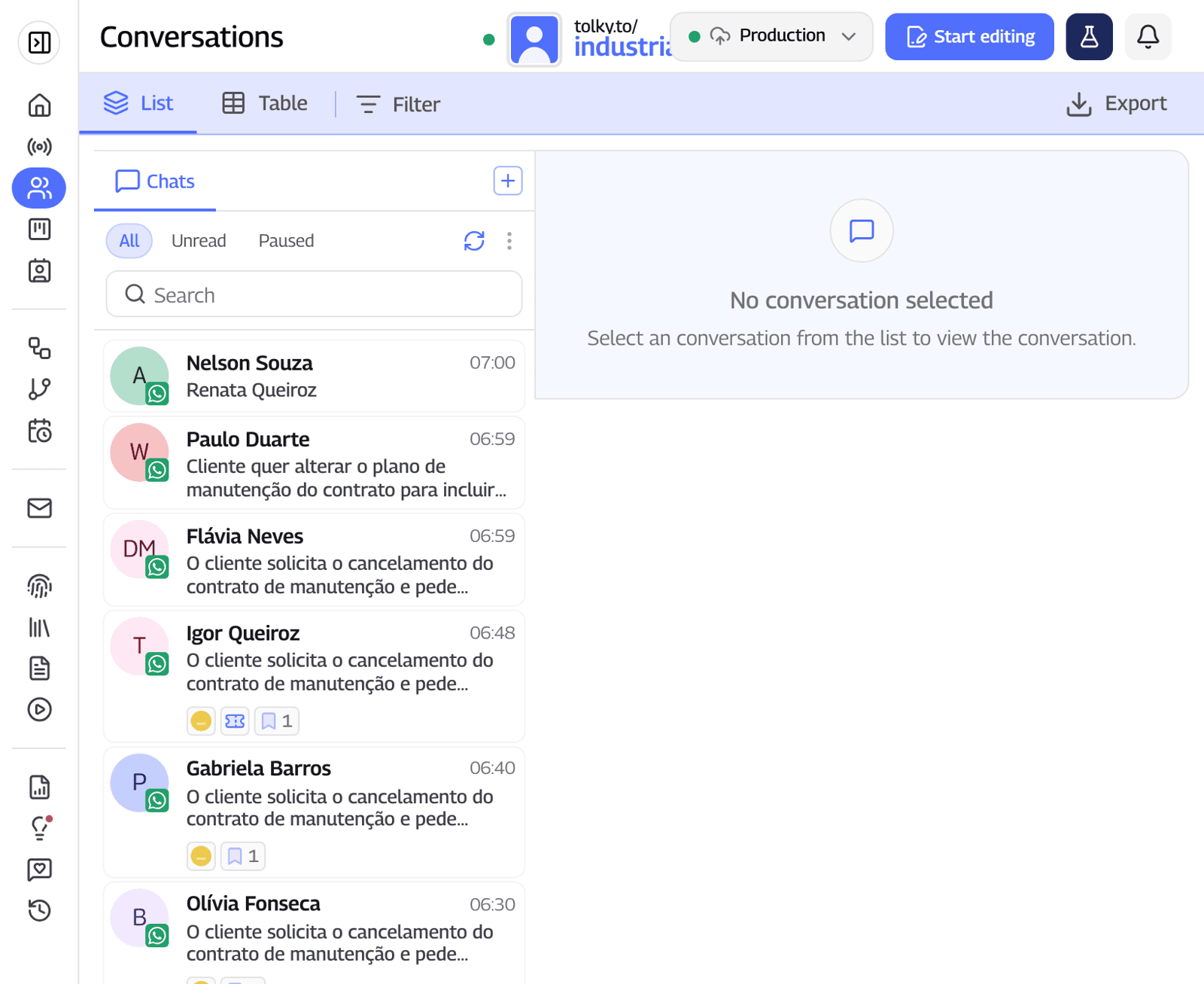
What Tolky does not do: it does not monitor fake profiles on WhatsApp or take down scammers' numbers; that is done by reporting them to WhatsApp. Tolky's Anti-fraud solution is something else: it looks for signs of document fraud and abusive litigation in court cases, for legal teams, not for scams against consumers on WhatsApp.
Frequently asked questions
What are the most common WhatsApp scams?
According to Febraban, the most reported by bank customers in Brazil in 2024 were the WhatsApp scam (account hijacking with the verification code), fake sales and the fake call center or fake employee scam. Fake invoices and money requests in a friend's name also show up often.
How can I tell if a message really comes from the company?
Check whether the number matches the one published on the website or invoice, whether the profile shows the business account label and whether the message asks for a password, a code or a payment to another account. When in doubt, don't reply and contact the company through its official channel.
Can a company ask for the code I received by SMS?
No. The WhatsApp verification code and bank codes are for personal use only. No legitimate company asks for that code, and the request is the clearest sign of a scam.
Does end-to-end encryption protect against scams?
No. It protects the content of the conversation in transit, but it does not stop a person from being persuaded to send a code or a payment to a scammer. It also does not cover payments or how a business handles a message after receiving it.
Does the blue badge guarantee it's not a scam?
The badge indicates that Meta verified the business, which helps a lot. But customers should still check the number and distrust any request for a password, a code or a payment to an account that does not belong to the company.
What should I do if a scammer uses my company's name?
Report the profile to WhatsApp, warn your base through the official channel with a clear template, tell affected customers to contact their bank and file a police report, and reinforce on your channels the rule of what the company never asks for.
Conclusion
WhatsApp scams using company names exploit trust, not technical flaws. The best defense is making the real channel easy to recognize: a published official number, a complete and verified profile, the public rule of never asking for passwords, codes or payments to another account, identity verification for sensitive operations and a fast answer when a customer asks whether a message is yours.
Explore the Liveness Check, see WhatsApp Service, see the plans or talk to the team →. Let's talk?
Share
Tags
- whatsapp scams
- fake customer support scam
- fake bank call scam
- whatsapp account hijacking
- fake invoice scam
- whatsapp security for businesses
- official business account
- #conversational CRM
Cited in
- Banned from WhatsApp: why it happens, how to appeal and avoid it
- Chatbot for banks: customer service, security and regulation
- How to sell on WhatsApp: catalog, sales script, follow-up and AI
- WhatsApp customer satisfaction survey: CSAT, NPS, CES and templates
- WhatsApp Pay in Brazil: what works today, Pix and its history
- WhatsApp Business calls: how to make, receive and answer them with AI
- WhatsApp Business: what it is, benefits, tools and when to migrate
- WhatsApp Business Web: how to use it on a computer and its team limit
- WhatsApp green tick: Official Business Account and how to get it
About the author

Co-founder of Tolky
Marlos Carmo is an AI entrepreneur and founder of Tolky, the conversational-era infrastructure and AI CRM that unifies intelligent service, multi-channel support (such as WhatsApp and voice), live CRM, and operational intelligence in a single ecosystem. He is a finalist for the SXSW Innovation Awards and a member of Francesco's Economy, a global network of young entrepreneurs focused on innovation and social impact. He works connecting Artificial Intelligence and digital transformation in projects for large organizations.
Next step
Want to bring this to your operation?
Tati, Tolky's AI assistant, understands your scenario in a few questions, suggests the best path and connects you with someone from the team, with full context.
Share